Can Gemini Access Outlook? Yes, But Not in the App
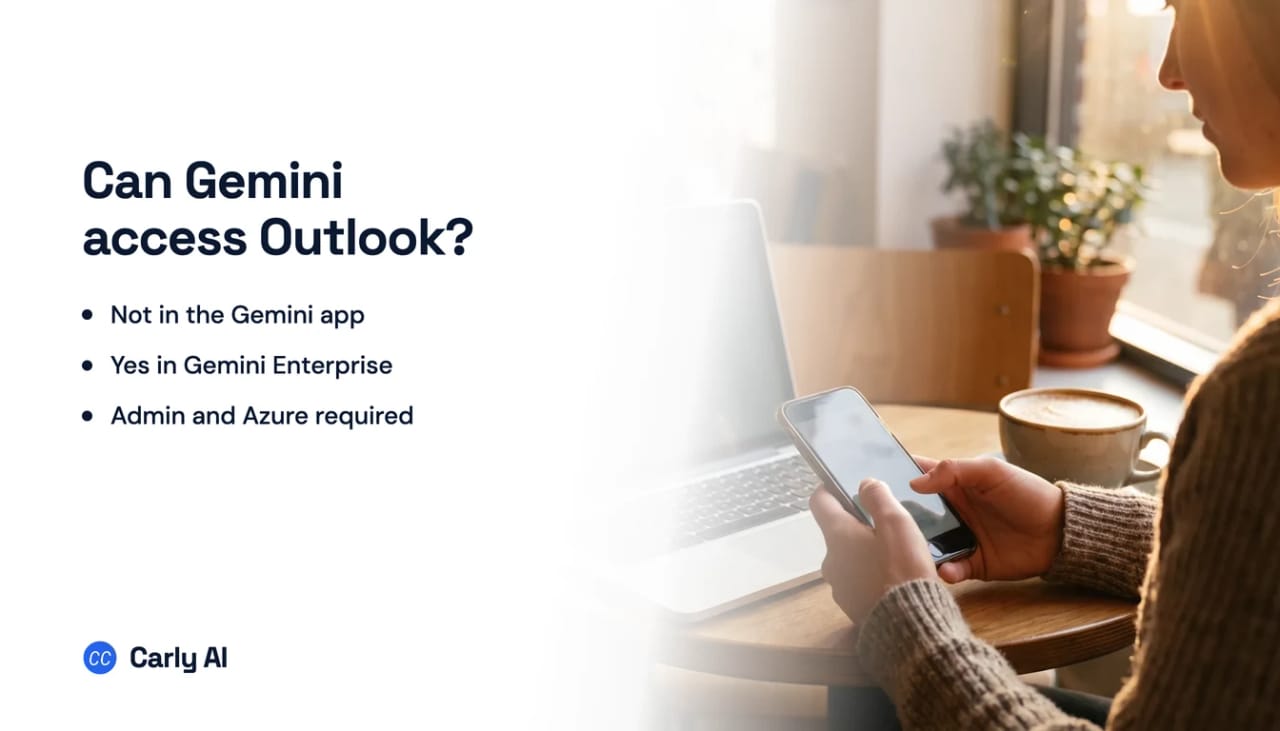
No. The Gemini app cannot touch your Outlook mail. It signs in with a Google account, and its Workspace connection reaches Gmail, Docs, Drive, Calendar, Keep, Tasks and Classroom. Outlook is not on that list, and no toggle adds it.
The one exception is Gemini Enterprise, where Google publishes a real Outlook connector that reads mail, calendars and contacts and even sends mail with attachments. It needs an Azure app registration, Microsoft Graph permissions and an administrator, so it is a project, not a setting.
What Gemini Enterprise can actually do with Outlook
Google publishes a Microsoft Outlook connector for Gemini Enterprise that reaches Outlook and Office 365 mail, calendars and contacts. The supported actions are named explicitly:
- Send mail, including with attachments
- Create event and update event
- Create contact and update contact
- Download attachments, capped at 25 MB
- Read-only federated search across the same data
That is a stronger action set than the Gemini app has against Gmail, which is a genuinely odd shape: Google’s enterprise product will send mail from your Outlook mailbox while the consumer Gemini app will not send from your Gmail.
The catch is who builds it
This is not a connection an individual makes. Setting it up requires:
- An Azure app registration with Microsoft Graph API permissions
- Delegated permissions granted per capability:
Mail.Read,Calendars.ReadandContacts.Readfor search, andMail.Send,Calendars.ReadWriteandContacts.ReadWritebefore any action works - An administrator to configure the data store in Gemini Enterprise
- A supported region, currently global, US and EU
There are also throughput ceilings to design around, including a documented 10,000 API requests per ten-minute window for ingestion.
None of that is unreasonable for a company standardizing on Google while its mail sits in Microsoft. It is simply out of reach if you are one person with a Gmail address and an Outlook address who wanted both in one assistant.
The everyday version of this problem
Most people asking whether Gemini reaches Outlook are not evaluating an enterprise deployment. They have a Google account for one part of their life and a Microsoft account for the other, and they want one assistant that sees both.
That mixed setup is extremely common and badly served by the built-in assistants, because each one is anchored to its own identity provider. Gemini is a Google product looking at Google data, so the moment half your work lives in Outlook, half your assistant is blind.
One connector, one account. That is still the shape in Claude and Gemini. The Gmail or Google Workspace connection authorizes a single identity, so a second account overwrites the first instead of sitting beside it. Anyone running a personal address and a work address does the disconnect and reconnect dance to move between them. Connect all of them to Carly instead and the dance stops.
| Gmail | Outlook | Sends email | Who sets it up | |
|---|---|---|---|---|
| Gemini app | Yes | No | No | You, in a minute |
| Gemini Enterprise | Yes | Yes | Yes | An admin, plus an Azure registration |
| Carly | Yes | Yes | Yes | You, in a minute |
One assistant across both mailboxes
Carly is an AI executive assistant that holds Gmail and Outlook at the same time, without an Azure app registration or an administrator in the loop:
- Both mailboxes, one assistant. A question that spans work and personal gets answered once.
- It works on triggers, in the cloud. Mail is read and acted on when it arrives: triage, reply, file, task, CRM update.
- It drafts and sends real email, attachments included, from whichever address owns the thread.
- You describe what you want in plain English and it interviews you, then builds the workflow with you.
Free Zapier-style workflows; AI agents from $35/month. Connect both sides on the integrations page, or see Outlook and Gmail. For a deployment that needs API-level access or per-tenant setup, book a call and we will scope it.
Frequently Asked Questions
Can Gemini access Outlook email?
Not in the Gemini app or the AI features inside Gmail, which are built around a Google account. Gemini Enterprise does have a Microsoft Outlook connector that reaches mail, calendars and contacts, configured by an administrator.
Can Gemini send email from Outlook?
In Gemini Enterprise, yes. Send mail is a documented action of the Outlook connector, including attachments up to 25 MB, once the required Microsoft Graph delegated permissions are granted.
How do I connect Gemini to Outlook?
Through Gemini Enterprise, an administrator registers an Azure app with Microsoft Graph permissions and configures the Outlook data store. There is no self-serve path in the consumer Gemini app.
Is there an AI assistant that reads both Gmail and Outlook?
Yes. Carly holds every Gmail address and every Outlook mailbox at the same time, with no admin and no Azure registration, and it acts on mail as it arrives rather than only when asked.
Can I use Gemini inside Outlook?
No. There is no Gemini add-in for Outlook, and the Gemini app cannot sign in to a Microsoft account. The only supported route from Gemini into Outlook mail is the Gemini Enterprise connector an administrator configures.
Can Gemini read Outlook calendar and contacts too?
In Gemini Enterprise, yes. The same Outlook connector covers mail, calendars and contacts, and can create or update events and contacts once the matching Microsoft Graph permissions are granted.
More: Can Gemini access Gmail? · Can ChatGPT access Outlook? · Can Copilot access Gmail? · Best AI assistants that work with Gmail and Outlook · How to connect multiple Outlook accounts to Gemini
Ready to automate your busywork?
Carly schedules, researches, and briefs you—so you can focus on what matters.
See what people say
"Before Carly, I relied on a Calendly link, but the whole process felt impersonal and not very professional. Carly changed that by handling all the back-and-forth, so I'm no longer stuck in endless email threads trying to line up schedules.
Now Carly reaches out to candidates, shares my real-time availability, lets them pick a slot, then sends a Zoom link and drops it straight into my calendar. She sends reminders to both of us before each call, which has significantly reduced no-shows and last-minute confusion.
On top of scheduling, Carly acts like a full executive assistant, sending me my schedule the night before so I can prepare for each call. It reminds me of the old x.ai assistant, but Carly is noticeably smarter, faster, and better suited to my healthcare recruitment business."