How to Build an AI Support Agent in 2026
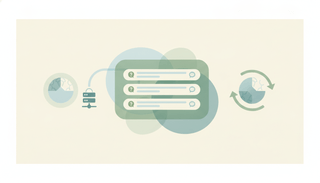
An AI agent that sits on your support inbox, reads every message, creates tickets, pulls customer data, detects patterns across reports, and alerts your team. It works through email — customers write in, the agent handles everything mechanical, and your team only touches what requires a human.
One email in. Ticket created, duplicates found, engineering alerted, customer updated. No human touched it.
How it works
Create a support agent at dashboard.carlyassistant.com (or email carly@usecarly.com and describe what you need). Connect your helpdesk, CRM, and messaging tools — Zendesk, HubSpot, and Slack cover most support workflows. The agent starts triaging incoming emails immediately, creating tickets, pulling customer context, and routing issues to the right team. It learns your escalation rules and response patterns over time. Full setup walkthrough: How to Create a Custom AI Email Agent.
What an AI support agent connects to
| Category | Integrations |
|---|---|
| Helpdesk | Zendesk, Freshdesk, Intercom, Gorgias, Freshservice, Zoho Desk |
| CRM | HubSpot, Salesforce (customer context) |
| Project Management | Linear, Asana, Monday, ClickUp (bug tickets) |
| Messaging | Slack, Discord, Microsoft Teams (internal alerts) |
| Payments | Stripe, Square (billing lookups) |
| Knowledge | Notion, Confluence, Outline (KB search) |
Connect tools at dashboard.carlyassistant.com. Carly supports 200+ integrations across 40+ categories.
How an AI support agent works in practice
- Customer reports a bug — agent creates a Zendesk ticket, finds 4 related reports, alerts engineering in Slack
- Billing question comes in — agent pulls account data from Stripe, drafts a clear response with dates and amounts
- Feature request — agent logs it in Productboard, sends a thank-you reply with confirmation
Build your support agent — or email carly@usecarly.com and describe what you need.
Related: How to Create a Custom AI Email Agent · What Are AI Agents · Best AI Agents for Customer Support · How to Build AI Employees · AI Email Agents for Small Business · Your First 30 Days With an AI Agent
Ready to automate your busywork?
Carly schedules, researches, and briefs you—so you can focus on what matters.
See what people say
"Before Carly, I relied on a Calendly link, but the whole process felt impersonal and not very professional. Carly changed that by handling all the back-and-forth, so I'm no longer stuck in endless email threads trying to line up schedules.
Now Carly reaches out to candidates, shares my real-time availability, lets them pick a slot, then sends a Zoom link and drops it straight into my calendar. She sends reminders to both of us before each call, which has significantly reduced no-shows and last-minute confusion.
On top of scheduling, Carly acts like a full executive assistant, sending me my schedule the night before so I can prepare for each call. It reminds me of the old x.ai assistant, but Carly is noticeably smarter, faster, and better suited to my healthcare recruitment business."