How to Connect Gemini to Gmail (2026 Setup Guide)
Most of the confusion here comes from one thing: “connecting Gemini to Gmail” describes two different products, and only one of them has a connection step.
The AI features inside Gmail are not something you connect. They appear in the Gmail interface based on your plan and account, and there is no pairing to do. The Gemini app at gemini.google.com is separate, and that one genuinely does need you to link your Google Workspace data before it can see a single message.
This guide covers the second one, plus the toggles that quietly block it.
One thing worth knowing before you spend ten minutes on the setup: connecting Gemini gets you a Gemini that can read your mail when you ask it to. It does not get you one that does anything with your mail while you are away. If that second thing is what you came for, Carly connects Gmail in about the same few minutes and acts on arrival instead.
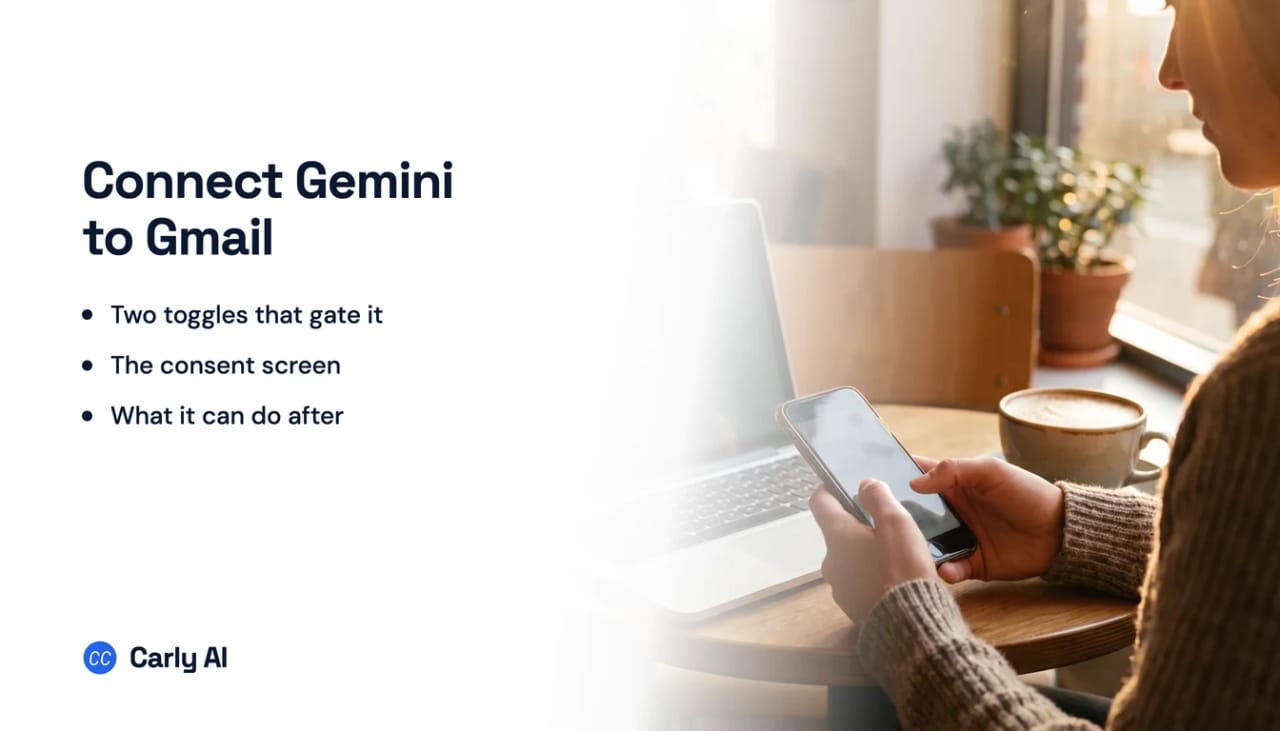
Turn on the two settings that gate everything
Before Gemini can reach Gmail, two account settings have to be on. Google does not surface them at the moment you try to connect, which is why the connection appears to fail for no reason.
1. Smart features in other Google products. Open Gmail, go to Settings, then See all settings, and find the smart features section. The setting named Smart features in other Google products must be on. Google states plainly that if you turn this on, you should reload the Gemini app and try to connect again.
2. Keep Activity. This lives in your Google Account activity controls. Google’s documentation is explicit that Gemini cannot connect to Google Workspace when this setting is off.
If you are on a work or school account, there is a third gate you cannot reach yourself: your Google Workspace administrator has to allow the Gemini app to connect to Workspace services in the Admin console. Individual users cannot enable that on their own.
Make the connection
There is no “add account” button to hunt for. The connection is triggered by asking.
- Sign in to the Gemini app with the same Google account you use for Gmail. A different signed-in identity is the most common silent failure.
- Ask Gemini something that requires your mail. “Find the invoice from my accountant last month” works.
- Accept the consent screen when it appears, reviewing the scopes it requests.
- Manage or revoke it later under the Gemini app’s connected apps settings.
One habit that saves a lot of frustration: say “Gmail”, “email”, or “Google Workspace” explicitly in the first prompt of every new conversation. Google documents this as a requirement, not a tip. Follow-up questions in the same thread do not need it, but a fresh chat does. A prompt that never names the source is the reason Gemini so often answers as though it has no access at all.
What Gemini can do with Gmail once connected
The honest capability list is narrower than most people expect from the word “connected”.
Through the Gemini app’s Workspace connection, Gemini can summarize, answer questions, and find information across Gmail, Docs, and Drive, including searching your mail by keyword and by date range. Google’s own documentation is equally clear on the other side of the line: through this connection Gemini does not draft, send, or delete email, cannot reach comments or images inside Gmail, and cannot count your messages or manage your storage.
Drafting lives in the other product. Help me write and the reply suggestions are Gmail features, not Gemini app features, which is exactly why the two get blurred together.
Neither Claude nor Gemini lets one connector carry two accounts at once. Each authorizes a single Google identity per connection, and the documented way to reach the other one is to disconnect and sign in again. A question that spans both inboxes cannot be answered in a single conversation. Carly answers it, because it holds all of them.
That matters more than it sounds. A personal address and a work Workspace login are two separate grants, so a question that spans both inboxes cannot be answered in one conversation. See how to connect multiple Gmail accounts to Gemini for the workaround.
The limit nobody mentions until later
Everything above happens because you opened a chat and asked. There is no listener on the mailbox. Nothing is read when it arrives, nothing is triaged overnight, and no rule fires when a particular sender writes in. Close the tab and Gemini’s relationship with your inbox stops until you come back.
For a lot of people that is fine. For anyone who wanted “watch my inbox and handle it”, the connection they set up is not the thing they were looking for.
| Reads Gmail | Drafts | Sends | Acts on arrival | |
|---|---|---|---|---|
| Gemini app + Workspace | Yes | No | No | No |
| Gemini in Gmail | Yes | Yes | No | No |
| Carly | Yes | Yes | Yes | Yes |
Running Gmail without opening a chat
Carly is an AI executive assistant that connects to Gmail and then keeps working when you are not there:
- It runs on triggers, in the cloud. When mail arrives, Carly reads it and acts: triage, reply, file, create a task, update the CRM. Your laptop does not need to be awake.
- It drafts and sends real email, attachments included.
- It holds Gmail and Outlook at once, so personal and work are one assistant rather than two logins.
- It builds the workflow with you. Describe the outcome in plain English and it interviews you, then builds it.
Free Zapier-style workflows; AI agents from $35/month. Connect it on the integrations page, or start with Gmail and Outlook.
Frequently Asked Questions
How do I connect Gemini to Gmail?
Sign in to the Gemini app with the same Google account you use for Gmail, turn on “Smart features in other Google products” in Gmail settings and Keep Activity in your account controls, then ask Gemini a question about your email and accept the consent screen. On a work or school account, your Workspace administrator must allow app connections first.
Why does Gemini say it cannot access my Gmail?
Usually one of four things: smart features are off, Keep Activity is off, you are signed in to a different Google account, or your first prompt in that conversation never mentioned Gmail. An administrator policy can also block it on work accounts. See Gemini can’t access Gmail for the full fix list.
Can Gemini send email after I connect it?
No. Through the Gemini app’s Workspace connection, Gemini summarizes, searches, and answers questions about your mail. Drafting happens in Gmail itself with Help me write, and the send is always your click.
Do I need to connect Gemini for the AI features inside Gmail?
No. AI Overviews, Help me write, Suggested Replies and the rest are Gmail features that appear based on your plan and account. The connection step only applies to the separate Gemini app.
Can Gemini connect to two Gmail accounts at once?
Not on one connection. The Workspace connection authorizes a single Google identity, so reaching a second inbox means disconnecting and signing in again.
More: Can Gemini access Gmail? · Gemini in Gmail · Can Gemini search my Gmail? · Can Gemini read my emails? · Gemini connectors · Best AI email agents
Ready to automate your busywork?
Carly schedules, researches, and briefs you—so you can focus on what matters.
See what people say
"Before Carly, I relied on a Calendly link, but the whole process felt impersonal and not very professional. Carly changed that by handling all the back-and-forth, so I'm no longer stuck in endless email threads trying to line up schedules.
Now Carly reaches out to candidates, shares my real-time availability, lets them pick a slot, then sends a Zoom link and drops it straight into my calendar. She sends reminders to both of us before each call, which has significantly reduced no-shows and last-minute confusion.
On top of scheduling, Carly acts like a full executive assistant, sending me my schedule the night before so I can prepare for each call. It reminds me of the old x.ai assistant, but Carly is noticeably smarter, faster, and better suited to my healthcare recruitment business."