Can Claude Cowork Connect to Multiple Email Accounts?
One Gmail and one Outlook work account, never two of either. Add the Carly connector and one Cowork task covers every inbox you have.
131 posts
One Gmail and one Outlook work account, never two of either. Add the Carly connector and one Cowork task covers every inbox you have.
Gemini 4 isn't in Gmail or Google Calendar yet. What Google says about the rollout, what Gemini does in your inbox and calendar today, and where it stops.
Clean up your Gmail inbox in 30 minutes: archive the backlog with one search, unsubscribe in bulk, filter what's left, then keep it clean all year.
One Gmail and one work Outlook, never two of either. Add the Carly connector and Claude works across all of your inboxes at once, Gmail and Outlook alike.

One assistant for your inbox and your calendar, on Gmail and Outlook. We compared 9 on booking from threads, meeting prep, follow-ups and price.
OpenClaw email setup, two ways: connect your Gmail with the gog skill and Pub/Sub, or give it its own CarlyEmail inbox. Step by step, and which is safer.
Send email from Python with smtplib and a Gmail app password: HTML, attachments, port 465 vs 587, auth errors. Then read and answer replies with an API.

Gemini sees one Google account at a time and has no Outlook app. What it reaches natively, and how to run every inbox and calendar you own in one place.

Not through its own Gmail connector, which holds one account. Add Carly to Muse as a custom connector and Muse works across all of your inboxes.

Meta Muse holds one Gmail and one Outlook, never two of either. Add every mailbox to Carly, connect Carly to Muse once, and Muse works across all of them.

Meta Muse's Gmail connector holds one account. Add every Gmail to Carly, connect Carly to Muse once, and Muse works across all of your inboxes.

Meta Muse's Gmail and Outlook connectors each hold one account. What Muse sees natively, and how to run every inbox and calendar in one Muse chat.
Most AI assistants hold one Google Workspace login and a second sign-in replaces it. We compared nine on two or more tenants: which hold all of them.
Claude Code reaches mail through MCP. Add every Gmail and Outlook mailbox to Carly, register one server, and work across all of them at once.
Claude Code reaches accounts through MCP, so the server decides the count. Register one and it works across every inbox and calendar you own.
Claude's Google and Microsoft 365 connectors each hold one login. What Claude reaches natively, and the setup that puts every account in one chat.

OpenAI's multi-account plugin note names ChatGPT, not Codex, and there is no Outlook plugin. One MCP server reaches every mailbox and calendar you own.
Copilot's multiple account access is a licensing bridge, not mailbox reach. What one seat actually sees, and how to work across every account you own.
Cursor's Gmail plugin has an Accounts list that users report does not stick, and Outlook holds one. One MCP server reaches every account you own.
Grok signs in to one Google account and one Microsoft mailbox per connector. Here is what that leaves out, and the setup that reaches all of them.
Perplexity documents one primary calendar, one Outlook mailbox, and no multi-Gmail setup. Here is what it reaches, and how to work across every account.
Yes, since August 2026, and one Work task can read all of them. Here is how, where Outlook and Microsoft 365 still fall short, and how Carly fills it.
No. Consumer Copilot's Gmail connector holds one Google account and the work SKU has none. With Carly, Copilot reaches every inbox you own.
No. Grok's Gmail connector signs in to one Google account at a time. With Carly, Grok works across every inbox you own in one conversation.
No. Perplexity's Gmail connection is one Google account with no second-account flow. With Carly, Perplexity reaches every inbox you own.
Yes, natively since August 2026. Here is how, and what OpenAI's docs leave out for Outlook.com, Hotmail and Microsoft 365 at more than one company.
No. Claude's Google connector holds one account, and a second replaces the first. Connect every inbox to Carly instead and use them all in one chat.
Claude connects to one Gmail account at a time. Connect every inbox to Carly instead and a single Cowork task reaches all of them.
Copilot handles one account at a time, and mixing Gmail with Outlook makes it worse. Put every account in Carly and reach all of them from one place.
Claude Code reaches Gmail through MCP. Add every inbox to Carly, register one server, and work across all of them from the terminal.
Cursor's Gmail plugin has an Accounts list, but a second account keeps reverting. Put every inbox in Carly, add one MCP server, and work across all of them.
One Le Chat conversation can reach every Gmail you own. Add every inbox to Carly, register one custom MCP connector, and just ask.
Manus switches Gmail accounts by re-authorizing the connector. Put every inbox in Carly, add one custom MCP server, and reach them all in one task.
ChatGPT Work holds one Gmail and one Outlook, never two of either. Connect all your accounts to Carly, add Carly once, and one chat covers every inbox.
ChatGPT holds one Gmail and one Outlook, never two of either. Connect all your accounts to Carly, add Carly once, and one chat covers every inbox.
Cowork holds one Gmail and one Outlook, never two of either. Connect every mailbox to Carly, add Carly once, and one task works across all of them.
Claude holds one Gmail and one Outlook, never two of either. Connect all your accounts to Carly, add Carly once, and one chat covers every inbox.

Yes, you can reach every Gmail and Outlook account from one Codex session. Connect all your mailboxes to Carly, register one MCP server, and just ask.
Gemini Spark reads one signed-in Google inbox and has no Outlook connector. Connect every mailbox to Carly, add Carly to Spark once, and just ask.
Gemini reads one Google account and has no Outlook app. Connect every mailbox to Carly, add Carly to Gemini Spark, and one chat covers every inbox.
Grok Bot's Gmail and Outlook plugins each sign in one account, and every login is shared across your Bots. Connect all your mailboxes to Carly and just ask.
Grok's mail connectors sign in as one Google account and one Microsoft mailbox. Connect all your accounts to Carly, add Carly once, and just ask.
Perplexity's mail connectors are one account each and Outlook cannot send. Connect all your mailboxes to Carly, add Carly once, and just ask.
Gmail, Calendar, and Drive are the easiest surfaces in AI to read and the hardest to act on. Which assistants write, and which hold a second Google account.
Most AI assistants pick an ecosystem and stay in it. We checked which ones hold a Google inbox and a Microsoft inbox at once, and what each can do in both.
Microsoft Copilot connects to Gmail, Google Calendar, Contacts and Drive. What it can do with them is narrower than the word connector suggests.
Gemini finds, summarizes and prioritizes mail, and inbox cleanup is coming. What it still will not do is handle the inbox while you are not looking.
Three routes get a file in front of Gemini, and only two are reliable. What Google documents about attachments, images in Gmail, and the 25 MB ceiling.
Gemini searches Gmail two ways: AI Overviews in Gmail search, and the Gemini app with Workspace connected. What each finds, and where the search stops.
The source settings error, the toggle nobody finds, and the one-word prompt habit that fixes it. Seven causes of Gemini losing access to Gmail, in order.
AI Overviews, Help me write, Suggested Replies, Proofread, AI Inbox. What each one does, who gets it free, and why the side panel disappeared for some users.
Two different connections get confused for one. The exact toggles, the consent screen, and what Gemini can really do with Gmail once connected.
We checked 11 AI assistants on two or more Gmail accounts. Carly is the only one that acts across all of them. Which hold, which switch, which bill you.
One person, two logins. Which AI assistants can see work and personal mail and calendars without dumping one account into the other.
Gmail, Calendar, and Drive across two Google logins. Which AI tools hold more than one account, and which replace the first when you add a second.
ChatGPT Work holds several Gmail accounts now. Outlook is where it thins out: Hotmail, a second company's Microsoft 365, and Outlook mail as a trigger.
Claude's Google connector is one account. Microsoft 365 is another. What Cowork sees natively, and how to run work and personal in one task.
Codex uses ChatGPT's Gmail plugin, which takes several accounts. Here is that setup, plus one MCP server that adds Outlook and works in the IDE extension.
Gemini Spark works from the Google account you sign in with. Add every inbox to Carly, wire Carly in over MCP, and reach them all from one Spark session.
Grok Bot's Gmail plugin takes more than one account by design, but users cannot get it authorized. Put every Gmail in Carly and work across all of them.
ChatGPT can send a Gmail or Outlook message, but its native email action does not attach files. Send a permissioned link, attach manually, or use Carly.
Fix a ChatGPT Gmail connector that searches in a loop, cannot create a draft, targets the wrong account, or stops before sending an email.
Claude Cowork-created Gmail drafts can contain malformed google.com/url redirect links. Learn how to inspect the real destination, prevent bad drafts, and send safely.
Microsoft Copilot reads Gmail but documents no multi-account setup. Here is how to reach several Gmail and Workspace inboxes with Carly.
Grok signs in to one Google account per connector. Add every inbox to Carly, connect Carly to Grok once, and ask across all of them in one conversation.
Perplexity documents one primary calendar and no multi-Gmail setup. Here is how to keep several inboxes available through Carly.
ChatGPT holds several Gmail accounts natively. Here are the steps, and how to add Hotmail, Outlook.com and other companies' Microsoft 365 to the same chat.

Claude's Google connector holds one account at a time. Add every Gmail and Workspace account to Carly, connect Carly once, and Claude can reach them all.
Gemini reads one Google account at a time and no setting changes it. Connect every inbox to Carly instead and one assistant covers all of them.
We tested 11 AI assistants across Gmail and Outlook together. Carly holds every inbox and acts in each one. Which others cap you, and which bill per account.
ChatGPT Work takes several Gmail accounts natively. Here is the setup, and how to bring Hotmail and other companies' Microsoft 365 into the same Work task.

Add multiple personal and work Gmail accounts to Claude Cowork with Carly, then search, draft, send, label, and schedule from the right inbox.

Manage personal Gmail, work Outlook, and multiple company inboxes with one AI assistant—without forwarding mail, merging accounts, or switching tabs.
Google's official Gmail MCP server is in Developer Preview and needs a Cloud project and your own OAuth client. Here's what it does and how to connect it.
Gmail is the ecosystem-and-search inbox tied to Google Workspace; Yahoo Mail is a free consumer inbox with generous storage and handy tracking features. Here's which to pick in 2026.

The best AI assistant that connects to Gmail and your CRM is Carly — it reads your inbox and updates HubSpot, Salesforce, Pipedrive, or Attio in one flow.
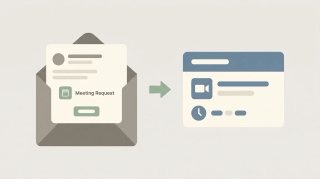
Gmail has no standalone meeting scheduler — you schedule through Google Calendar and Google Meet. Here's every path: create an event from an email, set up a time to meet, and add a Meet link.

The best AI automation tools for Gmail. Triage, label, draft, and send across Gmail and 200+ tools without building workflows or writing filters.
Free Gmail caps you at 500 recipients/day; Google Workspace allows 2,000 messages and 10,000 recipients/day, max 2,000 recipients per message. Full breakdown.
Gmail shares one 15 GB free quota with Google Drive and Photos. See what counts, Google One tiers, and what happens when you hit the cap.
Three ways to create Asana tasks from email — forward to x@mail.asana.com, use the Gmail or Outlook add-in, or automate it so every request becomes a task.
Proton Mail offers end-to-end encryption and Swiss privacy; Gmail offers features, integration, and search. Here's which email service to pick in 2026.
Superhuman is a fast, keyboard-first paid email client; Gmail is free and great at search. Here's which to pick and when speed is worth it.
Gmail sends attachments up to 25 MB and receives up to 50 MB; larger files go to Google Drive automatically. Here's how to send big files.
Make a reusable group in Gmail with Google Contacts labels, then email everyone by typing the label name. Plus Bcc for privacy and Google Groups.
Google has no one-click merge for two Gmail accounts. Five ways to consolidate instead — import old mail, forward, fetch by POP, move contacts, and Takeout.
Outlook organizes with folders and a built-in calendar; Gmail leans on labels, tabs, and search. Here's how they compare and which to pick in 2026.
Save Gmail messages to Google Drive — single email as PDF, batch save with Google Takeout, or auto-archive with filters. Plus saving attachments only.
Add a logo or image to your Gmail signature from Drive, upload, or a URL — resize it, host it so it never breaks, handle transparent logos, and fix images that show as a broken icon or red X.
Create Gmail aliases without a new account — plus addressing, dot variations, send-as addresses, and Workspace aliases. How to make them, when to use each, and how to filter mail by alias.
Turn on dark mode in Gmail on every device — the web's dark theme, true dark mode on Android and iPhone, and why message bodies sometimes stay white. Plus how to set it to follow your system.
Import contacts into Gmail from a CSV or vCard file, from Outlook or another email account, or from your phone — plus how to format the file, merge duplicates, and fix import errors.
How read receipts work in Gmail, who can use them, how to request one when sending, and free alternatives for personal Gmail accounts that don't have the feature.
Send self-expiring, no-forward emails with Gmail Confidential Mode — how to turn it on, set an expiration date and SMS passcode, revoke access, and what it does (and doesn't) protect.
Add another email account to Gmail two ways — switch between multiple Google accounts, or pull a second address (Gmail, Outlook, Yahoo, or work email) into one inbox and send from it.
Change the name recipients see on your Gmail messages — for your primary address via your Google Account, and for any 'send mail as' address directly in Gmail settings.
Delete every email from a single sender in Gmail using search operators and Select all — plus how to auto-delete future emails from that sender with a filter.
Mute noisy email threads in Gmail so future replies skip your inbox without unsubscribing or deleting — on web, iOS, and Android — plus how to find and unmute them later.
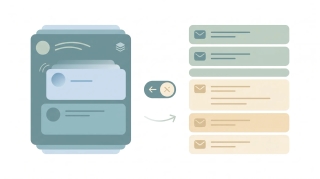
Turn off Conversation View in Gmail so each email shows as its own message instead of grouped threads — step-by-step for web, iOS, and Android, plus when to keep it on.

Three ways to back up Gmail — Google Takeout for personal use, IMAP-to-Thunderbird for portable archives, and Workspace Vault for admin-managed retention. Step-by-step plus what each format actually contains.
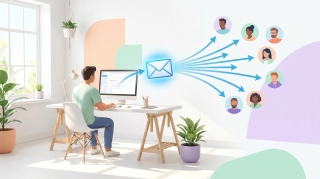
Three ways to build a Gmail distribution list — Google Contacts labels (personal Gmail), Google Groups (Workspace), and Workspace mailing lists — plus when to use each, how to send, and how to manage members.

A complete guide to email encryption in Gmail — Confidential mode, S/MIME for Workspace, client-side encryption (CSE), what each one actually protects, and what to use for HIPAA, SOC 2, and legal-privilege scenarios.

Mark every unread email as read in Gmail web, mobile, and the API — including the Select All trick most people miss, the search-then-bulk method for huge inboxes, and how to do it per label.
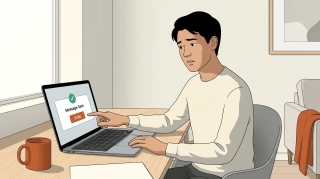
Gmail does not support true email recall — here is what Undo Send actually does, how to extend the window to 30 seconds, the workaround for Workspace users, and what to do when the email is already gone.
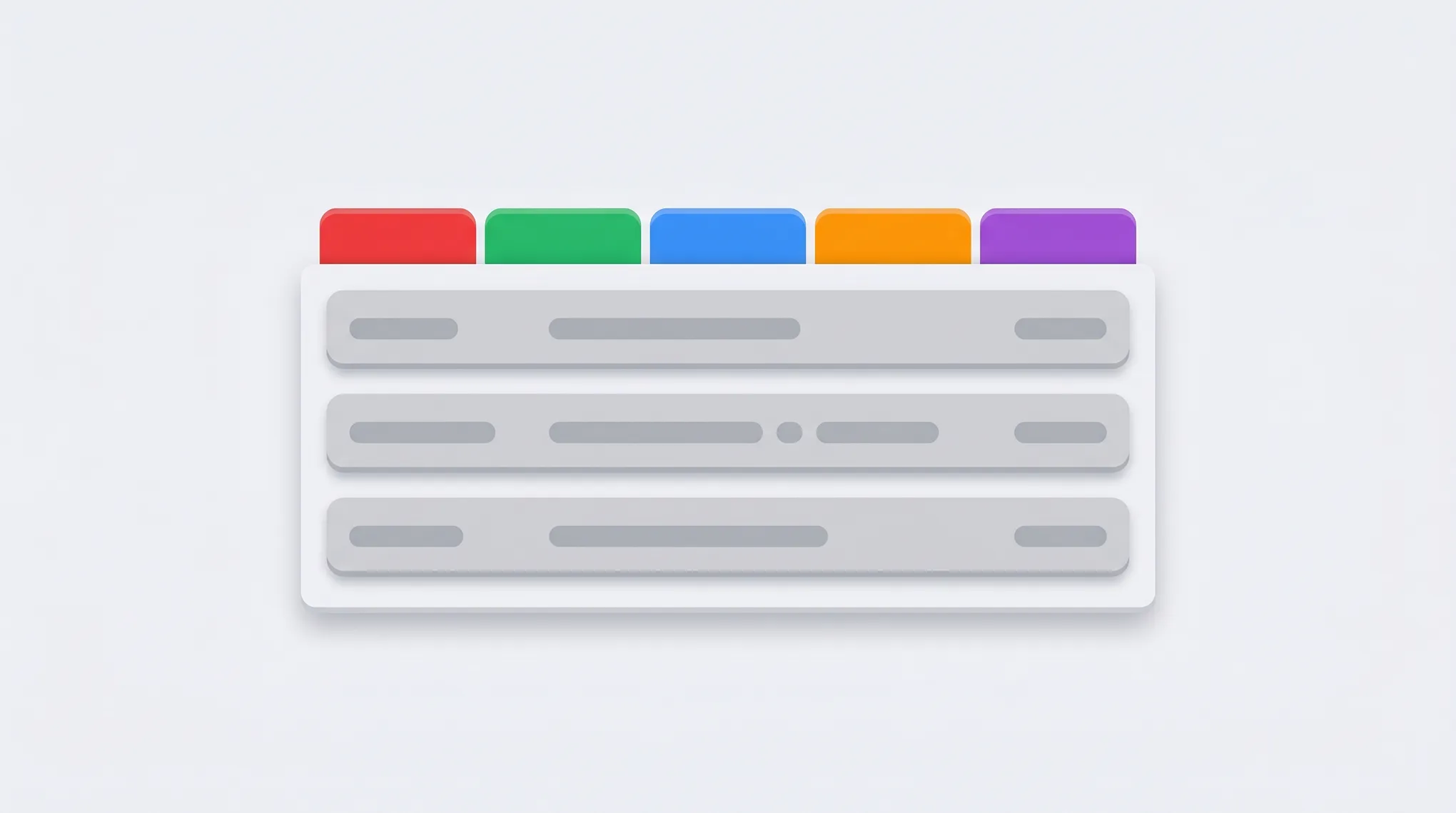
How to use Gmail's Primary, Promotions, Social, Updates, and Forums tabs — enable or disable categories, move emails between tabs, train the classifier, and the difference between categories and labels.
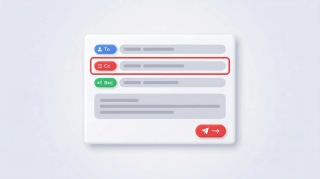
How to CC someone in Gmail — show the Cc field, keyboard shortcuts, mobile CC steps, CC a contact group, recipient limits, and the difference between CC and BCC.
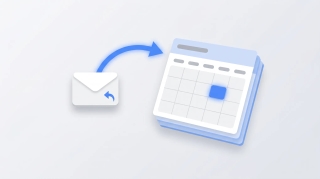
Three ways to create a Google Calendar event directly from a Gmail email — the three-dot Create event menu, Gemini's Add to calendar chip, the Calendar side panel, and mobile shortcuts.
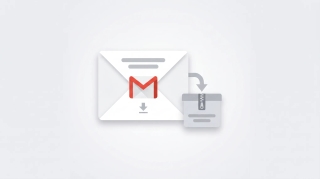
Complete guide to exporting Gmail messages: Google Takeout for full backups, downloading single emails as EML or PDF, exporting specific labels, and Vault for Workspace admins.
Why Gmail search returns no results, wrong results, or partial results — and how to fix it. Covers the new AI-relevance ranking, indexing delays, search operators, and the Smart Features setting that breaks search.
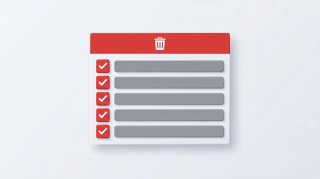
How to mass delete thousands of emails in Gmail using search operators, the Select all conversations link, and bulk filters — plus mobile workarounds and the storage gotchas.
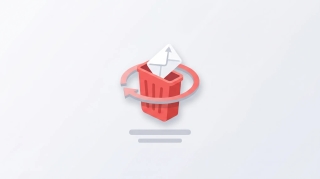
How to recover deleted Gmail emails — restore from Trash within 30 days, use the Gmail Message Recovery Tool for permanently deleted mail, Workspace admin recovery up to 55 days, and Vault for retained mail.
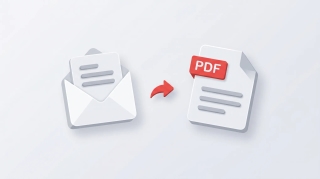
Save Gmail emails as PDFs on every platform — single message or full thread, mobile via AirPrint and Android print, batch save with cloudHQ, and the truncation gotcha for long threads.
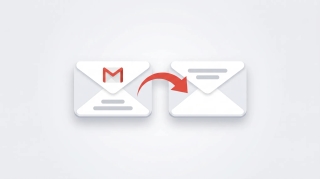
Step-by-step guide to setting up email forwarding in Gmail — auto-forward all incoming mail, conditional forwarding via filters, multiple addresses, and what to do if your Workspace admin disabled it.
Step-by-step guide to snoozing emails in Gmail on every platform — default times, custom snoozing, swipe gestures, and why snoozed emails sometimes don't return on schedule.
How to unsubscribe from emails in Gmail using the new Manage subscriptions view, the one-click unsubscribe link, bulk methods, and what to do when unsubscribe links don't work.
Step-by-step instructions for adding Gmail, Outlook.com, Yahoo, iCloud, IMAP/POP, and Exchange/Microsoft 365 accounts to Outlook — with fixes for the most common setup errors.
Step-by-step instructions for importing contacts into Outlook — CSV files, vCard imports, Gmail migration, and troubleshooting field mapping issues.
Step-by-step guide to archiving emails in Gmail on desktop and mobile. Learn where archived emails go, how to find them, how to unarchive, and the difference between archive and delete.
Step-by-step guide to using BCC (blind carbon copy) in Gmail on desktop and mobile — plus how to always BCC yourself, when to use BCC, and etiquette tips.
Step-by-step guide to blocking senders in Gmail on desktop and mobile, unblocking, reporting spam and phishing, muting threads, and blocking entire domains with filters.
Step-by-step guide to creating and managing contact groups (labels) in Gmail and Google Contacts — on desktop and mobile, with tips for sending group emails.
Step-by-step guide to enabling, creating, inserting, updating, and deleting email templates in Gmail — plus how to combine templates with filters for auto-replies.
Step-by-step guide to creating, editing, and managing Gmail filters to automatically label, archive, delete, or forward emails — plus common filter recipes for newsletters, notifications, and VIPs.
Gmail uses labels instead of folders — here's how to create labels that work like folders, organize emails into them, and set up auto-sorting with filters.
Step-by-step guide to creating, color-coding, and managing labels in Gmail on desktop and mobile. Organize your inbox with labels, sub-labels, and quick-apply shortcuts.
Step-by-step guide to turning on Gmail's vacation responder on desktop and mobile, writing a good out-of-office message, setting date ranges, and customizing auto-replies for Google Workspace.
Step-by-step guide to unsending emails in Gmail using Undo Send on desktop and mobile. Learn how to change the undo window to 30 seconds, what to do if you miss it, and how Gmail compares to Outlook recall.
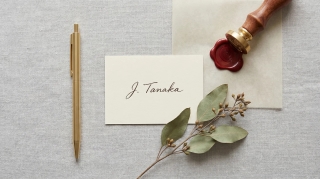
Step-by-step guide to creating and managing email signatures in Gmail — on desktop and mobile, with images, hyperlinks, and multiple signature support.

Step-by-step guide to scheduling emails in Gmail on desktop and mobile. Learn how to use Schedule send, edit or cancel scheduled messages, and pick the best send times.
Copy-paste email templates for sending your availability, plus step-by-step instructions for Outlook, Gmail, and the tools that eliminate the back-and-forth entirely.
See your calendar, check availability, and add Carly to emails — all without leaving Gmail. Here's how to set up and use Carly's Chrome extension.