How to Connect Multiple Notion Workspaces to Grok Bot
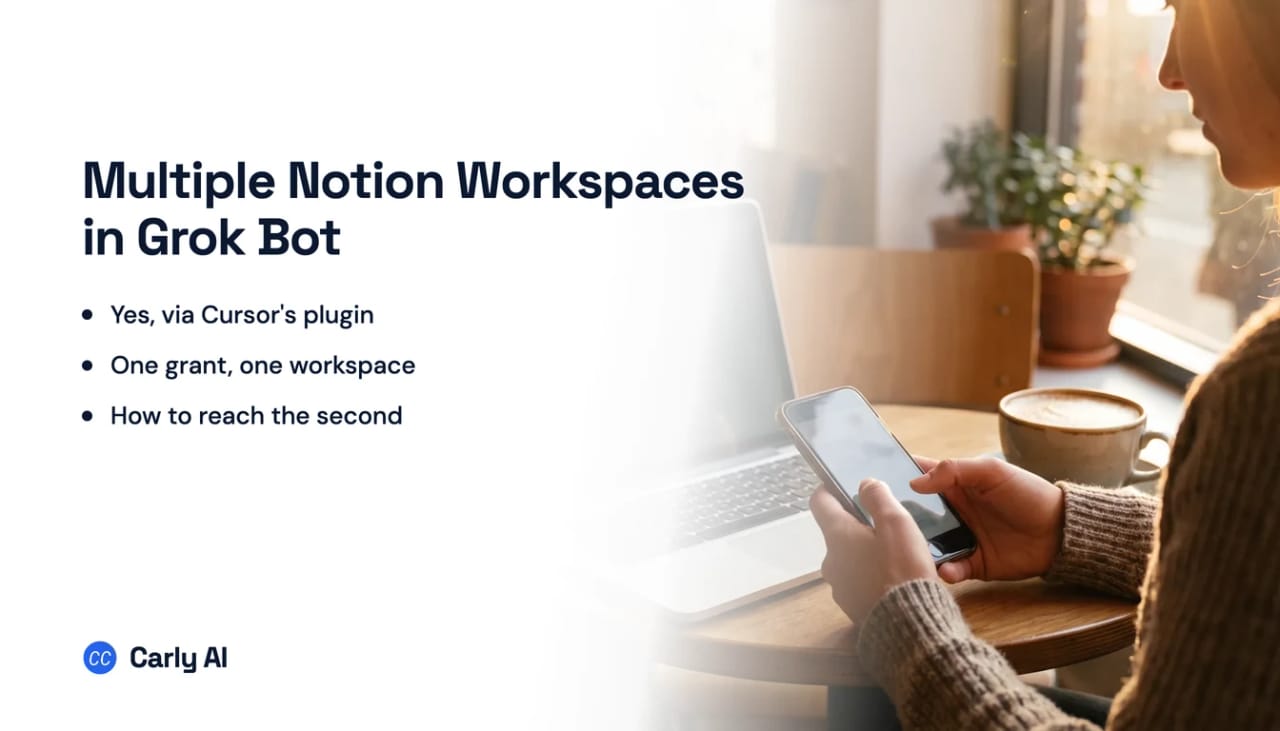
Notion is not a Grok Bot connector. It arrives through Cursor’s plugin marketplace, and the plugin Notion publishes there hard-codes exactly one MCP server, named notion, pointing at one URL. One entry means one OAuth grant, and one grant covers one workspace. Carly holds your Gmail and Outlook mailboxes and every calendar on both sides in the same place.
That is why this looks impossible from the outside. Search SpaceXAI’s Grok Bot documentation for “Notion” and you get nothing: not in the Grok Bot pages, not in the connector documentation, not in the machine-readable index of the docs site. The built-in connector list stops at seven, covering Gmail and Google Calendar, Google Drive, OneDrive, Outlook Mail and Calendar, Microsoft Teams, SharePoint, and Salesforce. Notion is not on it, and it is still reachable.
1. Add your Notion workspaces to Carly
- Sign in at carlyassistant.com.
- Open carlyassistant.com/integrations.
- Find Notion, click Connect, and authorize the workspace.
- Click Connect again for the next one, and keep going for as many workspaces as you want.
Carly connects to thousands of apps, so while you are on that page you can add your inboxes, calendars, CRM, and anything else you want Grok Bot to reach through the same connector.
2. Install the plugin
- Open Grok Bot settings and go to Plugins.
- Choose Marketplace, where connectors and packaged skills are discovered. Yours lists what is installed.
- Install Notion, published by Notion Labs.
- Complete the OAuth prompt and read the workspace name on the consent screen before approving.
Installed connectors are account-wide, so the plugin reaches every Bot rather than only the one you are talking to. Sign-in tokens for hosted MCP servers stay with Cursor’s backend, and the documentation is explicit that the computer never stores them.
3. Add Carly to Grok Bot
- Select Plugins in the Grok Bot sidebar, or tap your avatar and choose Plugins on mobile.
- Add Carly’s remote MCP server,
https://carlyassistant.com/mcp/. - Finish the authorization in the browser tab that opens. If it sits on Waiting for authorization, use Reopen.
- Sign in to the Carly account holding the connections above.
- Confirm Carly appears under Installed.
Grok Bot takes remote MCP servers rather than local ones, and Carly’s is hosted, so it qualifies. Plugin connections belong to your Grok Bot account rather than an individual Bot, and team plans inherit Cursor’s MCP policy, so an admin can gate it.
Clear both admin gates
On the Cursor side, Team Settings holds MCP Configuration: a global switch to disable MCP commands, a server allowlist and denylist, and a setting for whether members can add their own servers. A blocked plugin reads “Disabled by team admin.” If a network allowlist is required, mcp.notion.com has to be on it.
On the Notion side, Enterprise MCP Governance can block Grok specifically, and Notion’s documentation uses it as the example: asked whether an admin can allow Cursor and Claude while blocking Gemini or Grok, the answer is yes, under Settings, Connections, Permissions, AI apps, set to approved list only. Two details matter for client work. Adding a tool to that list requires a workspace owner or admin to connect from it successfully, so on a client’s Notion you cannot self-serve. And revocation is coarse: Notion cannot revoke existing tokens, so cutting off one AI app means disconnecting every Notion MCP connection and having everyone reconnect.
The alternatives to a second server entry
Consolidate inside Notion. Notion’s guidance is single-workspace by design, recommending you start with individual workflows connecting your AI apps to your workspace. Guest access is its answer for someone else’s content, and the user listing tool covers members and guests, but a guest seat does not merge that workspace into your grant.
Sign into the second workspace in the browser. Grok Bot can use many browser-based tools, including services with no dedicated connector. The cost is the shared machine: cookies and sessions are shared, and screens are separate work surfaces rather than separate security boundaries. Two Notion workspaces in one browser means every Bot can reach both, so use it for convenience, never as separation.
Grok Bot’s tool surface belongs to Cursor
The Grok Bot documentation says Bots “connect to tools through plugins and MCP servers,” then hands the policy question over: Grok Bot follows your team’s existing Cursor plugin and MCP policy, there are no separate Grok Bot plugin controls, and MCP authentication is shared across Cursor and Grok Bot. That inheritance is what puts Notion in reach.
| Product | How it reaches tools | Notion |
|---|---|---|
| grok.com connectors | Built-in connector list | Not one of the seven built-ins |
| Grok Bot | Cursor plugins and MCP servers | Yes, via Notion’s own plugin |
| Grok API | Remote MCP for developers | Your own server code |
The marketplace listing is notion-workspace, displayed as Notion, published by Notion Labs with a verified badge, listed publicly under Featured, Productivity, and Documents and Files. Its own description says what is inside: “Notion Skills + Notion MCP server packaged as a Cursor plugin.” That is 14 Notion-authored skills plus a single MCP server.
| Your situation | What to do |
|---|---|
| One workspace, want Grok Bot reading specs | Install the marketplace plugin and stop |
| Personal plus client workspace, both live | Connect both to Carly |
| The client is on Notion Enterprise | Ask an owner there first, you cannot self-serve |
| You want a Notion change to start the work | Notion sends the event, Grok Bot has no ear for it |
No sentence from Notion or SpaceXAI says you cannot connect two workspaces. None says you can. Neither documents a two-workspace configuration at all. What is documented, at every layer, is that the object model is singular:
| Layer | What Notion documents |
|---|---|
| The OAuth grant | The client reads and updates content you can access “in the selected Notion workspace” |
| The token | Carries a single workspace_id field |
| The server’s identity | A special self id returns “the connected workspace” with its ID and name |
| The tools | Page conversion needs the page “in the connected workspace” |
| Plans and limits | Tool access resolves against “this workspace’s plan,” and a rate limit applies per workspace |
This list is Notion’s, not SpaceXAI’s. Grok Bot never enumerates a plugin’s tools and individual tools can be disabled, so read it as an outer bound.
| Verb | Tool | Catch |
|---|---|---|
| Search | notion-search | Needs Notion AI access, or coverage narrows to your own workspace |
| Read | notion-fetch | By URL or ID, and large pages return flagged as truncated |
| Query databases | notion-query-data-sources | Multi-source SQL needs Business or Enterprise with Notion AI |
| Create and update | notion-create-pages, notion-update-page | Templates, icons, covers, property writes |
| Comment and restructure | notion-create-comment, notion-create-database, -move-pages | Replies, schema and views, not just content |
| Meeting notes | notion-query-meeting-notes | Business or higher with Notion AI, otherwise an upgrade prompt |
Notion states it plainly: MCP tools act with your full Notion permissions and can access everything you can access. There is no page-by-page sharing step, which sounds convenient and is the more alarming half. With the older internal integrations, the safe move was to share only the pages an agent needed. You cannot narrow a Notion MCP grant that way.
Notion emits real events, and Grok Bot has nowhere to receive them
Grok Bot’s trigger story is better than most:
A Grok Bot routine starts on a clock, or on a Slack or GitHub event routed through a Cursor account integration, which is a separate connection flow from the plugins of the same name. No CRM, no forms, no billing, no calendar. The documentation also tells you to avoid broad listeners, so even the events it has come with a caution attached. Carly watches all of the systems the work actually starts in.
Those events arrive through a Cursor account integration, a separate connection flow from the matching plugin. Notion is not one of them. Notion is a plugin, and a plugin is MCP:
Connecting an MCP server used to give an assistant reach and nothing else. ChatGPT changed that with automations that fire on MCP events, yet the standard is still a draft, and OpenAI's docs list just three apps whose events can start a task: Gmail, Slack and GitHub. Everything else still waits to be asked. Carly covers more of it: its workflows start from an incoming email, a booking, a CRM change or a new spreadsheet row, and it can check any app with an API, then report back in the same chat.
Here is the sharp part. Notion does emit events. Its developer documentation describes webhooks plainly: whenever a page or database changes, Notion sends a secure HTTP POST to your endpoint, using a page content update as the worked example. Those webhooks belong to a connection you build and host, not to Notion MCP. The event exists, Notion will send it, and no Grok Bot surface is listening. Unattended work has a limit too: asked whether Notion MCP works without interactive authorization, Notion answers “not yet,” so a scheduled routine depends on a live grant.
Grok Bot versus Carly on Notion
| Need | Grok Bot plus Notion plugin | Carly |
|---|---|---|
| Read and write pages, databases, comments | Yes, full CRUD | Yes |
| Notion’s own packaged skills | Yes, 14 of them | Not the shape, Carly connects as its own server |
| Several workspaces on one connection | One entry, one grant | Yes, all of them |
| Narrow access to selected pages | Not on the MCP path | Bounded by the connected account |
| Act when a Notion page changes | Notion sends it, nothing receives it | Yes |
Notion publishes this plugin itself and it is verified in the marketplace. It hard-codes one MCP server at one URL, so it carries one workspace. The second workspace is the case it does not cover.
Carly answers the other shape. You connect each workspace once on your side, so one prompt covers your own workspace, your employer’s and a client’s, and a fourth changes no config file. It also acts on the change arriving, which is where the standing Notion work lives: a new intake row gets an owner and an email, a stalled page gets a nudge, a Friday rollup gets built from what changed.
Free Zapier-style workflows; AI agents from $35/month. Connect it on the integrations page, or start with Notion.
Quick fixes
| Problem | Fix |
|---|---|
| Notion is missing from the connector list | It is not a built-in, look under Plugins, then Marketplace |
| The plugin will not install for team members | Cursor team MCP policy blocks it, and a blocked state reads “Disabled by team admin” |
| A client’s workspace refuses the connection | An owner there has to complete the first connection from that tool |
| Search returns nothing useful | Search is gated on Notion AI access, and narrows to your own workspace without it |
| Writes land in the wrong workspace | A second entry needs a different name, since the plugin ships notion fixed |
Frequently asked questions
Does Grok Bot have a Notion connector?
Not in the built-in list, which covers Google and Microsoft services plus Salesforce. Grok Bot connects through Cursor plugins and MCP servers instead, and Notion Labs publishes an official Notion plugin in that marketplace.
Can Grok Bot reach two Notion workspaces?
Neither vendor documents it either way. A Notion grant selects one workspace, the token carries one workspace id, and the plugin ships one server entry, so a second workspace means a second hand-configured entry under a different name. That connects, but leaves the agent no reliable way to tell them apart.
Can I limit which Notion pages Grok Bot sees?
Not on this path. Notion states that MCP tools act with your full Notion permissions and can access everything you can access, with no page-by-page sharing step to withhold.
Can a Notion change start a Grok Bot routine?
No documented path. Notion sends webhooks when a page or database changes, but those go to an endpoint you host, while Grok Bot’s event triggers arrive through Cursor account integrations, documented with Slack messages and GitHub notifications.
Related: Multiple Notion workspaces in Codex · Multiple Notion workspaces in ChatGPT · Multiple Slack workspaces in Grok Bot · What Grok Bot does · MCP servers
Ready to automate your busywork?
Carly schedules, researches, and briefs you—so you can focus on what matters.
See what people say
"Before Carly, I relied on a Calendly link, but the whole process felt impersonal and not very professional. Carly changed that by handling all the back-and-forth, so I'm no longer stuck in endless email threads trying to line up schedules.
Now Carly reaches out to candidates, shares my real-time availability, lets them pick a slot, then sends a Zoom link and drops it straight into my calendar. She sends reminders to both of us before each call, which has significantly reduced no-shows and last-minute confusion.
On top of scheduling, Carly acts like a full executive assistant, sending me my schedule the night before so I can prepare for each call. It reminds me of the old x.ai assistant, but Carly is noticeably smarter, faster, and better suited to my healthcare recruitment business."