Best AI Assistants for Multiple Google Workspace Accounts
Most AI assistants hold one Google Workspace login and a second sign-in replaces it. We compared nine on two or more tenants: which hold all of them.
114 posts
Most AI assistants hold one Google Workspace login and a second sign-in replaces it. We compared nine on two or more tenants: which hold all of them.

Claude Code reaches mail through MCP. Add every Gmail and Outlook mailbox to Carly, register one server, and work across all of them at once.
Claude Code reaches Drive through MCP, and the usual servers hold one Google identity. Add every Drive to Carly and search all of them in one session.
Claude Code holds one Notion workspace at a time. Add every workspace to Carly, register one MCP server, and search all of them in one session.
Claude Code reaches OneDrive through MCP, and every route stops at one Microsoft identity. Add each drive to Carly and search all of them at once.
Claude Code stores one Slack token per server, so a second workspace overwrites the first. Add every workspace to Carly and reach all of them at once.
Claude Code's Microsoft 365 connector carries one tenant, and in the terminal it loads zero tools. Add every Teams account to Carly and read them together.
Claude Code reaches accounts through MCP, so the server decides the count. Register one and address every inbox and calendar you own by name.
Claude's Google and Microsoft 365 connectors each hold one login. What Claude reaches natively, and the setup that puts every account in one chat.

OpenAI's multi-account plugin note names ChatGPT, not Codex, and there is no Outlook plugin. One MCP server reaches every mailbox and calendar you own.
Copilot's multiple account access is a licensing bridge, not mailbox reach. What one seat actually sees, and how to work across every account you own.
Cursor's Gmail plugin has an Accounts list that users report does not stick, and Outlook holds one. One MCP server reaches every account you own.
Grok signs in to one Google account and one Microsoft mailbox per connector. Here is what that leaves out, and the setup that reaches all of them.
Perplexity documents one primary calendar, one Outlook mailbox, and no multi-Gmail setup. Here is what it reaches, and how to work across every account.
Two ChatGPT logins stay signed in at once, web only, sharing nothing. What the switcher covers, what workspaces do instead, and the setup spanning both.
The switcher holds two ChatGPT logins at once, on web only. How to add one, what stays separate, and why your connected apps do not come along.
ChatGPT Work holds one Gmail and one Outlook, never two of either. Connect every mailbox to Carly, add Carly once, and name the inbox you mean.
ChatGPT holds one Gmail and one Outlook, never two of either. Connect every mailbox to Carly, add Carly once, and name the inbox you mean.
Cowork holds one Gmail and one Outlook, never two of either. Connect every mailbox to Carly, add Carly once, and one task works across all of them.
Claude holds one Gmail and one Outlook, never two of either. Connect every mailbox to Carly, add Carly once, and name the inbox you mean.

Yes, you can reach every Gmail and Outlook account from one Codex session. Connect each mailbox to Carly, register one MCP server, and name the inbox.
Gemini Spark reads one signed-in Google inbox and has no Outlook connector. Connect every mailbox to Carly, add Carly to Spark once, and name the account.
Gemini reads one Google account and has no Outlook app. Connect every mailbox to Carly, add Carly to Gemini Spark, and name the inbox you mean.
Grok Bot's Gmail and Outlook plugins each sign in one account, and every login is shared across your Bots. Connect each mailbox to Carly to keep them apart.
Grok's mail connectors sign in as one Google identity and one Microsoft mailbox. Connect every account to Carly, add Carly once, and name the inbox you mean.
Perplexity's mail connectors are one account each and Outlook cannot send. Connect every mailbox to Carly, add Carly once, and name the inbox you mean.
ChatGPT holds one Atlassian authorization. Connect every Atlassian account to Carly, add Carly to ChatGPT once, and name the Jira site in each request.
Claude's Atlassian connector holds one authorization. Connect every Atlassian account to Carly, add Carly to Claude once, and name the site in each ask.
ChatGPT Work holds one Microsoft work identity. Connect every Teams tenant to Carly, add Carly to ChatGPT Work once, and name the tenant in each ask.
Cowork is the one assistant that works your Teams while you sleep, and reading is all it can do there. How to give it more than one organization.
Claude's whole Teams surface is one read-only search tool, and personal Microsoft accounts are refused. What a second organization actually needs.
Codex has no Teams connector, and channel reads need an Entra admin. Add each tenant to Carly, register one MCP server, and name the tenant you mean.
The Gemini app has no Teams connector at all, and Gemini Enterprise binds to one tenant. Connect every organization to Carly and name each one in a prompt.
Grok Bot has no Teams plugin, so it signs in through its browser. Every Bot on your account then shares that session. Why that is the real problem.
Perplexity has two Teams surfaces and both bind to one Microsoft account. Its Teams connector also asks for all your files and calendars.
Grok Bot has no xAI calendar connector. It reaches Google Calendar via Cursor's plugin marketplace and Google's own MCP server. Nine verbs, one identity.
Codex's Drive plugin was left out of OpenAI's multi-account release. Add every Drive to Carly, register one MCP server, and reach all of them from the CLI.
Spark reads and writes Drive inside one signed-in account only. Connect every account to Carly, add Carly to Spark over MCP, and reach them all at once.
Grok Bot has no Google Drive connector of its own. It borrows Cursor's plugin, itself a wrapper on Google's MCP server. Three vendors, one shared browser.
Grok's Google Drive connector is free, self-serve, and documented for reads and writes. A second Google account is undocumented. Setup and the way round it.
Spark has no native Notion connector, and one Notion authorization reaches one workspace. Connect every workspace to Carly and add Carly to Spark over MCP.
The Gemini app cannot reach Notion at all, and Gemini Enterprise binds one authorization to one workspace. Connect every workspace to Carly instead.
Notion is not a Grok Bot connector. It arrives as an official Cursor marketplace plugin that ships one server entry, and one grant covers one workspace.
Grok's Notion connector is free, native OAuth and self-serve. One connection covers one workspace, and that rule is written down by Notion, not by xAI.
Perplexity's Notion connector needs Max, not Pro, and one OAuth grant holds one workspace. How to reach every workspace from one chat instead.
Codex has no OneDrive connector. Add every Microsoft identity to Carly, register one MCP server, and address them all from the Codex CLI.
Spark has no Microsoft connector, and Google's OneDrive connector needs the account type Spark refuses. Connect every Microsoft account to Carly instead.
Carly holds every OneDrive account you own and works across all of them. Grok Bot's new OneDrive plugin signs in one Microsoft account.
Grok's OneDrive connector is Business and Enterprise only, admin-provisioned against one Azure AD tenant, and holds one identity. What works instead.
OneDrive is now part of Perplexity's Microsoft 365 connector, and it writes. There is no consumer-account path, and a second tenant is undocumented.
Spark has no Microsoft connector, and Google's Outlook calendar connector needs a work identity Spark refuses. Connect every calendar to Carly instead.
Carly holds every Outlook calendar you own and works across all of them. Grok Bot's new Outlook Calendar plugin signs in one Microsoft account.
xAI documents no second Microsoft account for Grok, and someone else's calendar is out of reach. The connector is free. What works instead.
Perplexity documents it: the Outlook connector queries one primary calendar, and secondary or shared calendars are out. What actually works instead.
Codex has no SharePoint connector. Add every Microsoft identity to Carly, register one MCP server, and reach every site and tenant from the CLI.
Spark has no Microsoft connector, and Gemini Enterprise's SharePoint connector needs the account type Spark refuses. Connect every tenant to Carly instead.
Grok Bot has no SharePoint connector, and several sites in one tenant never needed one. The real question is two tenants, and that answer is different.
Grok searches across SharePoint sites automatically, but the ceiling is what an admin indexed, not what you can open. Two tenants have nowhere to go.
Perplexity's Microsoft 365 connector searches every SharePoint site your account can reach, and it writes. A second Microsoft tenant is undocumented.
Spark has no Slack path of its own, and Google's Slack integration is work-account only. Connect every workspace to Carly and add Carly to Spark over MCP.
Grok at grok.com has no Slack connector, built in or in the catalog. Custom MCP is the only route and Slack blocks it. What reaches Slack instead.
ChatGPT's Teams app holds one Microsoft identity and needs an Entra admin's consent. Add each tenant to Carly, connect Carly once, and reach both.
Copilot is licensed and grounded per tenant, so a second Teams org means a second licence. Connect every Microsoft identity to Carly and name the org instead.
Grok's Teams connector is free and self-serve, and three of its permissions need an Entra admin. A second tenant is undocumented. What works instead.
Consumer Copilot reads one Google account and cannot book. Microsoft 365 Copilot has no Google Calendar connector at all. Connect every account to Carly.
Spark works from the one Google account you sign in with. Connect every account to Carly, add Carly to Spark over MCP, and reach them all in one session.
Gemini holds one Google account at a time and no setting changes it. Connect every calendar to Carly instead and one assistant books across all of them.
xAI documents no way to add a second Google account to Grok, though the connector itself is free and self-serve. How to reach every calendar.
Perplexity's connector queries one primary calendar only, so a second Google account and even a shared calendar are out. What works instead.
Consumer Copilot documents one Google sign-in per connector and Microsoft 365 Copilot never signs into Drive at all. Connect every account to Carly instead.
Every Gemini surface reads only the Google account you signed into. Connect each Drive to Carly, add Carly to Gemini, and one question spans them all.
Perplexity's Drive connector is real and self-serve on Pro, and read-only by design. A second Google account is undocumented. How to hold both anyway.
Notion issues one token per workspace. Add every workspace to Carly, connect Carly to ChatGPT once, and one chat reaches all of them by name.
A Notion authorization covers one workspace. Add every workspace to Carly, connect Carly to Claude once, and one Cowork task reaches all of them.
One Claude account holds one Notion workspace. Connect every workspace to Carly, add Carly to Claude once, and name the workspace in each request.
Microsoft's Notion connector for Copilot is read-only and holds one workspace per user. Connect every workspace to Carly and write to them by name.
Cowork's Microsoft 365 connector takes one work tenant and rejects personal accounts. Connect every OneDrive to Carly and add Carly to Cowork once.
The Gemini app has no Microsoft connector at all, and Gemini Enterprise binds to one tenant. Connect every OneDrive to Carly and reach them from one chat.
ChatGPT holds one Microsoft account and documents Outlook events as read-only. Add every account to Carly, connect Carly once, and book on any of them.
Cowork holds one Microsoft identity and will not book on a shared calendar. Add every account to Carly, connect Carly once, and book on any of them.
Copilot cannot hold two Microsoft accounts or two tenants, and guests cannot be licensed at all. Connect every identity to Carly instead.
The Gemini app has no Microsoft connector, and Gemini Enterprise binds one tenant and never deletes. Connect every Outlook calendar to Carly instead.
Cowork cannot reach a second Microsoft tenant, and guest access is a trap. Add each tenant to Carly, connect Carly once, and one task reaches all of them.
Consumer and Workspace Gemini have no Microsoft connector at all. Connect each tenant to Carly, add Carly to Gemini, and reach every site from one chat.
Cowork holds one Slack workspace at a time. Add every workspace to Carly, connect Carly to Claude once, and one task reaches all of them by name.
Microsoft builds no Slack connector for Copilot, and partner ones need an AI administrator. Connect every workspace to Carly and route by name instead.
The Gemini app cannot reach Slack on any account type. Connect every workspace to Carly, add Carly to Gemini, and search or post across all of them.
Grok Bot does not install into Slack. Grok for Slack is a separate app, one install per workspace. Here is what actually spans workspaces.
Perplexity's Slack connector authorizes one workspace and is worded in the singular throughout. How to search several workspaces from one session.
Codex has no first-party calendar connector, so multi-account access comes down to which MCP server you register. One server beats one per account.
ChatGPT Work offers two Drive setups and both hold one Google identity. The admin path will not take a gmail.com address at all. Here is the way around it.
Cowork holds one Google identity, and the write limit is new files versus existing ones rather than read versus write. Here is how to work across both.
A Notion authorization covers one workspace, and stacking MCP connections gives the run no way to tell them apart. Here is a setup that names each one.
Notion's own MCP server authorizes one workspace, and stacking entries leaves Codex unable to tell them apart. One named server fixes the routing.
One personal drive plus one work drive is genuinely possible, because they are separate connectors. Two work tenants is the wall. Here is how to cross it.
No Copilot setting holds two OneDrive accounts, and two work tenants reach neither product. Connect every Microsoft identity to Carly instead.
Codex reaches Outlook only through MCP, so two tenants is a config problem rather than a hard limit. One server addresses every calendar by address.
Many sites in one tenant is a configuration choice. Two tenants is a wall. What admin-managed sync covers, what it cannot, and how to work across both.
One Copilot licence covers one tenant, so a client site is unreachable no matter what you configure. Connect every Microsoft identity to Carly instead.
OpenAI documents the limit in one sentence: the Slack app connects to one workspace at a time. What that costs you, and how to reach the others in one run.
Codex's Slack app launches coding tasks, it does not read your channels. Two different multi-workspace questions hide behind that, with different answers.
Cowork cannot hold a second Google identity, though it reads every calendar in one account properly. How to reach all of them from one session.
ChatGPT's Drive connector holds one Google account. Here is how to search personal and work Drive in the same chat, and why account switching does not help.

Claude's Drive connector holds one Google identity. Here is how to reach personal and work Drive in the same chat, and what the native connector will not do.
Personal and work OneDrive use different ChatGPT connectors, so one of each is possible. Two work tenants is not. Here is the full picture and the workaround.
Claude reaches OneDrive through one Microsoft 365 connection, which holds a single identity. Here is how to reach personal and work drives in one chat.
ChatGPT Work writes to shared Outlook calendars but not your own, and holds one Microsoft account. The odd shape of the connector, and how to work across it.
Claude's Microsoft 365 connector holds one identity, and calendar writes are admin-gated. What works across several Outlook calendars, and what does not.
ChatGPT indexes many sites in one tenant but holds a single Microsoft identity. What that means for agencies, guests, and anyone working across two tenants.
Many sites in one tenant are reachable. A second tenant is not. Here is where Claude's Microsoft 365 connector draws the line and how to cross it.
One person, two logins. Which AI assistants can see work and personal mail and calendars without dumping one identity into the other.
ChatGPT Work takes several Google accounts now, but one Microsoft account, one Drive, and no shared mailboxes. Here is the setup that holds all of them.
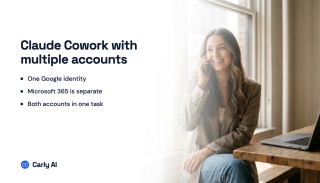
Claude's Google connector is one identity. Microsoft 365 is another. What Cowork sees natively, and how to run work and personal in one task.

Claude's built-in Slack connector holds one workspace per account. Connect each workspace to Carly and search or post across all of them from one chat.