How to Remove OneDrive From Your PC (2026)
Three ways to remove OneDrive — unlink it, hide it from File Explorer, or fully uninstall it — all without deleting your files. Pick the level that fits, with steps for Windows 10 and 11.
Page 111 of 138
Three ways to remove OneDrive — unlink it, hide it from File Explorer, or fully uninstall it — all without deleting your files. Pick the level that fits, with steps for Windows 10 and 11.

Share a OneDrive folder with anyone — set view or edit permissions, share with people inside or outside your organization, add expiration dates and passwords, and stop sharing when you're done.

Pause, stop, or fully turn off OneDrive sync on Windows and Mac — pause for a few hours, stop syncing one folder, or disable OneDrive entirely without losing your files.

Stop OneDrive from backing up your Desktop, Documents, and Pictures folders — without losing files or ending up with two copies. Here's how to turn off folder backup cleanly on Windows and Mac.
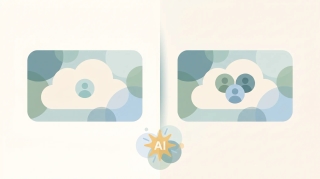
OneDrive and SharePoint use the same engine but solve different problems. OneDrive is your personal work drive; SharePoint is your team's shared library. Here's when to use each — and how they work together.

OneDrive Files On-Demand lets you see every file without downloading it. Here's what the cloud, checkmark, and green-circle icons mean, how to turn it on, and how to keep files offline.

Sync a SharePoint folder to File Explorer so it works like any local folder — or add it as a OneDrive shortcut. The two methods, when to pick which, and how to fix sync issues.

Add a shortcut to a file or folder in Google Drive — the replacement for 'Add to My Drive'. Plus deleting shortcuts, what they break, and when to use them vs a real copy.

Back up your Windows or Mac computer to Google Drive automatically using Drive for desktop — pick which folders sync, mirror vs stream, and recover deleted files.

Copy a folder in Google Drive — the built-in 'Make a copy' workaround, the multi-select method, the Apps Script method, and how shortcuts can save the copy entirely.

Create a folder in a SharePoint document library — from the web, from File Explorer, or from Microsoft Teams. Plus when to use folders vs metadata, and how to enable folders if they're disabled.

Create a SharePoint list from scratch, from a template, from Excel, or from another existing list — then add columns, set view, and start tracking data.

Build a modern SharePoint page — pick a template, add sections and web parts (text, image, news, list, video), then publish to your team or company.

Create a new SharePoint site in Microsoft 365 — choose between a team site and a communication site, pick a template, set permissions, and add it to your hub.

Delete a SharePoint site safely — back it up, understand what gets deleted along with it (group, Teams, OneNote), recover it from the 93-day bin, or permanently purge.

Export a SharePoint list to Excel as a one-shot CSV or as a live Power Query connection — plus how to refresh it, export selected rows, and fix common formatting issues.

Google Drive folders don't have native passwords — here's how to get the same protection: restrict sharing, encrypt a ZIP, use Drive's Confidential mode, or third-party tools.

Save Gmail messages to Google Drive — single email as PDF, batch save with Google Takeout, or auto-archive with filters. Plus saving attachments only.

Scan paper documents to Google Drive using the built-in Drive scanner on iPhone and Android — auto-edge detection, multi-page PDFs, OCR, and saving directly to a Drive folder.
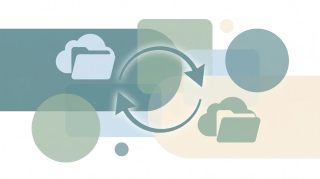
Sync a SharePoint library or folder with OneDrive so files live in File Explorer, sync across all your devices, and work offline — using Sync, Add shortcut to OneDrive, or both.

Enable Google Drive offline access so Docs, Sheets, Slides, and recent files open and edit without an internet connection — on desktop, mobile, and Drive for desktop.

Find anything in Google Drive fast with search operators — owner:, type:, before:, after:, sharedwith:, title:, and more. Plus full-text search and combining operators.

Viktor is a powerful AI coworker that lives in Slack and Teams and runs code for any task — but it's a shared team bot you chat with. Here are 7 alternatives, including ones that work over email and run themselves.

The best AI assistant for business owners in 2026. Six AI business assistants tested on who clears your inbox, calendar and follow-ups. Carly is #1.