
Dropbox MCP: Two Official Servers, One in Beta
Dropbox ships an official remote MCP server in beta, plus a second one. What the Dropbox MCP reads and writes, how to set it up, and where it stops.
20 posts
Dropbox ships an official remote MCP server in beta, plus a second one. What the Dropbox MCP reads and writes, how to set it up, and where it stops.
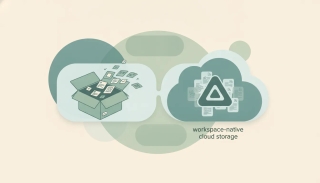
Dropbox is the fastest cross-platform file sync; Google Drive is Workspace-native storage with 15GB free. Here's which to pick in 2026.

Dropbox has no file size limit for desktop, mobile, or API uploads. Web uploads cap at 50 GB per file. What limits your uploads and the workarounds.

Worried Reclaim.ai is next after Clockwise got shut down? Good news: Reclaim is not shutting down. It's owned by Dropbox and still running. Here's the full picture and how to lower your acquisition risk.
Create a shared link in Dropbox, set it to view or edit, add a password and expiration date on paid plans, and disable a link when you are done.
Move files in Dropbox by drag or right-click Move, on web, desktop, and mobile, move vs copy, bulk move, and keep shared links and permissions intact.
Use Dropbox File Requests to collect files from anyone, set where uploads land, add a deadline, and let senders upload without a Dropbox account.
Share a Dropbox folder with specific people or a link, set edit vs view permissions, share with non-Dropbox users, and add a password or expiry on paid plans.
Upload files to Dropbox from the web, desktop sync folder, or mobile app, drag and drop, upload whole folders, and handle large files the right way.
Dropbox gives 2 GB free, 2 TB on Plus, and 3 TB+ on team plans. Single files max out at 2 TB, with 375 GB the safe ceiling for web uploads.

Automate Dropbox with built-in folder rules that sort, rename, convert, and tag files — plus how to auto-file email attachments without lifting a finger.
Set up Dropbox Backup to automatically protect your Desktop, Documents, and Downloads folders — and how backup differs from regular Dropbox sync.

Clear the Dropbox cache on Windows, Mac, and mobile to fix sync problems and reclaim disk space by deleting the hidden .dropbox.cache folder safely.

Organize Dropbox with a clean folder structure, naming conventions, starred files, and automated folder rules that sort new files for you.
Password protect Dropbox files and folders by adding a password to shared links, plus set expirations and disable downloads to control access.

Get the Dropbox folder into Windows File Explorer (or Mac Finder) by installing the desktop app, plus how to fix a missing Dropbox sidebar entry.

Delete files and folders from Dropbox on the web, desktop, and mobile — and permanently delete them to actually free up space.

Free up Dropbox storage by permanently deleting files, emptying old versions, and free up hard-drive space with online-only Smart Sync.

Restore deleted files and folders in Dropbox, recover older versions, and understand the 30-day window (and longer on paid plans).

Unlink a computer or device from your Dropbox account — from the app or the web security page — and what happens to your local files.