The Pomodoro Technique: A Practical Guide to 25-Minute Focus
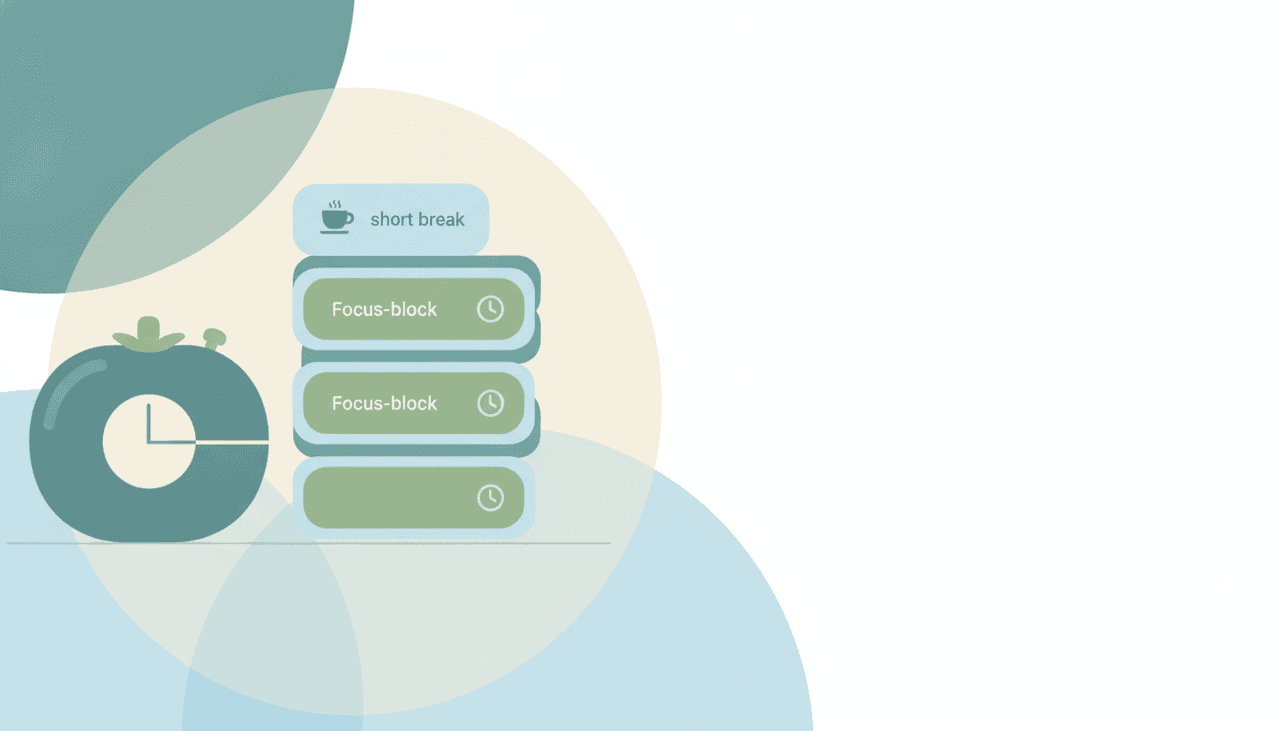
The Pomodoro Technique is a time-management method built on one deceptively simple rule: work in fixed 25-minute blocks, then rest for 5. Each block is a “pomodoro.” It sounds almost too basic to matter, and yet it has outlasted nearly every productivity fad of the last three decades because it fixes the one problem most systems ignore — it gives your attention a boundary instead of asking you to summon willpower on demand.
Where the Pomodoro Technique came from
The method was created by Francesco Cirillo in the late 1980s, when he was a university student struggling to concentrate. He grabbed a tomato-shaped kitchen timer, committed to studying until it rang, and discovered that a ticking clock did what self-discipline couldn’t. Pomodoro is Italian for tomato — the name is a literal tribute to that first timer.
Cirillo formalized the approach into a six-step process and, over the following years, into a full framework used by teams and solo workers worldwide. The core insight never changed: time is the enemy of focus until you turn it into an ally by chopping it into visible, finite units.
The exact steps
The classic protocol has five moving parts. You don’t need an app to start — a timer and a piece of paper are enough.
- Pick one task. Not a category, not “email.” One concrete thing you can make progress on.
- Set a timer for 25 minutes. This is one pomodoro. Commit to the task and nothing else until it rings.
- Work until the timer goes off. If a distraction pops into your head, jot it on a scratch pad and return to the task immediately.
- Take a 5-minute break. Stand up, stretch, look out a window. Do not check Slack or open a new tab — the break is for your attention to reset, not to refill with inputs.
- After four pomodoros, take a longer break of 15 to 30 minutes.
Then you repeat the cycle. The rhythm — sprint, rest, sprint, rest, long rest — is the entire technique. Everything else is refinement.
| Phase | Standard length | What it’s for |
|---|---|---|
| Pomodoro (work) | 25 min | One focused, uninterrupted task |
| Short break | 5 min | Reset attention, move your body |
| Long break | 15–30 min | Recover after 4 pomodoros |
| Full set | ~2 hours | Four pomodoros + breaks |
The science of why timed focus and breaks work
The technique isn’t magic, and 25 minutes isn’t a neurologically special number. What the method actually does is line up with several well-documented findings about how attention degrades and recovers. Five mechanisms do the heavy lifting.
It seals off a task from attention residue. Every time you jump between tasks, part of your mind stays snagged on the last one. In her 2009 study Why is it so hard to do my work? (published in Organizational Behavior and Human Decision Processes), organizational psychologist Sophie Leroy coined the term attention residue: when people switched tasks before finishing, the leftover cognitive pull from the unfinished task measurably degraded their performance on the next one. A pomodoro’s 25-minute wall is a deliberate defense against that residue — you finish the block, or at least a clean unit of it, before letting anything else in.
It cuts the frequency of costly switches. Modern digital work is a blur of toggling. A 2022 Harvard Business Review analysis of nearly 137 users across three Fortune 500 companies found people switched between applications and websites about 1,200 times a day, adding up to just under four hours a week — roughly 9% of work time — spent reorienting after a toggle. And the cost of a genuine interruption is steeper still: informatics professor Gloria Mark’s research is the source of the widely cited figure that it takes around 23 minutes to fully refocus after being pulled away, and her tracking shows the average time people spend on a single screen has collapsed from about 2.5 minutes in 2004 to just 47 seconds today. A pomodoro doesn’t lower the per-switch cost — it removes the switches, folding the dozens of micro-interruptions that shred a workday into a single sealed block. We collected more of these figures in our context switching statistics roundup.
It pre-empts the vigilance decrement with a scheduled break. Sustained attention on one goal fatigues in a specific way: the brain habituates to a constant goal and performance drifts downward. In their 2011 Cognition paper Brief and rare mental “breaks” keep you focused, Atsunori Ariga and Alejandro Lleras showed that briefly deactivating a task goal — a short diversion — prevented that decline, and participants who took two short breaks during a 50-minute vigilance task held their performance steady while those who pushed straight through faded. The 5-minute break isn’t slack time; it’s the reset that keeps the next pomodoro sharp.
Short breaks measurably restore energy. The intuition that stopping for a few minutes helps has real backing. A 2022 systematic review and meta-analysis in PLOS ONE by Patricia Albulescu and colleagues pooled 22 studies on micro-breaks — pauses of roughly ten minutes or less — and found they were reliably associated with reduced fatigue and higher vigor. The effect on raw task performance was smaller and grew with longer breaks, which is a useful caution: a 5-minute breather is enough to recover energy, but demanding work benefits from the longer 15-to-30-minute break the method builds in after four blocks.
It turns the Zeigarnik effect into fuel instead of friction. In 1927, psychologist Bluma Zeigarnik documented that people remember interrupted or unfinished tasks far better than completed ones — an open task holds a low hum of mental tension until it’s closed. Left unmanaged, that hum is exactly the background noise that makes it hard to concentrate. The Pomodoro Technique’s scratch-pad rule works with it: when a stray thought about another task surfaces, you write it down, which quiets the Zeigarnik tension by acknowledging the loop without acting on it, then return to the block.
There’s also a looser, more debated idea worth naming honestly. Sleep researcher Nathaniel Kleitman proposed the basic rest–activity cycle (BRAC), a roughly 90-minute ultradian rhythm of alertness he believed continues during waking hours — the basis for the popular “work 90, rest 20” advice. The evidence for a clean 90-minute cognitive cycle in waking life is thin and contested, so treat it as a rationale for longer variations rather than a law. The core case for Pomodoro doesn’t depend on it.
The 25 minutes isn’t sacred: how to adapt the interval
The 25/5 split is a starting point, not a law. Cirillo picked it because it worked for him as a student; your ideal interval depends on the work and your own attention span. The principle to preserve is the ratio of focused work to recovery, not the specific minutes.
The best real-world data on this comes from time-tracking software DeskTime. Analyzing its users, DeskTime found the most productive 10% weren’t the ones who worked longest — they worked in bursts, averaging 52 minutes of focus followed by a 17-minute break. When the company repeated the study in 2021, the ratio for its top performers had stretched to about 112 minutes on and 26 off. Neither number is a prescription, but both point the same direction as the meta-analysis on breaks: the specific interval matters far less than the discipline of actually stopping before you’re depleted.
- Deep, complex work (writing, coding, analysis): many people find 25 minutes too short to reach flow and stretch to 50/10 or something near the DeskTime 52/17. Longer blocks pair well with a proper time-blocking approach.
- Shallow or dreaded tasks (admin, tedious cleanup): shorten to 15/3 so the commitment feels trivial and you actually start.
- Low-energy afternoons: shrink the work block and lengthen the break.
| Variation | Work / Break | Best for |
|---|---|---|
| Classic | 25 / 5 | General focus, studying |
| Extended | 50 / 10 | Writing, coding, deep work |
| DeskTime | 52 / 17 | Sustained knowledge work |
| Ultradian | 90 / 20 | Long creative sessions |
| Micro | 15 / 3 | Boring tasks, beating procrastination |
Test one variation for a week before switching. The goal is to find the block length where you rarely feel the pull to quit early.
Adapting Pomodoro for ADHD and deep work
Two groups get outsized value from the technique for opposite reasons, and both need to bend the default rules.
For people with ADHD, the biggest win isn’t the 25-minute limit — it’s that the timer makes time visible. A hallmark of ADHD is time blindness, a genuinely different perception of how time passes that makes both task initiation and estimation hard; university teaching centers describe externalizing time with visible timers and structure as a core coping strategy. A running countdown is exactly that kind of external clock. Adaptations that tend to matter: start with a shorter block (10–15 minutes) to lower the activation cost of beginning; use a physical or on-screen visual timer rather than a phone that invites distraction; and loosen the “interrupted pomodoro doesn’t count” rule, which can feel punishing and kill momentum rather than build it. And if you hit hyperfocus, don’t fight a productive streak just because a timer rang — note where you are and ride it.
For deep work — the cognitively demanding, distraction-intolerant work Cal Newport describes — the risk runs the other way: a 25-minute bell can sever you from flow right as it arrives. Given how much attention residue a switch imposes, interrupting genuine flow is often the more expensive choice. Use longer blocks (50/10 or 90/20), treat the timer as a floor rather than a ceiling (“work at least until it rings”), and protect the block from the outside — a single incoming Slack ping can undo the whole point, because the residue it leaves outlasts the ten seconds it took to read it.
Timers and tools
You can run the technique with any timer, but a few tools are purpose-built:
- A physical kitchen timer — Cirillo still recommends it. The tactile act of winding it and the audible tick create commitment a silent phone app can’t.
- Web timers like Pomofocus or TomatoTimer for zero-install browser sessions.
- Focus apps like Forest (grows a virtual tree while you resist your phone) or Be Focused for iOS/Mac.
- Your calendar. Blocking pomodoro sessions directly on your calendar turns them into defended appointments rather than good intentions.
If you want your timer wrapped in broader focus tooling — website blocking, session tracking, analytics — see our guide to the best AI tools for deep work.
Common failure modes and how to fix them
- Splitting the pomodoro. If you pause to answer one “quick” message, the pomodoro is void. Cirillo’s rule is deliberately strict: an interrupted pomodoro doesn’t count. That strictness looks harsh until you remember the residue math — the “quick” reply doesn’t cost you the ten seconds it took to send; it costs the minutes of degraded focus that follow. Fix: keep a “distraction” scratch pad and offload the interrupting thought there instead of acting on it — the same move that quiets Zeigarnik tension.
- Skipping breaks to “keep momentum.” Working straight through defeats the recovery mechanism the break exists for; it’s precisely what lets the vigilance decrement set in, and you’ll crash by mid-afternoon. Fix: treat the break as part of the work, not a reward for it. If stopping feels wrong, that’s usually the sign you needed it.
- Using the break to context-switch. Checking email or social media during your 5 minutes reloads your brain with new open loops, so you start the next block already fragmented — the opposite of the deactivation Ariga and Lleras found restores focus. Fix: make breaks screen-free — stand, stretch, get water, look out a window.
- Estimating tasks in vague chunks. Effective users estimate work in number of pomodoros (“this report is 3 pomodoros”), a core part of Cirillo’s method. It makes planning concrete and reveals which tasks are secretly enormous. Fix: at day’s start, assign a pomodoro count to each task and total them — if you’ve planned 14 pomodoros into an 8-pomodoro day, you’ve found your real problem.
- Treating the timer as a stopwatch to beat. The goal isn’t to cram more in; it’s to work with full attention and then genuinely rest. Racing the clock reintroduces the rushed, half-finished switching that creates attention residue in the first place.
For more tactics in this vein, our 100 productivity hacks list pairs well with a Pomodoro habit.
Who it suits — and who it doesn’t
The Pomodoro Technique shines for people who struggle to start, who are prone to distraction, or whose work is genuinely divisible into discrete tasks — students, writers, developers, and anyone fighting procrastination. If getting going is your bottleneck, few methods are better; it’s a natural companion to a strategy for how to stop procrastinating.
It fits less cleanly when your work is inherently interrupt-driven or collaborative. Support agents, managers in back-to-back meetings, and anyone in a role built around responsiveness will find rigid 25-minute walls hard to hold. In those cases, use it selectively — carve out one or two protected pomodoro sets a day for focused work and stay reactive the rest of the time. It also clashes with true flow states: if you’re deep in a problem and the timer rings, it’s fine to keep going. The technique serves your attention, not the other way around.
Carly, an AI executive assistant, is built for exactly the failure mode that breaks Pomodoro sessions: interruptions. The technique only holds if the 25-minute blocks stay sealed, and in practice they get pried open by inbox pings, scheduling back-and-forth, and the small coordination tasks that feel too urgent to ignore. Carly works across your email, calendar, tasks, CRM, and 200+ integrations to absorb that coordination — triaging and drafting replies, handling meeting scheduling, and updating records — so the pings never reach you mid-block. She can also block recurring Pomodoro focus sessions directly on your calendar so they’re defended appointments, not wishful thinking. If your focus keeps dying to interruptions rather than a lack of discipline, that’s the layer worth fixing; pairing Carly with an AI inbox management setup keeps the source of most interruptions quiet. Carly starts at $35/month.
FAQ
How long is a Pomodoro? A standard pomodoro is 25 minutes of focused work followed by a 5-minute break. After four pomodoros, you take a longer break of 15 to 30 minutes.
Is 25 minutes scientifically the best interval? No. Cirillo chose 25 minutes because it worked for him as a student, and it has no special neurological status. DeskTime’s data found its most productive users averaged 52 minutes of work to 17 of break, and research on micro-breaks suggests the discipline of stopping matters more than the exact length. Treat 25/5 as a proven default, not a target.
Can I change the 25-minute length? Yes. The 25/5 split is a default, not a rule. Deep work often suits 50/10 or 90/20; tedious tasks may work better at 15/3. Keep the work-to-break ratio sensible and test one variation for a week.
Does the Pomodoro Technique work for ADHD? For many people it does, because the timer makes time visible — a direct counter to ADHD time blindness, and externalizing time is a standard coping strategy. Adapt it: use shorter blocks, a visual timer, and don’t treat the “interrupted pomodoro doesn’t count” rule as sacred if it kills your momentum.
What do I do if I get interrupted during a Pomodoro? Cirillo’s approach is strict: an interrupted pomodoro doesn’t count. Note the distraction on a scratch pad, deal with it later, and restart the block. The strictness matters because the real cost of an interruption isn’t the seconds it takes — Gloria Mark’s research points to roughly 23 minutes to fully refocus, so protecting the block is worth the rigidity.
Is the Pomodoro Technique good for everyone? It’s excellent for people who struggle to start or get distracted, and for divisible tasks like studying, writing, or coding. It fits poorly with interrupt-heavy, reactive roles and can cut short a genuine flow state — in those cases, use it selectively.
Related: best AI tools for deep work · best AI tools for time-blocking · context switching statistics · 100 productivity hacks · best AI inbox management tools
Ready to automate your busywork?
Carly schedules, researches, and briefs you—so you can focus on what matters.
See what people say
"Before Carly, I relied on a Calendly link, but the whole process felt impersonal and not very professional. Carly changed that by handling all the back-and-forth, so I'm no longer stuck in endless email threads trying to line up schedules.
Now Carly reaches out to candidates, shares my real-time availability, lets them pick a slot, then sends a Zoom link and drops it straight into my calendar. She sends reminders to both of us before each call, which has significantly reduced no-shows and last-minute confusion.
On top of scheduling, Carly acts like a full executive assistant, sending me my schedule the night before so I can prepare for each call. It reminds me of the old x.ai assistant, but Carly is noticeably smarter, faster, and better suited to my healthcare recruitment business."