How to Set Default Font in Outlook (Every Version, 2026)
Step-by-step instructions for changing the default font in Outlook — web, new desktop, classic Windows, and Mac, plus cross-client font rendering.
Page 125 of 138
Step-by-step instructions for changing the default font in Outlook — web, new desktop, classic Windows, and Mac, plus cross-client font rendering.
Step-by-step instructions to automatically forward emails in Outlook — covering web, new desktop, classic Outlook rules, and Exchange admin.
An AI agent that collects addresses and contact info over email and adds each entry to your Google Sheet or Excel -- no forms, no portals, no manual entry.
An AI agent that replies to inbound leads in under a minute, qualifies them, CCs your team, and books a call -- so you never lose a deal to slow response time.
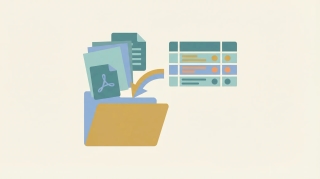
An AI agent that saves articles, PDFs, and links you forward to it -- filing them in Google Drive and logging summaries in a spreadsheet.
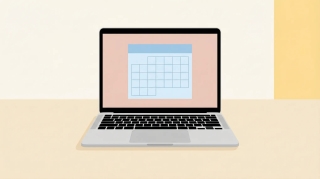
Add Google Calendar to your Mac using Apple Calendar, the Chrome web app, or third-party apps. Covers sync setup, notifications, widgets, and troubleshooting.
Step-by-step guide to archiving emails in Gmail on desktop and mobile. Learn where archived emails go, how to find them, how to unarchive, and the difference between archive and delete.
Step-by-step guide to using BCC (blind carbon copy) in Gmail on desktop and mobile — plus how to always BCC yourself, when to use BCC, and etiquette tips.
Step-by-step guide to blocking senders in Gmail on desktop and mobile, unblocking, reporting spam and phishing, muting threads, and blocking entire domains with filters.
Change which calendar new events are added to by default in Google Calendar. Covers desktop settings, mobile behavior, and workarounds for multiple accounts.
Step-by-step instructions for creating a new Google Calendar on desktop and mobile, plus practical advice on when separate calendars make sense and how to organize them.
Step-by-step guide to creating and managing contact groups (labels) in Gmail and Google Contacts — on desktop and mobile, with tips for sending group emails.
Step-by-step guide to enabling, creating, inserting, updating, and deleting email templates in Gmail — plus how to combine templates with filters for auto-replies.
Step-by-step guide to creating, editing, and managing Gmail filters to automatically label, archive, delete, or forward emails — plus common filter recipes for newsletters, notifications, and VIPs.
Gmail uses labels instead of folders — here's how to create labels that work like folders, organize emails into them, and set up auto-sorting with filters.
Step-by-step guide to creating, color-coding, and managing labels in Gmail on desktop and mobile. Organize your inbox with labels, sub-labels, and quick-apply shortcuts.

Step-by-step guide to deleting a Google Calendar on desktop and mobile — plus how to unsubscribe from calendars, remove shared calendars, and recover a deleted calendar.
Print your Google Calendar from desktop or get a printable view on mobile. Covers daily, weekly, and monthly layouts, print settings, and workarounds for better formatting.
Accidentally deleted a Google Calendar event? Here is how to recover it from Trash, check your email for details, and prevent accidental deletions in the future.
Step-by-step guide to turning on Gmail's vacation responder on desktop and mobile, writing a good out-of-office message, setting date ranges, and customizing auto-replies for Google Workspace.
Set up reminders in Google Calendar for individual events or as defaults. Covers notification types, multiple reminders, mobile alerts, and the difference between reminders and notifications.
Sync Google Calendar with your Android phone — covers initial setup, adding multiple accounts, fixing sync issues, and managing calendar visibility.
Step-by-step guide to unsending emails in Gmail using Undo Send on desktop and mobile. Learn how to change the undo window to 30 seconds, what to do if you miss it, and how Gmail compares to Outlook recall.
Archive emails in Outlook on the web, the new desktop app, classic Outlook, and mobile — plus how to find archived mail and set up auto-archive.