
AI Scheduling Assistant: What It Is, How It Works (2026)
An AI scheduling assistant books your meetings: CC it on an email, it checks your calendars, proposes times and sends the invite. Types, costs, how to pick.
70 posts
An AI scheduling assistant books your meetings: CC it on an email, it checks your calendars, proposes times and sends the invite. Types, costs, how to pick.

Spark has no Microsoft connector, and Google's Outlook calendar connector needs a work account Spark refuses. Connect every calendar to Carly instead.

Copilot cannot hold two Microsoft accounts or two tenants, and guests cannot be licensed at all. Connect all your accounts to Carly instead.

The Gemini app has no Microsoft connector, and Gemini Enterprise binds one tenant and never deletes. Connect every Outlook calendar to Carly instead.

Outlook's AI is Microsoft 365 Copilot, and it now comes in two SKUs at very different prices. What it does, what it really costs, and where it stops.

Four ways to sync Outlook and Google Calendar, including the free built-in ICS method, its refresh delay and privacy tradeoff, and when to use a sync tool.

Why your Outlook calendar is not syncing across desktop, web, and mobile, with nine fixes in order, plus the cases that are working exactly as designed.

How to use the Outlook Scheduling Assistant in every version, what the free/busy colors mean, why external attendees show as blank, and what to do instead.

Fantastical is a premium calendar app with natural-language input and polish; Google Calendar is the free, universal calendar tied to your Google account. Here's which to pick in 2026.
Morgen is a cross-platform AI day-planner that schedules your tasks; Vimcal is a keyboard-fast calendar for heavy meeting days on Apple and desktop. Here's which to pick in 2026.
Notion Calendar is a free, minimal, keyboard-first calendar tied into Notion; Fantastical is a premium Apple-native calendar with natural-language input and Calendar Sets. Here's which to pick in 2026.

Vimcal is a fast, paid keyboard-first calendar with AI scheduling; Notion Calendar is a free, minimal keyboard-first calendar. Here's which to pick in 2026.

Morgen is a flexible unified calendar with scheduling links and automation; Sunsama is a calm, guided daily-planning ritual. Here's how to pick in 2026.

Reclaim time-blocks and defends your own calendar; Blockit runs AI agents that negotiate meetings between people. Here's which one fits your problem in 2026.

ChatGPT can read your calendar and suggest times, but it can't reliably book meetings on its own. What works, what fails, and what to use instead.

Accidentally declined an Outlook meeting? Recover it from Deleted Items and re-accept, get a resend, or stop Outlook from auto-deleting invites.

Send a calendar invite in Outlook across New, Classic, web, and Mac — add attendees and a Teams link, BCC people, and forward an existing invite.

Outlook calendar permission levels from Owner to Free/Busy explained, plus how to set and change them in new Outlook, classic, and the web — and delegate access.

Outlook calendar not syncing with your iPhone, Google Calendar, or showing new events? Work through these numbered fixes for every common cause in 2026.

Schedule a meeting in Outlook from new Outlook, classic desktop, the web, or mobile — add attendees, make it a Teams meeting, set recurrence, and use Scheduling Assistant to find free times.

Schedule a meeting for your manager or executive in Outlook and Teams — set up delegate access, create the event on their calendar so it's sent 'on behalf of' them, and route responses correctly.
Set up a recurring Teams meeting from the Calendar — use the recurrence dropdown for daily, weekly, monthly, or custom, set an end date, edit one occurrence vs the series, and fix the channel-meeting and join-link snags.

How to change your primary time zone in Google Calendar, add a secondary zone, and set per-event time zones — on desktop web and the mobile apps.

How to change your Outlook calendar time zone on the web, new Outlook, and classic Outlook — plus updating it when you travel and showing a second zone.

How to create a shared group or team calendar in Outlook. Use a Microsoft 365 Group or shared calendar, add members, and view it on web and desktop.

How to enable ISO week numbers in Google Calendar on desktop web, where they appear in each view, and why the option is missing on mobile.

Decline a meeting in Outlook, add a note, decline without sending a response, or decline a whole recurring series — in new Outlook, classic, and on the web.

Propose a new time for a meeting in Outlook, check the organizer's free/busy, and respond to a proposed time — in new Outlook, classic Outlook, and on the web.

Turn on week numbers in the Outlook calendar and set which week the year starts on — in new Outlook, classic Outlook, Outlook on the web, and mobile.

Apple Calendar is clean, offline-friendly, and tied to iCloud; Google Calendar is cross-platform with strong sharing. Here's which calendar to pick in 2026.
Motion is an AI calendar plus project and task manager; Reclaim auto-defends time for tasks and habits on Google Calendar. Here's which to pick in 2026.

Outlook Calendar is built for Microsoft 365 and Teams; Google Calendar is built for Workspace, sharing, and simplicity. Here's which calendar to pick in 2026.
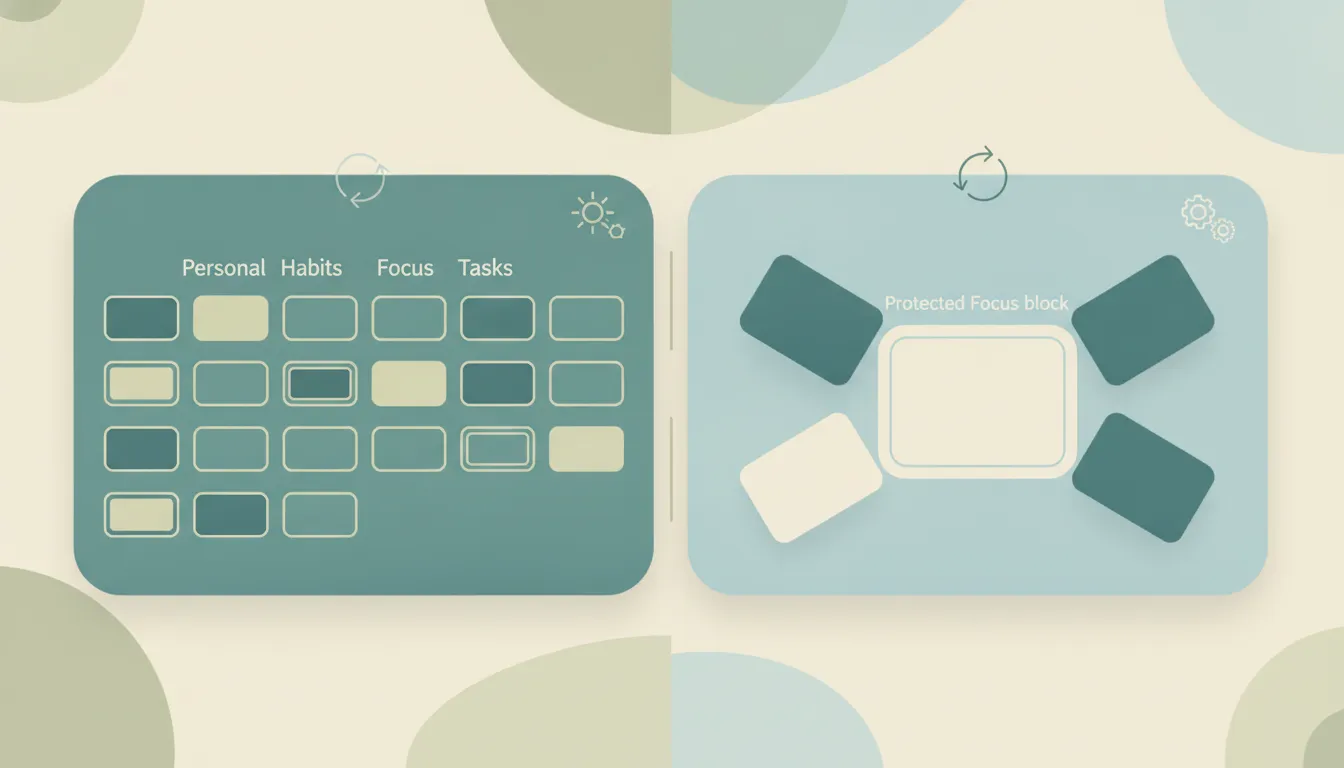
Clockwise shut down on March 27, 2026. Reclaim is the surviving auto-scheduler that blocks your tasks, habits, and routines. Here's what former Clockwise users should do.

Schedule a meeting in Microsoft Teams from the Calendar, Outlook, or a channel — add attendees, invite guests, make it recurring, or start an instant Meet now.

Schedule a Zoom meeting from the desktop app, web portal, or your calendar — set the time, passcode, waiting room, and recurring options, then send the invite so everyone gets the link.

Block calendar spam in Google Calendar — the "known senders only" setting, how to remove existing spam events, the report-spam button, and why declining is the wrong move.

Cancel single meetings, recurring series, or just one occurrence in Outlook — plus the difference between Cancel and Delete, what attendees see, and how to recover an accidentally cancelled meeting.

Forward meeting invites as an attendee or organizer across new Outlook, classic Outlook, and the web — with notes on the Allow Forwarding toggle and what recipients actually receive.

Step-by-step instructions for overlaying calendars in Outlook — covering side-by-side vs overlay mode, color coding, and limitations across classic Outlook, new Outlook, the web, and mobile.
Print your Outlook calendar in daily, weekly, monthly, or tri-fold views — covering classic Outlook, new Outlook, the web, custom date ranges, and saving as PDF.
Create a Teams, Zoom, or Google Meet link in Outlook (or a calendar invite without one) across web, new desktop, classic Outlook, Mac, and mobile.

Schedule Microsoft Teams meetings from Outlook on desktop, web, classic Windows, mobile, and Mac — plus fixes when the Teams button is missing.

Use Outlook Scheduling Assistant to find free time, add attendees, AutoPick a slot, and book rooms across new Outlook, web, classic, and Mac.

Step-by-step instructions for installing and using the Zoom for Outlook add-in to schedule Zoom meetings directly from Outlook calendar — covering classic, new Outlook, web, and mobile.

Turn an email into an Outlook calendar event with drag-and-drop, right-click, or the Schedule action — covering new Outlook, classic, web, and mobile.

Step-by-step guide to creating a meeting poll in Outlook using Scheduling Poll (formerly FindTime) — find a time everyone can meet without the back-and-forth.

Step-by-step guide to delegating Outlook calendar access — let an assistant or colleague view, edit, or respond to meetings on your behalf, with the right permission level.

Step-by-step instructions for sharing free time slots from your Outlook calendar in an email — no add-in, no link, just clean availability blocks recipients can click.

Step-by-step guide to adding public holidays to Outlook Calendar — every version including web, desktop, classic, and mobile, plus custom ICS calendars.
Step-by-step guide to creating calendar events in Outlook — web, desktop, classic, and mobile, plus meeting invites, all-day events, and shortcuts.

Add shared calendars, subscribe to ICS feeds, import .ics files, connect Google Calendar, and more — step-by-step for every version of Outlook.

94% of firms offer advisory services. But is advisory work actually showing up on the calendar, or just on the slide deck? The off-season schedule tells the real story.

A 6-point drop in utilization across a 50-person firm costs $1.3 million. The calendar shows that gap in real time, weeks before the financials catch up.

Average revenue per dental chair is $231,721 a year. Efficient scheduling alone increases daily production by 15-25%. The calendar is the practice's most important financial instrument.

Revenue per household explains 90% of the variation in advisory firm revenue. And revenue per household tracks directly to how often you meet with clients.

A trainer at $80 per session with 25 clients a week earns $104K a year. Lose just 15% to cancellations and that's $15,600 gone. The calendar is the entire revenue model.

Patient no-shows cost the US healthcare system $150 billion a year. For medical practices, the calendar isn't a scheduling tool — it's the P&L statement in real time.

It costs $200-300 just to dispatch a technician. A no-show doesn't just lose the job revenue — it burns the dispatch cost too. The calendar is where profit is won or lost.

Lawyers bill 2.6 hours of an 8-hour day. Nearly 1 in 5 billable hours never get recorded. The calendar isn't just where the work is scheduled — it's where revenue is made or lost.

A home needs 10-25 showings before an offer. After 10 with no bites, something is wrong. The calendar tells you before the listing expires.

When a client asks what you've been doing on their search, the answer is on your calendar. Screens scheduled, interviews coordinated, meetings held — the calendar is the recruiter's scorecard.

Pipeline reports lag. CRM data decays. But the calendar shows exactly how many meetings your team is booking, holding, and losing to no-shows — and that's the real forecast.

77% of barbershop appointments are booked online. 46% happen after hours. The calendar runs the business even when the owner is asleep.

A therapist's revenue is their session count times their rate. That's it. The calendar doesn't reflect the business — it is the business.

For dozens of professions, the calendar isn't just a scheduling tool. It's the single most accurate record of what's actually happening in the business.
How to schedule a meeting with multiple people without endless email threads. Polls, availability grids, calendar tools, and AI — step by step.
Every method for finding a meeting time that works for a group — polls, scheduling assistants, shared calendars, and AI — with step-by-step instructions for each.
Step-by-step instructions for sharing your calendar on every major platform — Google Calendar, Outlook, and iPhone — plus a smarter way to share just your availability.

Discover all the powerful features that make Carly more than a calendar assistant—from unlimited scheduling to building your own custom AI agents for sales, intake, and more.

Learn time management strategies from CEOs, founders, creatives, athletes, and academics with practical tactics you can implement immediately