
How to Change the Inbox View in Outlook (2026 Guide)
Change your Outlook inbox view, fix it when it suddenly looks different, get the compact single-line look back, and reset a broken view — new Outlook, classic, web.
Page 123 of 169
Change your Outlook inbox view, fix it when it suddenly looks different, get the compact single-line look back, and reset a broken view — new Outlook, classic, web.

How to change your Outlook profile picture in new Outlook, the web, classic, and Mac — plus how it syncs to Teams and Office, removing it, and ideal image size.

How to delete an Outlook account: remove an email account from the Outlook app in new Outlook, classic, web, and mobile, or permanently close your Microsoft account.
Export Outlook contacts to a CSV or Excel file, back them up, and move them to an iPhone — from new Outlook, Outlook on the web, classic Windows, and Mac.

Outlook folder disappeared? Fix a missing folder pane, a collapsed or dragged folder, recover a deleted folder, and resync — in new Outlook, classic, web, and Mac.

Outlook not receiving emails or the inbox not updating? Work through this diagnostic checklist — Work Offline, Send/Receive, Focused Inbox, rules, junk, quota, and more.

Outlook spell check not working? Turn on check-as-you-type, fix the proofing language, enable check-before-sending, and solve greyed-out spell check in every version.

Accidentally declined an Outlook meeting? Recover it from Deleted Items and re-accept, get a resend, or stop Outlook from auto-deleting invites.

Fix a corrupt Outlook data file with scanpst.exe, the Inbox Repair Tool: find its location by Office version, run it on your .pst or .ost, and handle New Outlook.

Send a calendar invite in Outlook across New, Classic, web, and Mac — add attendees and a Teams link, BCC people, and forward an existing invite.

Use Outlook conditional formatting to color-code your inbox — emails from your boss in red, external senders highlighted. Classic, New Outlook, web, and Mac.

Master Outlook search operators: from, subject, hasattachment, received by date, exact phrase, AND/OR/NOT and date ranges across New Outlook, classic, and web.

Use Outlook Quick Parts to save and reuse text snippets in emails. Classic Outlook steps, where they are stored, and the My Templates workaround for New Outlook.

Add Approve/Reject, Yes/No/Maybe, or custom voting buttons to an Outlook email and track the responses. Classic Outlook steps plus the New Outlook and web alternatives.

Outlook calendar permission levels from Owner to Free/Busy explained, plus how to set and change them in new Outlook, classic, and the web — and delegate access.

Outlook rules not running automatically? Fix client-only rules, rule order, the 256 KB quota limit, corrupted rules, and New Outlook gaps across every version.

Outlook calendar not syncing with your iPhone, Google Calendar, or showing new events? Work through these numbered fixes for every common cause in 2026.

Looking for a Boomi alternative? These 6 integration and AI automation platforms range from self-serve email-native agents to enterprise iPaaS — with pricing you can actually see.

Claude reads, searches, drafts and now sends in Gmail. But every send waits on your approval and nothing starts when mail arrives. The honest breakdown.

Create a channel meeting in Microsoft Teams so the whole channel can see and join — schedule from the Calendar or from inside the channel, add required attendees, make it recurring, and understand standard vs private channel limits.
Gmail has no standalone meeting scheduler — you schedule through Google Calendar and Google Meet. Here's every path: create an event from an email, set up a time to meet, and add a Meet link.

Schedule a meeting in Outlook from new Outlook, classic desktop, the web, or mobile — add attendees, make it a Teams meeting, set recurrence, and use Scheduling Assistant to find free times.
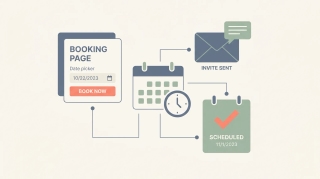
Schedule meetings online without Calendly — using Google Calendar appointment schedules, Microsoft Bookings, free booking tools, an in-email availability poll, or an AI assistant that handles the back-and-forth for you.

Schedule a meeting for your manager or executive in Outlook and Teams — set up delegate access, create the event on their calendar so it's sent 'on behalf of' them, and route responses correctly.