How to Create an Email Alias in Gmail (4 Methods, 2026)
Create Gmail aliases without a new account — plus addressing, dot variations, send-as addresses, and Workspace aliases. How to make them, when to use each, and how to filter mail by alias.
Page 152 of 178
Create Gmail aliases without a new account — plus addressing, dot variations, send-as addresses, and Workspace aliases. How to make them, when to use each, and how to filter mail by alias.

Create a hanging indent in Google Docs for MLA, APA, and Chicago bibliographies — using the Indentation options menu or the ruler. Includes how to apply it to a whole reference list at once.

Set double spacing in Google Docs from the toolbar or the Format menu, apply it to the whole document or one section, and add space between paragraphs for MLA and APA papers.
Turn on dark mode in Gmail on every device — the web's dark theme, true dark mode on Android and iPhone, and why message bodies sometimes stay white. Plus how to set it to follow your system.
Freeze the header row in Google Sheets so it stays visible while you scroll — plus freezing multiple rows, freezing columns, doing it on mobile, and unfreezing.
Import contacts into Gmail from a CSV or vCard file, from Outlook or another email account, or from your phone — plus how to format the file, merge duplicates, and fix import errors.
Add interactive, clickable checkboxes in Google Docs to build a to-do list or checklist — plus how to make a static checkbox and convert existing lines into a checklist.
Google Docs has no direct 'text box' button. Here are the three reliable ways to add one — the Drawing tool, a single-cell table, and a shape — plus how to move, resize, and wrap text around it.
Split your document into two or three columns in Google Docs, control the spacing and divider line, use column breaks, and switch part of a page back to a single column.
Make a Google Calendar public so anyone can view it, share a public link or embed it on a website, control how much detail is visible, and make it private again.
Remove duplicate rows in Google Sheets with the built-in Data cleanup tool, the UNIQUE function, conditional formatting to find them first, or COUNTIF to flag them.
How read receipts work in Gmail, who can use them, how to request one when sending, and free alternatives for personal Gmail accounts that don't have the feature.
Highlight cells automatically in Google Sheets with conditional formatting: single-color rules, color scales, formatting based on another cell, and custom formula rules.
Send self-expiring, no-forward emails with Gmail Confidential Mode — how to turn it on, set an expiration date and SMS passcode, revoke access, and what it does (and doesn't) protect.

Master the IF function in Google Sheets: the syntax, nested IFs, IFS for multiple conditions, and combining IF with AND, OR, and ISBLANK — with copy-paste examples.
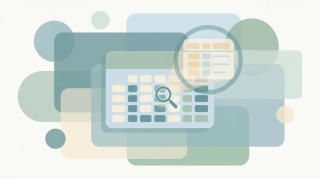
Use the QUERY function in Google Sheets to filter, sort, and summarize data with SQL-like syntax: SELECT, WHERE, ORDER BY, GROUP BY, LABEL, and pulling from another sheet.
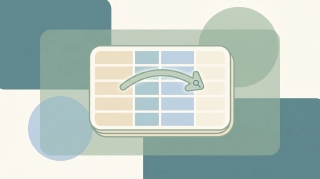
Learn VLOOKUP in Google Sheets step by step: the syntax, exact vs. approximate match, looking up data from another sheet, and how to fix #N/A and #REF errors.
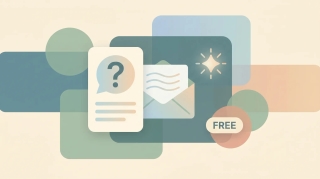
ChatGPT and Gemini are the best free AI assistants for writing emails. Here's how each works, what free actually gets you, and when to upgrade.

200+ name ideas for your AI assistant, plus the research on why AI-generated names all sound the same and how to avoid a forgettable one.

Siri AI, ChatGPT, Claude and Gemini all answer on your iPhone. We ranked 7 AI assistants by which ones actually move the meeting and send the reply.
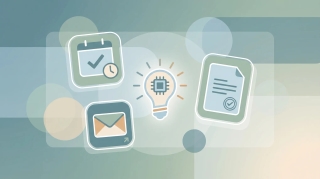
Most 'AI assistant for work' tools are chatbots you have to prompt. We tested the ones that actually do the work — triage, scheduling, follow-up — so you don't.
Most AI email assistants are built for Gmail. We tested the ones that genuinely handle Outlook email: drafting, triage, and follow-up in Microsoft 365.
Which is the smartest AI document assistant in 2026? Most just summarize. We tested the ones that read, extract, and actually act on your contracts, PDFs, and reports.
We tested the top AI personal assistant apps on how you actually access them — dedicated app, built-in, or no app at all. Here's the honest breakdown for 2026.