Can Claude Cowork Connect to Multiple Outlook Calendars?
Calendars inside your one Microsoft work account, yes. A second organization or a personal Outlook.com calendar, no. Add Carly and Cowork sees all of them.
37 posts
Calendars inside your one Microsoft work account, yes. A second organization or a personal Outlook.com calendar, no. Add Carly and Cowork sees all of them.
Calendars shared to your one Microsoft work account, yes. A second organization or a personal Outlook.com calendar, no. With Carly, Claude reads them all.

A Cowork task reaches one Google account and one work Outlook. Connect every calendar to Carly, add it once, and one scheduled task covers all of them.

Claude holds one Google Calendar and one work Outlook, never two of either. Connect every calendar to Carly, add it once, and one chat covers all of them.
Cursor's desktop app adds a second Microsoft account, but cloud agents hold one. Add Carly as one MCP server and every Cursor agent sees all your calendars.

Meta Muse's Outlook Calendar connector holds one Microsoft account. Add every calendar to Carly, connect Carly to Muse once, and Muse sees all of them.
Claude Code reaches Outlook through MCP. Add every Microsoft account to Carly, register one server, and one session sees all of your calendars at once.
We tested 8 AI assistants against two or more Outlook calendars. Which book across every tenant, which stay inside one licensed seat, and what each costs.

The best AI automation tools for Outlook Calendar. Book, move, and defend time from email and text, across every mailbox you own.
Carly holds every Outlook calendar you own and works across all of them. Grok Bot's new Outlook Calendar plugin signs in one Microsoft account.
xAI documents no second Microsoft account for Grok, and someone else's calendar is out of reach. The connector is free. What works instead.
Perplexity documents it: the Outlook connector queries one primary calendar, and secondary or shared calendars are out. What actually works instead.
ChatGPT holds one Microsoft account and documents Outlook events as read-only. Add every account to Carly, connect Carly once, and book on any of them.
Cowork holds one Microsoft account and will not book on a shared calendar. Add every account to Carly, connect Carly once, and book on any of them.
ChatGPT writes shared calendars and not your own. Claude needs an admin. Which assistants really create and move Outlook events, and which just read.
Codex reaches Outlook only through MCP, so two tenants is a config problem rather than a hard limit. One server covers every calendar at once.
ChatGPT Work writes to shared Outlook calendars but not your own, and holds one Microsoft account. The odd shape of the connector, and how to work across it.
Claude's Microsoft 365 connector holds one account, and calendar writes are admin-gated. What works across several Outlook calendars, and what does not.
Four ways to automatically copy Outlook Calendar events to another calendar, including Google, starting with a free rule-based mirror.
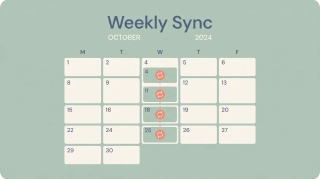
Set up a recurring meeting in Outlook — new Outlook, classic desktop, and the web. Pick daily, weekly, monthly, or custom patterns, set an end date, edit one occurrence vs the whole series, and make it a recurring Teams meeting.

How to block focus time in Outlook — create busy or out-of-office appointments, set recurring focus blocks, and use automatic focus time with Viva Insights.

How to export your Outlook calendar to an .ics or .csv file — covering Outlook on the web, new Outlook, and classic Outlook, plus date ranges and sharing.
How to import an .ics, .ical, or .csv file into Outlook and subscribe to a calendar URL — on Outlook on the web, new Outlook, and classic Outlook.

How to open a calendar someone shared with you in Outlook — accept a sharing invite and add a calendar from the directory or address book.
How to keep declined meetings visible on your Outlook calendar — turn on Show declined events in new Outlook, web, and mobile, and why classic hides them.

Outlook Calendar is built for Microsoft 365 and Teams; Google Calendar is built for Workspace, sharing, and simplicity. Here's which calendar to pick in 2026.
Outlook has no native travel-time feature like Apple or Google Calendar. Here's how to block travel time before and after events — manual buffers, color categories, recurring commute blocks, Bookings buffer time, and automation.

Outlook only allows one reminder per calendar event. Here's how to get multiple staggered notifications — second events, a Power Automate flow, linked To Do tasks, and automation that nudges you at every interval you want.

Walk into every meeting prepared. Here's how to auto-generate pre-meeting briefings in Outlook — Copilot meeting prep, a OneNote briefing template, pulling attendee context from past threads, and an assistant that builds the brief for you.

Step-by-step instructions for overlaying calendars in Outlook — covering side-by-side vs overlay mode, color coding, and limitations across classic Outlook, new Outlook, the web, and mobile.

Step-by-step guide to adding public holidays to Outlook Calendar — every version including web, desktop, classic, and mobile, plus custom ICS calendars.
Step-by-step guide to creating calendar events in Outlook — web, desktop, classic, and mobile, plus meeting invites, all-day events, and shortcuts.

Show a second or third time zone in Outlook Calendar on web, Windows, and Mac — plus tips for labeling zones and scheduling across regions.

How to use categories, conditional formatting, and calendar colors in Outlook to build a visual scheduling system that makes your week readable at a glance.

Step-by-step guide to creating and managing recurring meetings in Outlook on the web and desktop, including recurrence patterns, edits, and common fixes.

Set working hours in Outlook to signal your availability, trigger outside-hours warnings for colleagues, and automatically reply when you're off the clock.

How to find and publish your Outlook calendar's ICS link so others can subscribe to it. Covers Outlook on the web, desktop, and what the URL format looks like.