
Best AI Tools for Executive Assistants in 2026
The best AI tools for executive assistants in 2026: which ones run two executives' inboxes and calendars for you, which only draft, and what each costs.
22 posts
The best AI tools for executive assistants in 2026: which ones run two executives' inboxes and calendars for you, which only draft, and what each costs.

Step-by-step instructions for creating a new Google Calendar on desktop and mobile, plus practical advice on when separate calendars make sense and how to organize them.

Step-by-step guide to deleting a Google Calendar on desktop and mobile — plus how to unsubscribe from calendars, remove shared calendars, and recover a deleted calendar.

Set up Carly's daily briefing in 5 minutes — an automated morning email that summarizes your schedule, flags conflicts, and preps you for every meeting.

Scripts, email templates, and etiquette for canceling or rescheduling meetings without damaging relationships. Includes last-minute, recurring, and client meeting scenarios.

Practical strategies for scheduling meetings across time zones. Covers tools, etiquette, overlap windows, and templates for coordinating global teams.

The actual limit on Google Calendars per account, how to manage multiple calendars without losing your mind, and when to split vs combine.

Display multiple time zones in Google Calendar — including a world clock sidebar, secondary time zones, and tips for scheduling across time zones without confusion.

A complete guide to color coding Google Calendar — apply colors to individual events, entire calendars, and build a visual system that makes your week readable at a glance.

Embed a Google Calendar on any website using the built-in embed code — with options for display size, view type, showing multiple calendars, and styling tips.

Set working hours in Google Calendar to show your availability, automatically decline outside-hours invites, and help colleagues schedule meetings at the right time.

Learn how to add holidays from any country to Google Calendar, manage multiple holiday calendars, and customize which holidays appear on your schedule.

Learn how to organize, color-code, and manage multiple Google Calendars effectively. Covers creating calendars, toggling visibility, and cross-account management.

Copy events between Google Calendars in seconds — no manual re-entry, no third-party syncing tools. Here's how to do it for free with Carly.
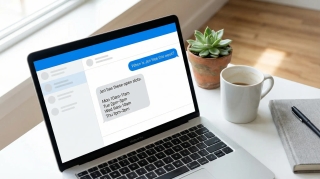
A step-by-step guide for executive assistants: check your boss's schedule, move meetings, place holds, find availability, and convert time zones — all by chatting with Carly.

Compare Carly AI vs Morgen for calendar management. Carly offers conversational scheduling via email and SMS, while Morgen focuses on calendar consolidation and time-blocking.
![100 Best Productivity Hacks for Busy Professionals [2026]](/_vercel/image?url=_astro%2F100-productivity-hacks.D1Tq9PFO.webp&w=320&q=100)
Discover 100 proven productivity hacks for busy professionals. From time-blocking to AI automation, reclaim hours every week. Get more done today.

Compare Carly AI vs CalendarBridge for AI scheduling. Carly offers click-to-book, SMS integration, and unlimited calendars without pay-per-email pricing.

Compare Carly AI vs Meeting AI. Carly handles scheduling via SMS and email, while Meeting AI focuses on transcription and note-taking during meetings.

Compare Carly AI vs Skej for AI scheduling. Carly includes SMS integration from day one, while Skej locks key features behind enterprise tiers.

Compare Carly AI vs Workmate for scheduling. Carly offers affordable AI scheduling at $35/month, while Workmate charges $45-$95/month per user.

Each interruption costs 23 minutes to recover. Time blocking protects your focus. Step-by-step guide with 5 methods, examples, and AI tips to make it stick.