
How to Add Holidays to Google Calendar
Learn how to add holidays from any country to Google Calendar, manage multiple holiday calendars, and customize which holidays appear on your schedule.
34 posts
Learn how to add holidays from any country to Google Calendar, manage multiple holiday calendars, and customize which holidays appear on your schedule.

Learn how to use time blocking in Google Calendar to protect focus time, manage your schedule, and boost productivity with step-by-step instructions.

Learn how to organize, color-code, and manage multiple Google Calendars effectively. Covers creating calendars, toggling visibility, and cross-account management.
Learn how to create, edit, and manage recurring meetings in Google Calendar. Covers custom repeat patterns, exceptions, and best practices.

Learn how to create and manage a shared team calendar in Google Calendar. Covers setup, permissions, best practices, and tools for team coordination.
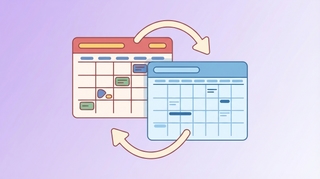
Learn how to sync your Google Calendar with Outlook across web, desktop, and mobile. Covers two-way sync, ICS subscriptions, and troubleshooting.
Get an evening email previewing your next day's schedule. Learn how to turn on Carly's daily briefing from your dashboard.
See your calendar, check availability, and add Carly to emails — all without leaving Gmail. Here's how to set up and use Carly's Chrome extension.

Step-by-step instructions for exporting your contacts as CSV or Excel files from Salesforce, HubSpot, Zoho, Pipedrive, Attio, Monday.com, Freshsales, Oracle, Copper, and Close.

Skills are simple instructions that teach AI assistants how to handle your specific tasks — your way. No coding required. Here's what they are, why they matter, and how people are using them.
Carly now has a built-in CRM — AI-powered, works alongside your existing tools, and keeps your contacts updated without the busywork. Here's why we built it.

Carly can now keep a running to-do list for you — add tasks by email, block out time to get them done, and manage everything from your dashboard.

Compare Carly AI vs Clockwise for calendar management. Carly handles external scheduling via email and SMS, while Clockwise optimizes internal team calendars.

Compare Carly AI vs Morgen for calendar management. Carly offers conversational scheduling via email and SMS, while Morgen focuses on calendar consolidation and time-blocking.

Compare Carly AI vs Reclaim.ai for scheduling. Carly offers human-like conversational scheduling via email and SMS, while Reclaim focuses on calendar optimization and task auto-scheduling.

Compare Carly AI vs Sunsama for productivity. Carly automates scheduling conversations while Sunsama focuses on mindful manual daily planning.

Compare Carly AI vs Trevor AI for scheduling. Carly handles external scheduling via email and SMS, while Trevor focuses on personal task time-blocking.

If your business revenue has stalled, the answer might be in your calendar. Learn how to audit your time and identify the patterns killing your growth.

Compare Carly AI vs CalendarBridge for AI scheduling. Carly offers click-to-book, SMS integration, and unlimited calendars without pay-per-email pricing.

Compare Carly AI vs Calendly for scheduling. Carly offers AI-powered scheduling with click-to-book, SMS, and email thread awareness - no booking links required.

Compare Carly AI vs Motion for scheduling. Carly offers click-to-book, SMS integration, and faster setup without the complexity of task management.
![100 Best Productivity Hacks for Busy Professionals [2026]](/_vercel/image?url=_astro%2F100-productivity-hacks.WWYdW0IM.png&w=320&q=100)
Discover 100 proven productivity hacks for busy professionals. From time-blocking to AI automation, reclaim hours every week. Get more done today.

The ultimate meeting guide for 2026. Learn how to run productive meetings, create effective agendas, and eliminate scheduling overhead. Save hours weekly.

Compare Carly AI vs Agenda Hero for scheduling. Carly offers conversational AI scheduling via SMS and email, while Agenda Hero focuses on converting content to calendar events.

Compare Carly AI vs BlockIt for AI scheduling. Carly offers transparent pricing, SMS integration, and faster setup without complex permissions.

Compare Carly AI vs Skej for AI scheduling. Carly offers SMS integration and flat pricing, while Skej locks key features behind enterprise tiers.

Compare Carly AI vs Tasker AI for scheduling. Carly is a dedicated scheduling assistant, while Tasker AI is a general-purpose automation platform.

Each interruption costs 23 minutes to recover. Time blocking protects your focus. Step-by-step guide with 5 methods, examples, and AI tips to make it stick.
![How to Schedule Meetings Without the Back-and-Forth [2026]](/_vercel/image?url=_astro%2Fschedule-meetings-hero.DGFzr2-I.png&w=320&q=100)
Tired of endless email chains to schedule meetings? Learn 7 proven methods to eliminate back-and-forth and book meetings faster. AI solutions included.

Discover your calendar personality with Carly AI Wrapped—free for all users. See exactly where your time goes with fun, shareable insights about your meetings, habits, and scheduling patterns.

Learn how to share your Google Calendar step-by-step. This guide covers desktop, mobile, embedding, permissions, delegation, and troubleshooting.

Learn how to share your Outlook calendar across web, desktop, and mobile platforms, including links, ICS subscriptions, delegate access, and permission levels.

Discover all the powerful features that make Carly the most comprehensive AI calendar assistant—from unlimited scheduling to 24/7 support in 80+ languages

Learn time management strategies from CEOs, founders, creatives, athletes, and academics with practical tactics you can implement immediately