
How to Send Email from Python (and Read the Reply)
Send email from Python with smtplib and a Gmail app password: HTML, attachments, port 465 vs 587, auth errors. Then read and answer replies with an API.
19 posts
Send email from Python with smtplib and a Gmail app password: HTML, attachments, port 465 vs 587, auth errors. Then read and answer replies with an API.

ChatGPT Developer mode unlocks Create MCP App in the Plugins Add menu. Where the toggle is, why it's often missing, and the steps for every plan.
ChatGPT's Plugins page has an Add menu, but Create MCP App only appears once Developer mode is on under Security and login. The full setup, verified.

ChatGPT MCP support is here. Step-by-step guide to enabling Developer Mode, adding custom MCP servers, and using Apps SDK integrations.

Install MCP servers in Claude Code, Claude Desktop, ChatGPT, Cursor, Windsurf, VS Code, and Zed. The same JSON block, seven clients, copy-paste commands.

Copy events between Google Calendars in seconds — no manual re-entry, no third-party syncing tools. Here's how to do it for free with Carly.
Step-by-step guide to subscribing to any calendar URL or .ics feed in Google Calendar. Works for sunrise/sunset calendars, sports schedules, holidays, and more.
Step-by-step guide to subscribing to any calendar URL or .ics feed in Outlook. Works for sunrise/sunset calendars, sports schedules, holidays, and more.
A step-by-step guide for executive assistants: check your boss's schedule, move meetings, place holds, find availability, and convert time zones — all by chatting with Carly.
Stop going back and forth to find meeting times. CC Carly on any email thread and she handles the scheduling for you. See real email examples.
Carly can start email conversations on your behalf, handle the back-and-forth, and update you when meetings are booked. See how delegated outreach works.
Add contacts, save relationships, and create groups in Carly so scheduling with your regular people is instant. Step-by-step guide with examples.
Scheduling a meeting with 5+ people is painful. Carly's availability polls make it easy — see exactly how it works with real email examples.
Learn how to schedule meetings instantly by emailing Carly. Step-by-step walkthrough with real email examples showing the full scheduling flow.
Make your meeting proposals clickable. Learn how to set up Carly's click-to-book links so recipients can book meetings with literally one click.
Get an evening email previewing your next day's schedule. Learn how to turn on Carly's daily briefing from your dashboard.
See your calendar, check availability, and add Carly to emails — all without leaving Gmail. Here's how to set up and use Carly's Chrome extension.
Track contacts, add custom fields, and set up Skills to automatically update information. Here's how to use Carly as a simple CRM.
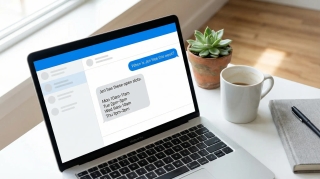
Manage your calendar from your phone with a text message. Learn how to schedule, cancel, and check your day using Carly's SMS feature.