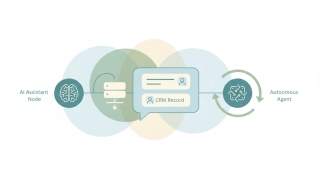
6 Best AI Assistants for Salesforce in 2026
The best AI assistants for Salesforce. What Agentforce covers and costs, Claude and ChatGPT with Salesforce, and what to use when a rep lives in the inbox.
16 posts
The best AI assistants for Salesforce. What Agentforce covers and costs, Claude and ChatGPT with Salesforce, and what to use when a rep lives in the inbox.
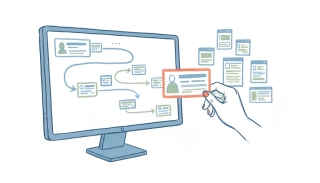
Sales Cloud runs $25 to $350 per user monthly. The editions are the small half of the bill: the add-ons are priced per user again, from $100 to $220.

Salesforce's official Hosted MCP Server lets an AI read and write records, run flows, and call Apex actions. How to set it up, and where it stops.
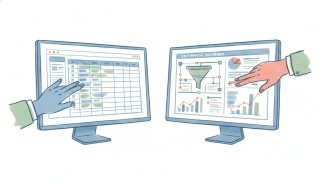
Attio vs Salesforce in 2026: a fast, moldable AI-native CRM against the enterprise standard. Compared on cost, setup, and AI approach.

HubSpot is the easy, all-in-one CRM for SMBs and mid-market; Salesforce is the deeply customizable enterprise standard. Here's which to pick in 2026.

Pipedrive is the simple, affordable sales-team CRM; Salesforce is the customizable enterprise platform. Here's which to pick in 2026.

The best AI assistant that connects to Gmail and your CRM is Carly — it reads your inbox and updates HubSpot, Salesforce, Pipedrive, or Attio in one flow.

The best AI assistant for Outlook and a CRM is Carly — it works with Outlook and Microsoft 365 and updates your CRM, not just Gmail like most tools.

Salesforce gives most editions a 10 GB data base plus 10 GB file base, with per-user increments on top. How data and file storage differ.
Step-by-step methods for bulk editing in Salesforce Lightning, inline list view editing, Mass Update, Data Loader, and Flow. Includes when bulk edit is grayed out.
Step-by-step instructions for building dashboards in Salesforce Lightning Experience, components, dynamic dashboards, filters, scheduled refresh, and folder sharing.
Build reports in Salesforce Lightning. Choose a report type, add columns, filters, and groupings, then schedule email delivery to your team.
Four ways to export data from Salesforce, Data Export Service, exporting reports, Data Loader, and SOQL queries via Workbench. Limits and edition gating included.
Import contacts into Salesforce with the Data Import Wizard (up to 50k records) or Data Loader for larger sets. Covers CSV prep and field mapping.
Step-by-step instructions for merging duplicate leads in Salesforce Lightning Experience, using duplicate rules, choosing a master record, and what data carries over.
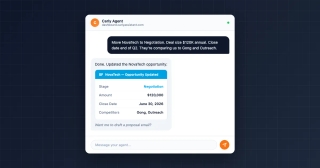
Connect Salesforce to your Carly AI agent in one click. Automate contact creation, opportunity updates, pipeline queries, and cross-tool workflows — by email or chat.