
Claude Code Limits: What Each Plan Actually Gets
Claude Code has no message count. It has a rolling 5-hour window, a weekly cap, and a shared pool. Here is what moves the meter and what resets it.
62 posts
Claude Code has no message count. It has a rolling 5-hour window, a weekly cap, and a shared pool. Here is what moves the meter and what resets it.
Claude Code has no price of its own. It is included in every paid Claude plan and metered against it. Here is every tier and what really drives the bill.

Codex has no separate subscription. Every ChatGPT plan includes it and meters it against a 5-hour window. Here is every tier and what drives the cost.

Cursor runs two usage pools, not one, and that decides which tier you need. Every plan, the included allowances, and what overage really costs.

Manus switches Gmail accounts by re-authorizing the connector. Put every inbox in Carly, add one custom MCP server, and reach them all in one task.
No product carries that name. ChatGPT Work is the closest equivalent, Codex covers the coding half, and three older answers to this question are now dead.

The tasks Cowork is genuinely good at, taken from Anthropic's own examples, plus the shape of job it keeps failing and what to hand off instead.
Agent mode is gone, Operator was folded into it, Atlas shut down on Aug 9. Here is what each ChatGPT agent is in 2026 and which one you actually want.

A skill is a folder with a SKILL.md file that Claude loads when a task matches. Here is the structure, the token cost, and the sync gap nobody mentions.
Cowork and Claude Code run the same agentic engine on the same plans. The real split is not coding versus not coding. It is what can start a run.
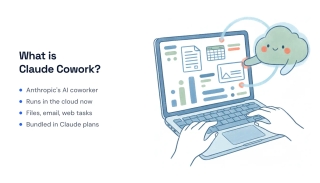
Claude Cowork works differently depending on which surface you open it in. Here is how to start a task, pick the right one, and what each run costs you.

ChatGPT Work reads context from 1,400+ connectable apps, but reading and acting aren't the same permission. What connects, what writes, and where it stops.

ChatGPT Work isn't sold separately: it's gated by your plan and metered against it. Here's every tier, what unlocks Work, and what drives the real cost.

Three weeks after launch, here's an honest read on ChatGPT Work: what it's genuinely good at, where the metering bites, and who should skip it.

ChatGPT Work is built for long multi-step jobs, not quick answers. Twelve tasks it genuinely completes, three it doesn't, and how to tell them apart.
OpenAI ships three surfaces: Chat, Work, Codex. Work does business jobs across your apps; Codex works in your codebase. How to pick, and when to use both.

Claude Tag puts @Claude in Slack as a taggable teammate with memory and ambient updates. What it does, who gets it, and the Aug 3 migration deadline.

Andrew Ng and Rohit Prasad launched OpenWorker July 23, 2026 — a free, open-source, local-first AI agent that delivers finished work, not just chat.
An honest look at where Claude Cowork hits walls — usage metering, no inbound email address, M365-only sending, supervision, and connector gaps.
A balanced 2026 review of Claude Cowork — what it does well, where it frustrates, whether the pricing is worth it, and who should actually buy it.
Claude Cowork is Anthropic's agentic coworker that runs multi-hour tasks on its own, now remotely on Anthropic's servers even when your laptop is closed.

The best AI administrative assistant software in 2026, mapped to the admin duties each one actually covers — scheduling, inbox triage, data entry, expenses, and more.
The best AI meeting assistants for 2026, ranked across the full meeting lifecycle — scheduling and prep, live notes, and the follow-up nobody wants to do.

An AI virtual assistant does the assistant work itself — email, scheduling, follow-ups. We tested 10 and ranked them by what they actually handle, from $35/month.
The best open-source AI assistants in 2026 — chat UIs, voice assistants, and autonomous agents — with verified licenses, self-hosting requirements, and the honest costs.

The best AI chatbot for business in 2026, ranked. Some just answer questions. The best ones book meetings, update your CRM, and finish the work.

Claude Cowork is a general work agent bundled with Claude; Lindy is a purpose-built inbox assistant you configure per mailbox. Here's which fits your work.

Claude Cowork is a work agent bundled inside your Claude subscription; Tasklet is a standalone credit-metered cloud agent. Here's which one fits your work.

Gumloop is a no-code visual canvas where you build AI workflows; Tasklet is an autonomous agent you describe a job to and it figures out the steps.
Manus is a general autonomous agent that runs multi-step tasks in a cloud VM; Genspark bundles an agent with slide, sheet, and phone-call generation. Here's which you need.

OpenClaw is a free, self-hosted computer-use agent you run and secure yourself; Lindy is a managed, no-code AI executive assistant. Here's which fits you.

OpenClaw is a free, self-hosted computer-use agent you run locally; Tasklet is a managed cloud agent you describe in plain English. How to choose.

Sauna AI is a multiplayer team agent with shared memory across five front doors; Manus is a solo general agent that runs open-ended tasks in a cloud VM.

Tasklet is a cloud agent OS you assign discrete jobs to; Town is an ambient chief of staff that learns your context across surfaces. Here's which fits.

Toyo gives founders an AI assistant on a secure cloud computer — but every plan has daily usage limits and there's no free trial. These 6 alternatives cover the same work.
Carly AI and Jace both run your email, but Carly adds SMS scheduling and Outlook parity while Jace stays Gmail-first and credit-metered. Compared.
Genspark's super agent makes slides, research reports, and phone calls — but every action burns credits. These 6 alternatives fit the work you actually do.

Ninja AI bundles chat, deep research, and a scheduler behind credit metering. These 6 Ninja AI alternatives — from inbox EAs to super agents — fit better.

Looking for a Sauna.ai alternative? These 5 AI agents act across your tools over email, text, and Slack — without Sauna's credit metering or team-first pricing.
OpenAI removed ChatGPT agent mode in August 2026 and says use Work. Work can't do logged-in browser tasks. What replaced it, what's lost, how to migrate.
The best ChatGPT alternatives in 2026 — from rival chatbots like Claude and Gemini to assistants that actually do the work in your inbox. Honest picks, real limits, no hype.

Zapier bills per task, so multi-step Zaps get expensive fast. Here are 9 cheaper Zapier alternatives — from credit-based builders to AI agents that run the work for you.

Claude is brilliant in a chat window, but it never acts on triggers and every send waits on you. Nine alternatives that actually do the work.
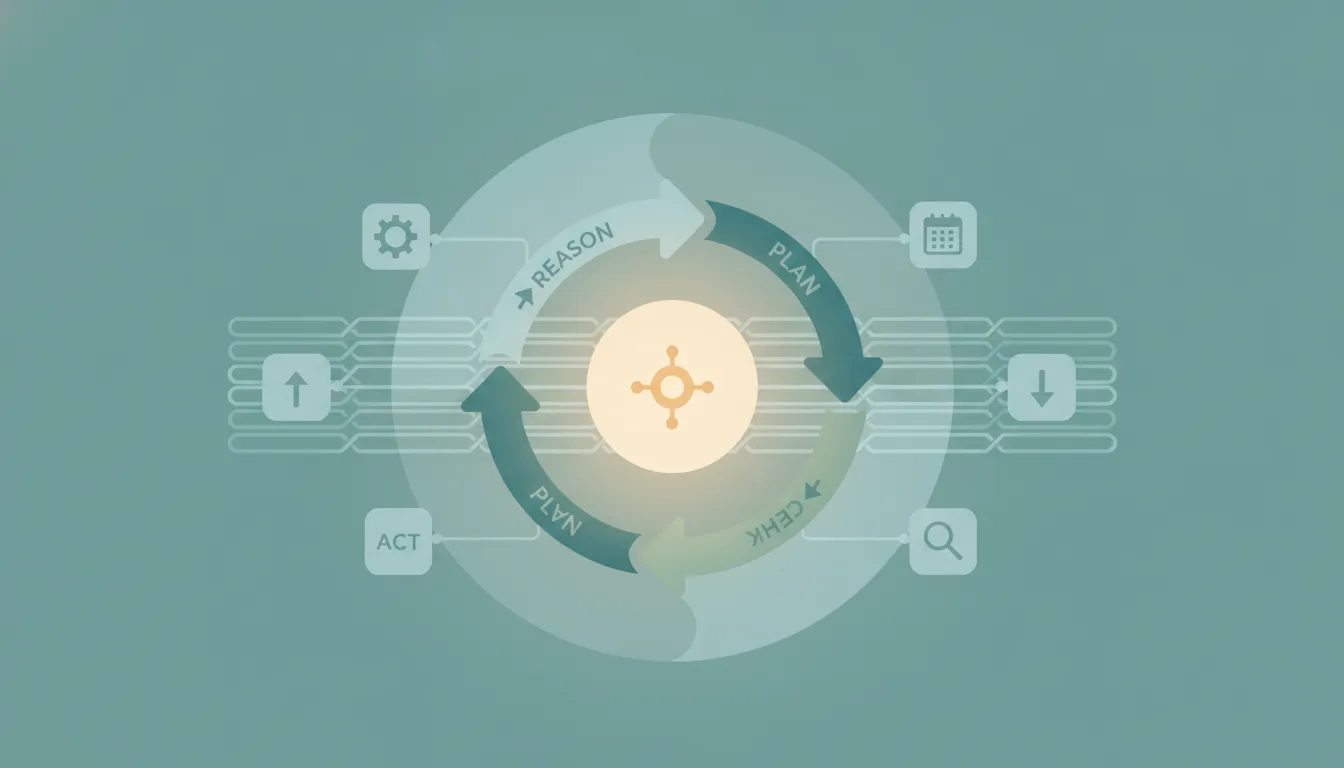
An AI agent reasons, plans, and acts toward a goal — instead of following fixed rules. Here's how AI agents differ from traditional automation like Zapier and Make, and where each actually wins.

Looking for a Jace AI alternative? These 7 AI executive assistants go beyond drafting and organizing Gmail, including agents that send and act on their own.

Looking for an OpenClaw alternative? These 7 AI agents do the work OpenClaw promises, without the self-hosting, CVEs, exposed instances, or runaway API bills.

Viktor is a powerful AI coworker that lives in Slack and Teams and runs code for any task — but it's a shared team bot you chat with. Here are 7 alternatives, including ones that work over email and run themselves.

Cowork now runs remotely on Anthropic's servers — but it still has no inbox and fires on a clock, not on events. 7 alternatives compared, with 2026 pricing.

We tested 10 AI secretary tools — Carly, Motion, Reclaim, Notion AI, Granola, ChatGPT, and more — for two weeks each. Here's what handles the real admin work and what's just a fancy text editor.
Connect Apify to your Carly AI agent and run web scrapers, kick off Actors, and pipe scraped data into Sheets, CRMs, and more — all through email or chat commands.
Connect Instantly to your Carly AI agent and add leads, launch campaigns, pull engagement metrics, and route replies to your CRM — all through email or chat commands.
Connect Jira to your Carly AI agent and create issues, update statuses, assign work, and pull sprint summaries — all through email or chat commands.
Connect Mem0 to your Carly AI agent and store, search, and update long-term memory for your AI workflows — all through email or chat commands.
Connect Mixmax to your Carly AI agent and add prospects to sequences, send tracked emails, pull engagement, and route booked meetings — all through email or chat commands.
Connect Postmark to your Carly AI agent and send transactional emails, pull delivery stats, investigate messages, and monitor bounces — all through email or chat commands.
Connect SerpApi to your Carly AI agent and run Google searches, scrape Maps, track SERP rankings, and pull news mentions — all through email or chat commands.

OpenClaw has 512 security vulnerabilities, plaintext credentials, and $300+/month API bills. Carly does the same things — securely, starting at $35/month.
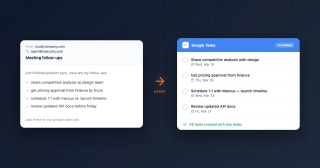
Connect Google Tasks to your Carly AI agent to create, organize, and manage tasks through email or chat — no app switching or manual entry required.
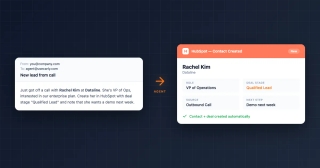
Connect HubSpot to your Carly AI agent and automate contact creation, deal updates, and pipeline management — all through email or chat commands.
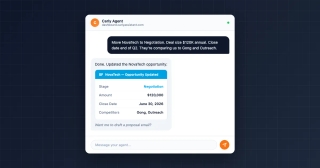
Connect Salesforce to your Carly AI agent in one click. Automate contact creation, opportunity updates, pipeline queries, and cross-tool workflows — by email or chat.
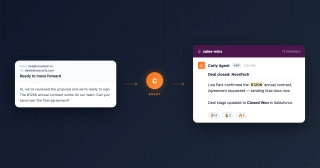
Connect Slack to your Carly AI agent to automatically send deal alerts, meeting summaries, project updates, and team notifications to any channel.
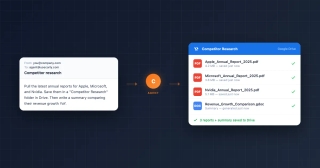
Use your Carly AI agent to pull reports, research companies, summarize documents, and organize findings in Google Drive — by email or chat.