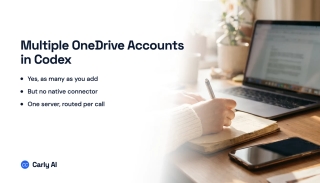
How to Connect Multiple OneDrive Accounts to Codex
Codex has no OneDrive connector. Add every Microsoft identity to Carly, register one MCP server, and address them all from the Codex CLI.
28 posts
Codex has no OneDrive connector. Add every Microsoft identity to Carly, register one MCP server, and address them all from the Codex CLI.
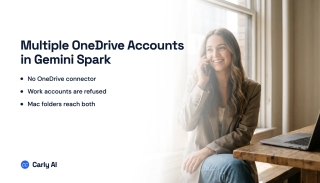
Spark has no Microsoft connector, and Google's OneDrive connector needs the account type Spark refuses. Connect every Microsoft account to Carly instead.

Carly holds every OneDrive account you own and works across all of them. Grok Bot's new OneDrive plugin signs in one Microsoft account.
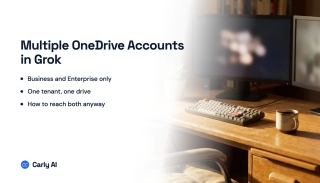
Grok's OneDrive connector is Business and Enterprise only, admin-provisioned against one Azure AD tenant, and holds one identity. What works instead.
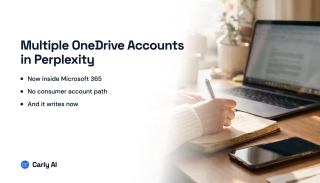
OneDrive is now part of Perplexity's Microsoft 365 connector, and it writes. There is no consumer-account path, and a second tenant is undocumented.
Cowork's Microsoft 365 connector takes one work tenant and rejects personal accounts. Connect every OneDrive to Carly and add Carly to Cowork once.

The Gemini app has no Microsoft connector at all, and Gemini Enterprise binds to one tenant. Connect every OneDrive to Carly and reach them from one chat.

One personal drive and one work drive is the request nobody serves cleanly. Which assistants read OneDrive, which write, and the one partial workaround.
One personal drive plus one work drive is genuinely possible, because they are separate connectors. Two work tenants is the wall. Here is how to cross it.

No Copilot setting holds two OneDrive accounts, and two work tenants reach neither product. Connect every Microsoft identity to Carly instead.

Personal and work OneDrive use different ChatGPT connectors, so one of each is possible. Two work tenants is not. Here is the full picture and the workaround.

Claude reaches OneDrive through one Microsoft 365 connection, which holds a single identity. Here is how to reach personal and work drives in one chat.
Google Drive is storage built around Google Workspace and Gemini; OneDrive is built around Microsoft 365 and Copilot. Here's which to pick in 2026.

SharePoint gives each Microsoft 365 tenant 1 TB pooled storage plus 10 GB per licensed user. Site collections cap at 25 TB. How to add more.

OneDrive allows single files up to 250 GB on personal and business plans. Plus the 400-character path limit, 255-character name limit, and invalid characters to avoid.
OneDrive gives 5 GB free; Microsoft 365 Personal includes 1 TB and Family up to 6 TB. Business plans default to 1 TB. How the limits work and what happens when you hit them.

Microsoft Teams lets you upload files up to 250 GB each, since it stores them in SharePoint or OneDrive. Limits, storage caps, and workarounds.
OneDrive stuck on 'sync pending,' not syncing, or showing a red X? Work through these fixes in order — from a quick resume to a full reset — to get OneDrive syncing again.

Two different problems, two fixes: reclaim local disk space with Files On-Demand's 'Free up space,' and clear room in your OneDrive cloud storage when your account is full.

Three ways to remove OneDrive — unlink it, hide it from File Explorer, or fully uninstall it — all without deleting your files. Pick the level that fits, with steps for Windows 10 and 11.

Share a OneDrive folder with anyone — set view or edit permissions, share with people inside or outside your organization, add expiration dates and passwords, and stop sharing when you're done.

Pause, stop, or fully turn off OneDrive sync on Windows and Mac — pause for a few hours, stop syncing one folder, or disable OneDrive entirely without losing your files.

Stop OneDrive from backing up your Desktop, Documents, and Pictures folders — without losing files or ending up with two copies. Here's how to turn off folder backup cleanly on Windows and Mac.
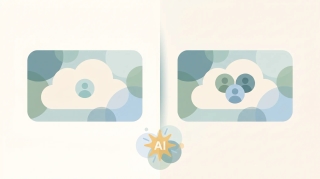
OneDrive and SharePoint use the same engine but solve different problems. OneDrive is your personal work drive; SharePoint is your team's shared library. Here's when to use each — and how they work together.

OneDrive Files On-Demand lets you see every file without downloading it. Here's what the cloud, checkmark, and green-circle icons mean, how to turn it on, and how to keep files offline.

Sync a SharePoint folder to File Explorer so it works like any local folder — or add it as a OneDrive shortcut. The two methods, when to pick which, and how to fix sync issues.
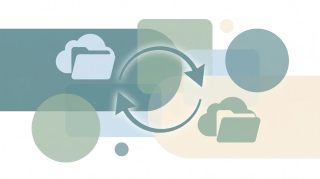
Sync a SharePoint library or folder with OneDrive so files live in File Explorer, sync across all your devices, and work offline — using Sync, Add shortcut to OneDrive, or both.

Step-by-step instructions for saving single, multiple, and bulk email attachments in Outlook — covering the new desktop app, classic Outlook for Windows, Outlook on the web, and mobile.