
Can Claude Connect to Multiple Slack Workspaces?
Claude's Slack connector holds one workspace per account. Add the Carly connector and Claude searches and posts across all of your Slack workspaces at once.
42 posts
Claude's Slack connector holds one workspace per account. Add the Carly connector and Claude searches and posts across all of your Slack workspaces at once.
How many people use Slack, where the 32 million figure comes from, Slack revenue under Salesforce, and Slack vs Teams users. 2026 stats, sourced inline.

Ako is an AI teammate with its own Slack handle, WhatsApp number and email. What it does, the credit pricing from free to $199 a month, and where it fits.

Claude Code stores one Slack token per server, so a second workspace overwrites the first. Add every workspace to Carly and reach all of them at once.
We checked 7 AI assistants against two or more Slack workspaces. Which reach all of them, which make you disconnect first, and which are priced per workspace.
Spark has no Slack path of its own, and Google's Slack integration is work-account only. Connect every workspace to Carly and add Carly to Spark over MCP.
Grok at grok.com has no Slack connector, built in or in the catalog. Custom MCP is the only route and Slack blocks it. What reaches Slack instead.
Cowork holds one Slack workspace at a time. Add every workspace to Carly, connect Carly to Claude once, and one task reaches all of them.
Microsoft builds no Slack connector for Copilot, and partner ones need an AI administrator. Connect every workspace to Carly and ask across all of them.
The Gemini app cannot reach Slack on any account type. Connect every workspace to Carly, add Carly to Gemini, and search or post across all of them.
Perplexity's Slack connector authorizes one workspace and is worded in the singular throughout. How to search several workspaces from one session.
Grok Bot does not install into Slack. Grok for Slack is a separate app, one install per workspace. Here is what actually spans workspaces.
OpenAI documents the limit in one sentence: the Slack app connects to one workspace at a time. What that costs you, and how to reach the others in one run.
Codex's Slack app launches coding tasks, it does not read your channels. Two different multi-workspace questions hide behind that, with different answers.
OpenAI limits its Slack app to one workspace at a time. Here is how to keep internal, client, and community workspaces available through Carly.
Claude's built-in Slack connector holds one workspace per account. Connect each workspace to Carly and search or post across all of them from one chat.
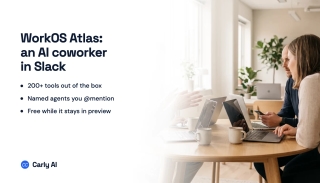
Atlas is WorkOS's AI coworker for Slack: 200+ tool connections, named custom agents, per-request permission checks, and free while it stays in preview.
Claude Tag puts @Claude in Slack as a taggable teammate with memory and ambient updates. What it does, who gets it, and the Aug 3 migration deadline.
Slack's official MCP server lets AI tools like Claude and Cursor search your workspace, read messages, and post for you. How to set it up, and where it stops.
Paris-based Mio raised €1.9M pre-seed, co-led by Fabric.vc and Topology.vc, for a Slack-native AI coworker that does meeting prep, briefs, and triage. Here's what it does and where it leaves gaps.
Slack pricing in 2026: Free ($0), Pro ($7.25/user), and Business+ ($15/user) billed annually, plus Enterprise+. Real per-seat costs and the hidden ones.
Slack is business team messaging with deep integrations and compliance; Discord is community-first with always-on voice. Here's which to pick.
Create a public or private channel in Slack, name it well, add people, choose the right channel type, and learn who can create channels in 2026.
Delete a Slack account by deactivating it, understand member vs owner permissions, what happens to your data, and how to delete a whole workspace.
Leave a Slack workspace on desktop, web, or mobile, understand leaving a channel vs a workspace, deactivating your account, and how to rejoin later.
Set reminders in Slack with the /remind command, message reminders, recurring reminders, and Slackbot, plus how to view and delete them in 2026.
Start a Slack huddle in a channel or DM, switch between audio and video, share your screen, invite others, use the huddle thread, and check plan limits.
Learn how to use Slack from scratch: workspaces, channels, DMs, threads, mentions, search, notifications, huddles, and apps, explained for new users in 2026.

The best AI automation tools for Slack, ranked by how much real work they take off your plate. Connect Slack to email, calendar, and 200+ tools without building workflows.
Slack caps uploads at 1 GB per file on every plan. Here are the free-plan 90-day history limit, paid storage, clip length, and how to share bigger files.
Slack's free plan caps you at 90 days of message history, 10 apps, and 1:1 huddles. Here's exactly what's included, what's capped, and how to work around it.
Slack is best-in-class chat with a huge app directory; Teams bundles chat, meetings, and files with Microsoft 365. Here's how they compare and which to pick.
Step-by-step guide to archiving a Slack channel, who can do it, what happens to messages and files, and how to restore an archived channel.
Create polls in Slack with Polly, Simple Poll, the /poll command, emoji reactions, and Workflow Builder, comparison of methods for 2026.
How to create a private channel in Slack, naming rules, who can see it, converting public to private, inviting members, and member limits.
Export Slack messages with Standard Export, Corporate Export on Enterprise Grid, channel-level exports, and manual copy methods, JSON format and what is included.
Mute Slack channels, threads, DMs, and keywords without leaving, desktop and mobile steps, mute vs leave, and notification preferences.
How to pin messages in Slack channels and DMs, view pinned items, the 100-pin limit per channel, removing pins, and the difference between pinned and saved.
Schedule Slack messages from the send button dropdown, edit or cancel scheduled messages, time zone handling, mobile support, and threading limits.
Set Slack status with preset emojis, custom messages, expiration timers, do not disturb mode, and Google Calendar sync, desktop, web, and mobile.
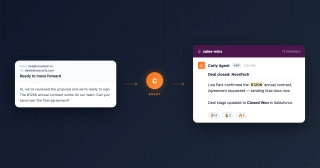
Connect Slack to your Carly AI agent to automatically send deal alerts, meeting summaries, project updates, and team notifications to any channel.
Step-by-step guide to connecting Google Calendar with Slack for auto-status updates, meeting reminders, availability sharing, and more.