
Google Calendar AI Features in 2026: What Actually Works
Google Calendar's AI features in 2026 — smart event creation, focus time, Gemini integration, and what they can and can't do. Honest breakdown.
Page 131 of 138
Google Calendar's AI features in 2026 — smart event creation, focus time, Gemini integration, and what they can and can't do. Honest breakdown.

Google Calendar refreshes subscribed ICS calendars roughly every 12–24 hours. Here's what that means in practice, why you can't force a refresh.

Every Google Calendar keyboard shortcut for navigation, creating events, switching views, and managing your schedule — including how to enable shortcuts first.

Yes — Google Calendar still supports natural language event creation in 2026. Here's exactly how it works on desktop, mobile, and what it can and can't parse.
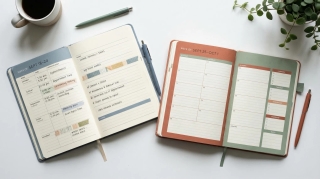
Google Calendar can show multiple calendars in separate side-by-side columns in Day view. Here is how to enable it and when it is useful.
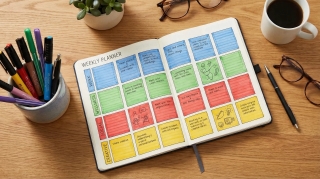
A practical guide to time blocking in Google Calendar — setting it up, maintaining it, and using the right features to protect your focused work time.
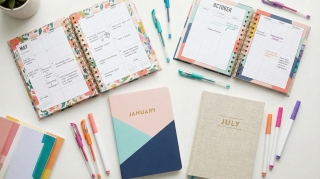
The actual limit on Google Calendars per account, how to manage multiple calendars without losing your mind, and when to split vs combine.
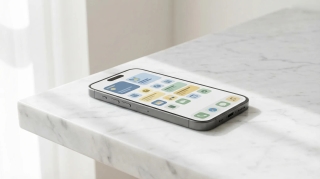
Add Google Calendar to iPhone using the Google Calendar app or the native Apple Calendar app — with sync settings, widget setup, and troubleshooting common issues.
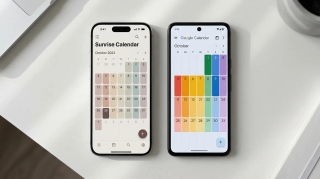
Three ways to view your Google Calendar inside Outlook — ICS subscription, CalDAV sync, and third-party tools. What each does, what it costs, and which to use.

If you're manually entering 10-15 names every time you schedule a recurring event, there's a better way. Google Groups works. Carly's Chat with Cal is even easier.

Display multiple time zones in Google Calendar — including a world clock sidebar, secondary time zones, and tips for scheduling across time zones without confusion.
Four ways to automatically copy or mirror events from one Google Calendar to another, starting with a free rule-based tool and no code.
The email ping-pong when scheduling meetings is fixable. Here are 7 methods ranked by how much back-and-forth they actually eliminate, with free options for each.
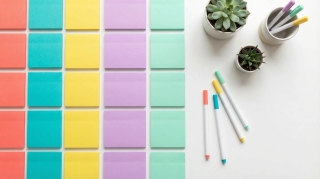
A complete guide to color coding Google Calendar — apply colors to individual events, entire calendars, and build a visual system that makes your week readable at a glance.

Step-by-step guide to creating calendar invites in Google Calendar on desktop and mobile — adding guests, setting reminders, attaching video links, and managing RSVPs.

How to build a link that opens Google Calendar pre-filled with your event. Works in emails, websites, and landing pages. Includes URL format and a generator.

Embed a Google Calendar on any website using the built-in embed code — with options for display size, view type, showing multiple calendars, and styling tips.
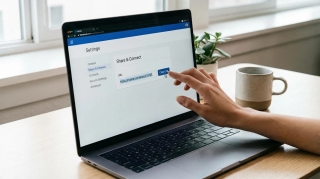
How to find your Google Calendar's ICS link so others can subscribe to it. Covers public calendars, private address, and what each URL type does.
How to find and publish your Outlook calendar's ICS link so others can subscribe to it. Covers Outlook on the web, desktop, and what the URL format looks like.

Concrete ways to cut meeting time without killing collaboration — shorter defaults, async alternatives, no-meeting blocks, and how to get your team on board.

How to schedule team meetings without the chaos — finding times that work, cutting unnecessary meetings, running them efficiently, and tools that actually help.

The right way to schedule meetings over email — what to include, how to propose times, how to handle back-and-forth, and when to use a scheduling tool instead.

How to write an availability email that gets a meeting confirmed in one round — formats, examples, and when to use a scheduling tool instead.

Step-by-step: set up a recurring Google Meet with the same link every time. Works for daily standups, weekly team syncs, and any repeating meeting.