
8 Best AI Assistants for Multiple Outlook Accounts
We checked 8 AI assistants against two or more Outlook accounts. Which act across all of them, which make you switch, and which bill you per mailbox.
44 posts
We checked 8 AI assistants against two or more Outlook accounts. Which act across all of them, which make you switch, and which bill you per mailbox.
We checked 10 AI assistants against two or more Microsoft accounts. Which hold every tenant, which force a reconnect, and which bill you for the second login.

Most AI assistants pick an ecosystem and stay in it. We checked which ones hold a Google inbox and a Microsoft inbox at once, and what each can do in both.
Gemini finds, summarizes and prioritizes mail, and inbox cleanup is coming. What it still will not do is handle the inbox while you are not looking.

We checked 11 AI assistants on two or more Gmail accounts. Carly is the only one that acts across all of them. Which hold, which switch, which bill you.

Compare 7 email organizers by automatic triage, cross-app actions, provider support, free tiers, and current monthly pricing.

Shortwave sells AI by the tier, and five different things get metered as you move up. What Free, Pro, Business, Premier and Max really buy in 2026.

We tested 11 AI assistants across Gmail and Outlook together. Carly holds every inbox and acts in each one. Which others cap you, and which bill per account.
Manage personal Gmail, work Outlook, and multiple company inboxes with one AI assistant—without forwarding mail, merging accounts, or switching tabs.
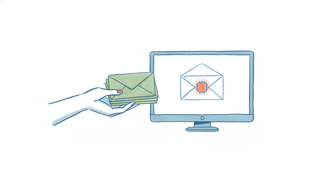
You already know how to delegate email to a human assistant. Here's how the same moves — forward, CC, hand off recurring work — now work when the assistant is an AI with its own address.

See how Carly, Gemini Spark, SaneBox, and Fyxer approach automatic inbox triage, drafting, and exception handling.

Carly is the AI assistant that runs your inbox and calendar as one job — it triages email, drafts and sends replies, and books meetings from the same threads.

Cora is a quiet, Gmail-only inbox that briefs and drafts for you; Fyxer is a per-seat assistant that sorts, drafts, and takes meeting notes in Gmail or Outlook.
Carly AI vs Inbox Zero compared: Carly schedules meetings and works over SMS as a full EA, while Inbox Zero is an open-source inbox-cleanup automation tool.
Compare Carly AI vs SaneBox. SaneBox filters and organizes your inbox; Carly AI drafts, replies, and schedules over email and SMS. Here is how to pick.

How much email the world really sends, how many hours it eats, and why the inbox keeps winning: the key email statistics for 2026, each sourced inline.

Sort your Outlook inbox by date, sender, size, subject, importance, or unread — with ascending/descending order, across web, new, and classic Outlook.

Add another email account to Gmail two ways — switch between multiple Google accounts, or pull a second address (Gmail, Outlook, Yahoo, or work email) into one inbox and send from it.
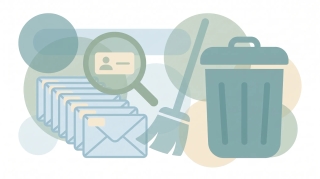
Delete every email from a single sender in Gmail using search operators and Select all — plus how to auto-delete future emails from that sender with a filter.

Mute noisy email threads in Gmail so future replies skip your inbox without unsubscribing or deleting — on web, iOS, and Android — plus how to find and unmute them later.
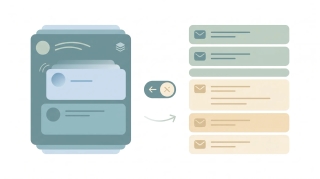
Turn off Conversation View in Gmail so each email shows as its own message instead of grouped threads — step-by-step for web, iOS, and Android, plus when to keep it on.
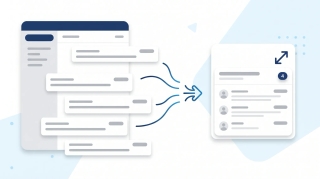
Turn on email threading (Conversation View) in new Outlook, the web, classic Windows, Mac, and mobile. How to group, sort, expand, and fix threads.

Mark every unread email as read in Gmail web, mobile, and the API — including the Select All trick most people miss, the search-then-bulk method for huge inboxes, and how to do it per label.
Step-by-step guide to snoozing emails in Gmail on every platform — default times, custom snoozing, swipe gestures, and why snoozed emails sometimes don't return on schedule.

Step-by-step instructions for filtering emails in Outlook — covering view filters, search operators, Search Folders, and how filters differ from rules across web, new Outlook, and classic Outlook.

Looking for a HEY email alternative? These 5 email tools rethink the inbox — from AI-native Gmail clients to autonomous email agents that take action.

Looking for a MailMaestro alternative? These 7 AI email tools go past draft suggestions in Outlook and Gmail — several triage, reply, and send on their own.
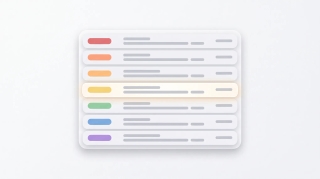
Use color categories in Outlook to tag, organize, and filter your inbox. Covers create, assign, rename, search by category, and auto-categorize rules.
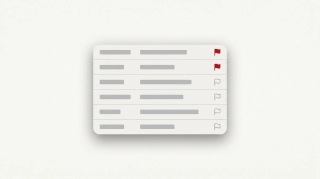
How to flag emails in Outlook for follow-up: set due dates, reminders, view flagged messages as tasks in Microsoft To Do, and clear flags.
How to mark all emails as read in Outlook on web, new desktop, classic, Mac, and mobile, plus keyboard shortcuts and folder-level cleanup.

Mark emails unread in Outlook — right-click, keyboard shortcuts, bulk actions, reading-pane timing, and mobile gestures across every version.

Snooze emails in new Outlook, Outlook on the web, classic Outlook for Windows, mobile, and Mac — plus fixes when snooze is missing.

Enable, train, and disable Focused Inbox in new Outlook, Outlook on the web, classic Outlook for Windows, Outlook for Mac, and Outlook mobile.

Unsubscribe from marketing emails in Outlook using the built-in unsubscribe link, Sweep, Block Sender, and Rules — across every version of Outlook.

The best Superhuman alternatives for fast, AI-powered email. Speed-focused clients, AI triage, and inbox management tools — at every price point.

Step-by-step instructions to automatically forward emails in Outlook — covering web, new desktop, classic Outlook rules, and Exchange admin.
Step-by-step guide to archiving emails in Gmail on desktop and mobile. Learn where archived emails go, how to find them, how to unarchive, and the difference between archive and delete.
Step-by-step guide to blocking senders in Gmail on desktop and mobile, unblocking, reporting spam and phishing, muting threads, and blocking entire domains with filters.
Step-by-step guide to creating, editing, and managing Gmail filters to automatically label, archive, delete, or forward emails — plus common filter recipes for newsletters, notifications, and VIPs.
Gmail uses labels instead of folders — here's how to create labels that work like folders, organize emails into them, and set up auto-sorting with filters.
Step-by-step guide to creating, color-coding, and managing labels in Gmail on desktop and mobile. Organize your inbox with labels, sub-labels, and quick-apply shortcuts.
Archive emails in Outlook on the web, the new desktop app, classic Outlook, and mobile — plus how to find archived mail and set up auto-archive.
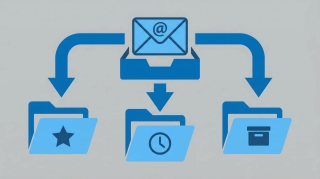
Step-by-step instructions for creating email rules in Outlook to automatically sort, move, flag, or forward messages — covering Outlook on the web, the new desktop app, and classic Outlook for Windows.
The best AI tools for managing your inbox: auto-triage, smart categorization, and custom email agents that reduce volume instead of just filing it.