
How to Give Your AI Agent a Name, Email, and Personality That Fits Your Brand
How to choose an AI agent name, email address, and personality instructions that match your brand voice and build client trust.
Page 130 of 138
How to choose an AI agent name, email address, and personality instructions that match your brand voice and build client trust.

Three ways to use Carly: email her directly, set up workflows that run on a trigger, or give a recurring job its own address. When to use each.

Google Meet works fine until it doesn't. Here are the best alternatives for video calls, async video, and meeting scheduling in 2026.

Show a second or third time zone in Outlook Calendar on web, Windows, and Mac — plus tips for labeling zones and scheduling across regions.

Step-by-step guide to installing the Zoom add-on for Google Calendar, auto-generating meeting links, and setting Zoom as your default conferencing option.

How to use categories, conditional formatting, and calendar colors in Outlook to build a visual scheduling system that makes your week readable at a glance.

How to say no to meeting requests without guilt or awkwardness — templates for declining, redirecting, and handling recurring invites.

Step-by-step guide to creating and managing recurring meetings in Outlook on the web and desktop, including recurrence patterns, edits, and common fixes.

Set working hours in Outlook to signal your availability, trigger outside-hours warnings for colleagues, and automatically reply when you're off the clock.

Step-by-step guide to connecting Google Calendar with Slack for auto-status updates, meeting reminders, availability sharing, and more.

Tired of Zoom? Here are the best video conferencing alternatives in 2026 — for meetings, async video, webinars, and team chat.
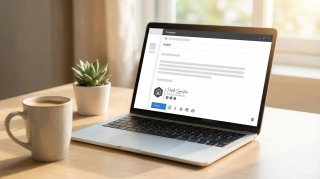
Add a scheduling link to your email signature in Gmail, Outlook, and Apple Mail. Step-by-step instructions with examples for Calendly, Cal.com, and Carly.

Scripts, email templates, and etiquette for canceling or rescheduling meetings without damaging relationships. Includes last-minute, recurring, and client meeting scenarios.

Step-by-step guide to delegating calendar access in Google Calendar. Sharing permissions, Workspace delegation, and AI scheduling assistants.

Three ways to merge Google Calendars: import/export, sharing, and syncing tools. Step-by-step instructions for combining personal and work calendars.

Practical strategies for scheduling meetings across time zones. Covers tools, etiquette, overlap windows, and templates for coordinating global teams.

Set up out of office in Google Calendar to auto-decline meetings, block your schedule, and notify colleagues. Covers desktop, mobile, and Workspace settings.

The best Acuity Scheduling alternatives for appointment booking — from AI-powered schedulers to simpler booking pages, with pricing comparisons and honest tradeoffs.

Which AI assistants are actually free with no subscription? A honest breakdown of what works for scheduling, email, and general tasks — no credit card required.

The best AI scheduling tools for finding meeting times automatically, managing calendars and cutting the back-and-forth, reviewed and compared for 2026.
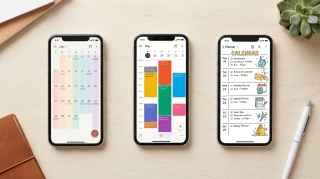
The best calendar apps in 2026 — reviewed by features, platform support, AI capabilities, and price. From Google Calendar and Fantastical to AI assistants like Carly.

The best meeting scheduling apps in 2026 — booking links, AI schedulers, group scheduling tools, and team coordination software, with pricing and honest comparisons.
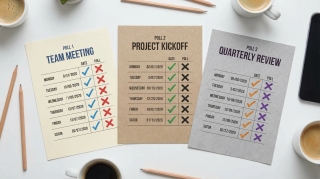
Doodle, When2Meet, and WhenIsGood compared head-to-head. What each one is actually good for, where they fall short, and which free options beat all three.

The best Fantastical alternatives for Mac and iOS — natural language calendar apps, AI scheduling tools, and cross-platform options without the $5/month subscription.