AI Customer Communication for Small Business (2026 Guide)
AI customer communication tools handle SMS booking and email for small businesses. See how the two channels work together, what to look for, and how to set it up.
Expert tutorials on calendar management, AI tools, and productivity techniques to help you work smarter.

AI customer communication tools handle SMS booking and email for small businesses. See how the two channels work together, what to look for, and how to set it up.

Pre-meeting company intel, earnings prep, people research, and market news — personalized to your calendar and delivered to your inbox every morning.

Turn Carly's daily briefing into an automated research tool — news monitoring, competitive intelligence, and industry trends delivered to your inbox every morning.

Set up Carly's daily briefing in 5 minutes — an automated morning email that summarizes your schedule, flags conflicts, and preps you for every meeting.

Your customers already text you to book. Here's how to set up SMS appointment booking with an AI agent handling availability, confirmations, and rescheduling.

You pay for online booking software, but customers still call to schedule. Here's why your portal goes unused and how SMS booking fixes the hidden friction.

Add shared calendars, subscribe to ICS feeds, import .ics files, connect Google Calendar, and more — step-by-step for every version of Outlook.

Step-by-step guide to creating and managing email signatures in Gmail — on desktop and mobile, with images, hyperlinks, and multiple signature support.

Step-by-step instructions for adding an email signature in Outlook on the web, desktop (Windows and Mac), and mobile — plus how to add images, hyperlinks, and set different signatures for new emails vs. replies.

Step-by-step guide to scheduling emails in Gmail on desktop and mobile. Learn how to use Schedule send, edit or cancel scheduled messages, and pick the best send times.

Step-by-step instructions to schedule emails for later delivery in Outlook on the web, the new Outlook desktop app, classic Outlook for Windows, and Outlook mobile.

The best Cal.com alternatives for scheduling pages, booking links, and appointment management. Simpler options that work without self-hosting.

The best booking link tools for freelancers and solopreneurs — affordable, professional, and built for independent workers who juggle multiple clients.

The best booking page builders for creating scheduling links, appointment pages, and click-to-book experiences — compared for 2026.

The best free scheduling tools for booking pages, meeting links, and appointment scheduling — no credit card, no catch. Reviewed for 2026.

Carly, SavvyCal, Zcal, Zeeg, lemcal, and Sidekick — six niche scheduling tools doing interesting things, starting with a free booking page alternative with AI scheduling built in.

The best scheduling link tools for sharing your availability and letting people book time with you — compared and reviewed for 2026.

The best Microsoft Bookings alternatives for appointment scheduling, booking pages, and team coordination — without being locked into the M365 ecosystem.

The best YouCanBookMe alternatives for booking pages, scheduling links, and appointment management — modern tools with better pricing and features.

The best AI assistant apps ranked by what they can actually do — not just chat. Scheduling, email, research, browsing, and custom agents that take action.

The best AI-powered CRM tools ranked by intelligence and automation. Auto-logging, deal prediction, email agents, and CRMs that actually update themselves.

The best AI tools for managing your inbox — auto-triage, smart categorization, custom email agents, and tools that actually reduce email volume instead of just organizing it.

The best AI tools for remote workers — async communication, timezone scheduling, meeting management, and custom agents that handle coordination so you can do deep work.

The best AI workflow automation tools ranked by how much they actually automate. Custom agents, email-based workflows, and no-code builders that replace manual processes.

The best email management tools for professionals drowning in email. AI-powered triage, custom agents, scheduling integrations, and inbox zero strategies that actually work.

The best free AI tools for productivity — scheduling, email, writing, research, and automation. No trials, no paywalls, genuinely free tiers that are actually useful.

The best Notion Calendar alternatives for scheduling, time blocking, and calendar management. AI-powered options, cross-platform tools, and calendars that do more than display events.

The best When2Meet alternatives for group scheduling. Modern availability grids, calendar-connected polls, and AI schedulers that replace the 2008-era interface.

AI agents for financial advisors handle prospect intake, review scheduling, and client follow-ups autonomously. Copy these agent setups and reclaim 10+ hours per week.

AI agents for law firms handle client intake, deadline tracking, and follow-ups autonomously. Copy these agent setups and recover 8+ billable hours per week.
AI agents for operations handle vendor coordination, internal scheduling, and status reporting autonomously. Copy these agent setups and free up 10+ hours per week.

AI agents for real estate handle lead follow-up, showing coordination, and transaction management autonomously. Copy these agent setups and reclaim 12+ hours per week.

AI agents for consultants handle client intake, follow-ups, and CRM updates autonomously. Copy these agent setups and reclaim 9+ hours per week.

AI agents for recruiters automate screening, interview scheduling, and follow-ups. See how talent teams fill roles 3x faster.

AI email agents help small businesses automate sales follow-ups, client intake, recruiting, and filing. Copy-paste setup instructions for 5 agents.

The best AI calendar tools for managing your schedule, automating meeting coordination, and protecting focus time — reviewed and compared for 2026.

Your first 30 days with an AI agent, week by week. A practical AI agent onboarding guide covering setup, trust-building, and full autonomy.

How to choose an AI agent name, email address, and personality instructions that match your brand voice and build client trust.

Step-by-step guide to creating your own custom AI email agent. Set up autonomous email workflows for sales, recruiting, and client management in minutes.

Get started with your Carly agent in minutes. Email the base agent or create custom AI email agents from your dashboard.

Calendly and Acuity Scheduling compared on pricing, customization, payments, and team features — with honest tradeoffs for each.

Google Meet works fine until it doesn't. Here are the best alternatives for video calls, async video, and meeting scheduling in 2026.

Show a second or third time zone in Outlook Calendar on web, Windows, and Mac — plus tips for labeling zones and scheduling across regions.

Step-by-step guide to installing the Zoom add-on for Google Calendar, auto-generating meeting links, and setting Zoom as your default conferencing option.

How to use categories, conditional formatting, and calendar colors in Outlook to build a visual scheduling system that makes your week readable at a glance.

How to say no to meeting requests without guilt or awkwardness — templates for declining, redirecting, and handling recurring invites.

Step-by-step guide to creating and managing recurring meetings in Outlook on the web and desktop, including recurrence patterns, edits, and common fixes.

Set working hours in Outlook to signal your availability, trigger outside-hours warnings for colleagues, and automatically reply when you're off the clock.

Step-by-step guide to connecting Google Calendar with Slack for auto-status updates, meeting reminders, availability sharing, and more.
Tired of Zoom? Here are the best video conferencing alternatives in 2026 — for meetings, async video, webinars, and team chat.
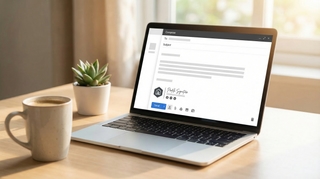
Add a scheduling link to your email signature in Gmail, Outlook, and Apple Mail. Step-by-step instructions with examples for Calendly, Cal.com, and Carly.

Scripts, email templates, and etiquette for canceling or rescheduling meetings without damaging relationships. Includes last-minute, recurring, and client meeting scenarios.

Step-by-step guide to delegating calendar access in Google Calendar. Sharing permissions, Workspace delegation, and AI scheduling assistants.

Three ways to merge Google Calendars: import/export, sharing, and syncing tools. Step-by-step instructions for combining personal and work calendars.

Practical strategies for scheduling meetings across time zones. Covers tools, etiquette, overlap windows, and templates for coordinating global teams.

Set up out of office in Google Calendar to auto-decline meetings, block your schedule, and notify colleagues. Covers desktop, mobile, and Workspace settings.

The best Acuity Scheduling alternatives for appointment booking — from AI-powered schedulers to simpler booking pages, with pricing comparisons and honest tradeoffs.

Which AI assistants are actually free with no subscription? A honest breakdown of what works for scheduling, email, and general tasks — no credit card required.

The best AI scheduling tools for automatically finding meeting times, managing calendars, and reducing scheduling back-and-forth — reviewed and compared for 2026.

The best calendar apps in 2026 — reviewed by features, platform support, AI capabilities, and price. From Google Calendar and Fantastical to AI assistants like Carly.

The best meeting scheduling apps in 2026 — booking links, AI schedulers, group scheduling tools, and team coordination software, with pricing and honest comparisons.
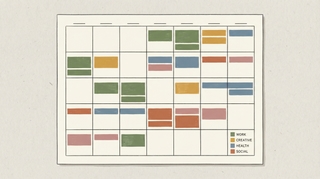
Clockwise is Google Calendar only and requires team-wide adoption to work well. Here are the best alternatives depending on what you actually need it for.
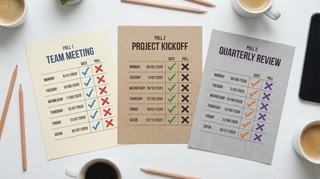
Doodle, When2Meet, and WhenIsGood compared head-to-head. What each one is actually good for, where they fall short, and which free options beat all three.

The best Fantastical alternatives for Mac and iOS — natural language calendar apps, AI scheduling tools, and cross-platform options without the $5/month subscription.

Google Calendar's AI features in 2026 — smart event creation, focus time, Gemini integration, and what they can and can't do. Honest breakdown.

Google Calendar refreshes subscribed ICS calendars roughly every 12–24 hours. Here's what that means in practice, why you can't force a refresh, and workarounds.

Every Google Calendar keyboard shortcut for navigation, creating events, switching views, and managing your schedule — including how to enable shortcuts first.

Yes — Google Calendar still supports natural language event creation in 2026. Here's exactly how it works on desktop, mobile, and what it can and can't parse.

Google Calendar can show multiple calendars in separate side-by-side columns in Day view. Here is how to enable it and when it is useful.

A practical guide to time blocking in Google Calendar — setting it up, maintaining it, and using the right features to protect your focused work time.

The actual limit on Google Calendars per account, how to manage multiple calendars without losing your mind, and when to split vs combine.

Add Google Calendar to iPhone using the Google Calendar app or the native Apple Calendar app — with sync settings, widget setup, and troubleshooting common issues.
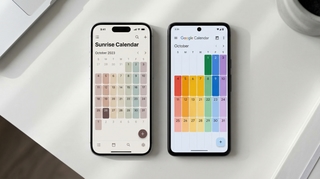
Three ways to view your Google Calendar inside Outlook — ICS subscription, CalDAV sync, and third-party tools. What each does, what it costs, and which to use.

If you're manually entering 10-15 names every time you schedule a recurring event, there's a better way. Google Groups works. Carly's Chat with Cal is even easier.

Display multiple time zones in Google Calendar — including a world clock sidebar, secondary time zones, and tips for scheduling across time zones without confusion.
Three ways to automatically copy or mirror events from one Google Calendar to another — using Zapier, Google Apps Script, and CalendarBridge. With tradeoffs for each.
The email ping-pong when scheduling meetings is fixable. Here are 7 methods ranked by how much back-and-forth they actually eliminate, with free options for each.

A complete guide to color coding Google Calendar — apply colors to individual events, entire calendars, and build a visual system that makes your week readable at a glance.

Step-by-step guide to creating calendar invites in Google Calendar on desktop and mobile — adding guests, setting reminders, attaching video links, and managing RSVPs.

How to build a link that opens Google Calendar pre-filled with your event. Works in emails, websites, and landing pages. Includes URL format and a generator.

Embed a Google Calendar on any website using the built-in embed code — with options for display size, view type, showing multiple calendars, and styling tips.

How to find your Google Calendar's ICS link so others can subscribe to it. Covers public calendars, private address, and what each URL type does.

How to find and publish your Outlook calendar's ICS link so others can subscribe to it. Covers Outlook on the web, desktop, and what the URL format looks like.

Concrete ways to cut meeting time without killing collaboration — shorter defaults, async alternatives, no-meeting blocks, and how to get your team on board.

How to schedule team meetings without the chaos — finding times that work, cutting unnecessary meetings, running them efficiently, and tools that actually help.

The right way to schedule meetings over email — what to include, how to propose times, how to handle back-and-forth, and when to use a scheduling tool instead.

How to write an availability email that gets a meeting confirmed in one round — formats, examples, and when to use a scheduling tool instead.

Step-by-step: set up a recurring Google Meet with the same link every time. Works for daily standups, weekly team syncs, and any repeating meeting.

Set working hours in Google Calendar to show your availability, automatically decline outside-hours invites, and help colleagues schedule meetings at the right time.

A practical guide to using ChatGPT for real work tasks — writing, scheduling, email, research, and more. What actually works, what wastes time, and how to build a routine around it.
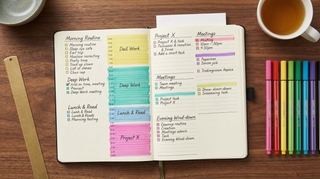
The best Motion alternatives for AI task scheduling — lighter-weight tools, focused calendar assistants, and full AI schedulers with honest pricing comparisons.

The five most popular AI meeting notetakers compared head-to-head. Accuracy, bot behavior, pricing, and which one to use for Zoom, Meet, and Teams.

The best Reclaim alternatives for AI calendar optimization — smart scheduling tools, time blocking apps, and AI assistants that protect focus time and reduce meeting overload.

The complete guide to showing Google Calendar in Outlook and Teams — covering ICS subscriptions, Calendar Interop, CalendarBridge, and what actually works for org-level sync.

TripIt vs Wanderlog vs Google Trips and 5 more travel planning apps compared. What each does well, what the free tiers include, and which to use.

94% of firms offer advisory services. But is advisory work actually showing up on the calendar, or just on the slide deck? The off-season schedule tells the real story.

A 6-point drop in utilization across a 50-person firm costs $1.3 million. The calendar shows that gap in real time, weeks before the financials catch up.

Average revenue per dental chair is $231,721 a year. Efficient scheduling alone increases daily production by 15-25%. The calendar is the practice's most important financial instrument.

Revenue per household explains 90% of the variation in advisory firm revenue. And revenue per household tracks directly to how often you meet with clients.

A trainer at $80 per session with 25 clients a week earns $104K a year. Lose just 15% to cancellations and that's $15,600 gone. The calendar is the entire revenue model.

Patient no-shows cost the US healthcare system $150 billion a year. For medical practices, the calendar isn't a scheduling tool — it's the P&L statement in real time.

It costs $200-300 just to dispatch a technician. A no-show doesn't just lose the job revenue — it burns the dispatch cost too. The calendar is where profit is won or lost.

Lawyers bill 2.6 hours of an 8-hour day. Nearly 1 in 5 billable hours never get recorded. The calendar isn't just where the work is scheduled — it's where revenue is made or lost.

A home needs 10-25 showings before an offer. After 10 with no bites, something is wrong. The calendar tells you before the listing expires.

When a client asks what you've been doing on their search, the answer is on your calendar. Screens scheduled, interviews coordinated, meetings held — the calendar is the recruiter's scorecard.

Pipeline reports lag. CRM data decays. But the calendar shows exactly how many meetings your team is booking, holding, and losing to no-shows — and that's the real forecast.

77% of barbershop appointments are booked online. 46% happen after hours. The calendar runs the business even when the owner is asleep.

A therapist's revenue is their session count times their rate. That's it. The calendar doesn't reflect the business — it is the business.

For dozens of professions, the calendar isn't just a scheduling tool. It's the single most accurate record of what's actually happening in the business.
![20 Best AI Tools for Accountants [2026]](/_vercel/image?url=_astro%2Fbest-ai-tools-accountants.DDkiXIZA.png&w=320&q=100)
AI tools that help accountants automate bookkeeping, streamline tax prep, and manage clients more efficiently. From data extraction to client communication.
![20 Best AI Tools for Coaches [2026]](/_vercel/image?url=_astro%2Fbest-ai-tools-coaches.BD_EvZ8K.png&w=320&q=100)
AI tools that help life coaches, business coaches, and executive coaches scale their practice, automate admin, and deliver more value to clients.
![20 Best AI Tools for Financial Advisors [2026]](/_vercel/image?url=_astro%2Fbest-ai-tools-financial-advisors.DcvX5Yh4.png&w=320&q=100)
AI tools that help financial advisors streamline client management, automate compliance workflows, and deliver better financial plans. From portfolio analysis to client communication.
![20 Best AI Tools for Founders [2026]](/_vercel/image?url=_astro%2Fbest-ai-tools-founders.CzTe7noz.png&w=320&q=100)
AI tools that help startup founders move faster, hire smarter, and scale without bloating headcount. From fundraising prep to product development to go-to-market.
![20 Best AI Tools for Project Managers [2026]](/_vercel/image?url=_astro%2Fbest-ai-tools-project-managers.nMbwwgBy.png&w=320&q=100)
AI tools that help project managers plan better, communicate faster, and keep teams on track. From automated status updates to intelligent resource planning.
![20 Best AI Tools for Sales Reps [2026]](/_vercel/image?url=_astro%2Fbest-ai-tools-sales-reps.BROdOhs7.png&w=320&q=100)
AI tools that help sales reps prospect smarter, close faster, and crush quota. From lead enrichment to call coaching to automated follow-ups.
![20 Best AI Tools for Therapists [2026]](/_vercel/image?url=_astro%2Fbest-ai-tools-therapists.BQAVIa-F.png&w=320&q=100)
AI tools that help therapists manage their private practice, streamline documentation, and reduce administrative burden - so you can focus on your clients.
![20 Best AI Tools for Virtual Assistants [2026]](/_vercel/image?url=_astro%2Fbest-ai-tools-virtual-assistants.Czc3-2FV.png&w=320&q=100)
AI tools that help virtual assistants handle more clients, deliver higher-quality work, and automate repetitive tasks. From inbox management to content creation.

The best free Doodle alternatives for group scheduling in 2026. Modern polling tools, availability grids, and AI schedulers — without the ads, paywalls, or clunky UI.

Learn how to add holidays from any country to Google Calendar, manage multiple holiday calendars, and customize which holidays appear on your schedule.

Learn how to use time blocking in Google Calendar to protect focus time, manage your schedule, and boost productivity with step-by-step instructions.

Learn how to organize, color-code, and manage multiple Google Calendars effectively. Covers creating calendars, toggling visibility, and cross-account management.
Learn how to create, edit, and manage recurring meetings in Google Calendar. Covers custom repeat patterns, exceptions, and best practices.

Learn how to create and manage a shared team calendar in Google Calendar. Covers setup, permissions, best practices, and tools for team coordination.
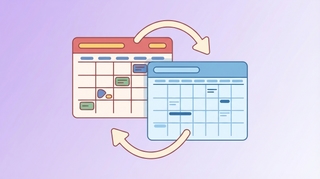
ICS subscription, connected accounts, CalendarBridge — the real options for syncing Google Calendar and Outlook, with honest notes on what each one can and can't do.
How to schedule a meeting with multiple people without endless email threads. Polls, availability grids, calendar tools, and AI — step by step.

Copy events between Google Calendars in seconds — no manual re-entry, no third-party syncing tools. Here's how to do it for free with Carly.
Step-by-step guide to subscribing to any calendar URL or .ics feed in Google Calendar. Works for sunrise/sunset calendars, sports schedules, holidays, and more.
Step-by-step guide to subscribing to any calendar URL or .ics feed in Outlook. Works for sunrise/sunset calendars, sports schedules, holidays, and more.
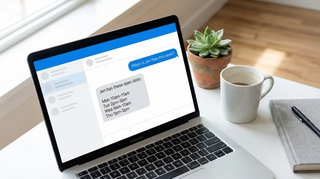
A step-by-step guide for executive assistants: check your boss's schedule, move meetings, place holds, find availability, and convert time zones — all by chatting with Carly.
Stop going back and forth to find meeting times. CC Carly on any email thread and she handles the scheduling for you. See real email examples.
Carly can start email conversations on your behalf, handle the back-and-forth, and update you when meetings are booked. See how delegated outreach works.
Every method for finding a meeting time that works for a group — polls, scheduling assistants, shared calendars, and AI — with step-by-step instructions for each.
Add contacts, save relationships, and create groups in Carly so scheduling with your regular people is instant. Step-by-step guide with examples.
Scheduling a meeting with 5+ people is painful. Carly's availability polls make it easy — see exactly how it works with real email examples.
Learn how to schedule meetings instantly by emailing Carly. Step-by-step walkthrough with real email examples showing the full scheduling flow.
Copy-paste email templates for sending your availability, plus step-by-step instructions for Outlook, Gmail, and the tools that eliminate the back-and-forth entirely.
Make your meeting proposals clickable. Learn how to set up Carly's click-to-book links so recipients can book meetings with literally one click.
Get an evening email previewing your next day's schedule. Learn how to turn on Carly's daily briefing from your dashboard.
Step-by-step instructions for sharing your calendar on every major platform — Google Calendar, Outlook, and iPhone — plus a smarter way to share just your availability.
See your calendar, check availability, and add Carly to emails — all without leaving Gmail. Here's how to set up and use Carly's Chrome extension.
Track contacts, add custom fields, and set up Skills to automatically update information. Here's how to use Carly as a simple CRM.
Manage your calendar from your phone with a text message. Learn how to schedule, cancel, and check your day using Carly's SMS feature.

Find the best virtual assistant for real estate. We compare top real estate VA companies, pricing, tasks they handle, and how AI tools are changing the game.

Virtual assistant pricing broken down by company, location, and role — with real numbers and tips to cut costs.

AI slop — Merriam-Webster's 2025 word of the year — refers to low-quality, mass-produced AI content. Here's where the term came from, what it actually means, and why the line between slop and useful AI content is blurrier than people think.

Step-by-step instructions for exporting your contacts as CSV or Excel files from Salesforce, HubSpot, Zoho, Pipedrive, Attio, Monday.com, Freshsales, Oracle, Copper, and Close.

Skills are simple instructions that teach AI assistants how to handle your specific tasks — your way. No coding required. Here's what they are, why they matter, and how people are using them.

Every group scheduling tool worth using in 2026, ranked. Availability grids, polling tools, and AI schedulers — free options, no forced sign-ups, honest comparisons.
The 10 best to-do list apps for 2026. From AI-powered task managers to minimalist checklists, find the right app to stay organized.

12 AI personal assistants ranked for scheduling, email, and life admin. Which ones are worth paying for, which free options hold up, and what most reviews get wrong.
![18 Best AI Tools for Lawyers [2026]](/_vercel/image?url=_astro%2Fbest-ai-tools-lawyers.BgEGJ1Hz.png&w=320&q=100)
AI tools that help lawyers research faster, draft better, and manage clients more efficiently. From contract review to case management to billing.
![20 Best AI Tools for Small Business Owners [2026]](/_vercel/image?url=_astro%2Fbest-ai-tools-small-business-owners.CZ_QAfVs.png&w=320&q=100)
AI tools that help small business owners automate operations, market smarter, and grow without hiring. From bookkeeping to customer service to marketing.
![20 Best AI Tools for Consultants [2026]](/_vercel/image?url=_astro%2Fbest-ai-tools-consultants.BC2J4-t6.png&w=320&q=100)
AI tools that help consultants win engagements, deliver insights faster, and scale their practice. From research to deliverables to client management.
![19 Best AI Tools for Executives [2026]](/_vercel/image?url=_astro%2Fbest-ai-tools-executives._V64IlRA.png&w=320&q=100)
The AI tools busy executives actually use to save 10+ hours weekly. From inbox management to meeting prep to strategic analysis. Tested recommendations for CEOs, founders, and senior leaders.
![22 Best AI Tools for Freelancers [2026]](/_vercel/image?url=_astro%2Fbest-ai-tools-freelancers.Dqaks4NG.png&w=320&q=100)
AI tools that help freelancers win more clients, deliver faster, and reclaim their time. From proposals to invoicing to actual client work. Free and affordable options included.
![18 Best AI Tools for Real Estate Agents [2026]](/_vercel/image?url=_astro%2Fbest-ai-tools-real-estate-agents.CVSNqu8y.png&w=320&q=100)
AI tools that help real estate agents generate leads, create stunning listings, and close more deals. From property marketing to client communication to market analysis.
![19 Best AI Tools for Recruiters [2026]](/_vercel/image?url=_astro%2Fbest-ai-tools-recruiters.JvKN22qJ.png&w=320&q=100)
AI tools that help recruiters source faster, screen smarter, and fill roles in half the time. From candidate sourcing to interview scheduling to offer management.

The AI tools solopreneurs are actually using in 2026 — for content, operations, scheduling, and support. What's worth paying for when you're building alone.
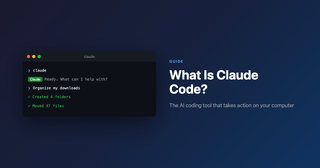
Claude Code is an AI assistant that takes action on your computer. Learn what it is, how non-technical people use it, and why it's changing productivity.

Learn what Clawdbot is: the open-source AI assistant you run yourself. Discover features, setup, costs, and how it compares to Siri and ChatGPT in 2026.

Learn how busy professionals save 10+ hours/week with AI and turn it into real income. The complete AI productivity stack for 2026. Start with your calendar.
If your business revenue has stalled, the answer might be in your calendar. Learn how to audit your time and identify the patterns killing your growth.
![100 Best Productivity Hacks for Busy Professionals [2026]](/_vercel/image?url=_astro%2F100-productivity-hacks.WWYdW0IM.png&w=320&q=100)
Discover 100 proven productivity hacks for busy professionals. From time-blocking to AI automation, reclaim hours every week. Get more done today.

Otter.ai, Fireflies, Fathom, MeetGeek, tl;dv, and 9 more — ranked by accuracy, bot behavior, pricing, and whether they actually save you time in meetings.

Google just launched CC. Copilot is in Outlook. Gemini is in Calendar. Compare what each AI can actually do for scheduling heading into 2026 - and what they still can't handle.

The ultimate meeting guide for 2026. Learn how to run productive meetings, create effective agendas, and eliminate scheduling overhead. Save hours weekly.

Land a non-technical job at a tech startup in 2026. Learn which roles startups hire first, how equity works, and what founders look for. No coding required.

TripIt is the gold standard for travel organization. Learn how to use its best features, plus discover alternatives for when you need something different.

Each interruption costs 23 minutes to recover. Time blocking protects your focus. Step-by-step guide with 5 methods, examples, and AI tips to make it stick.

12 AI agents ranked by how much they actually do autonomously — scheduling, email triage, research, and more. Cuts through the hype with honest takes on what works.

A practical 2026 guide to AI employees—what they are, real examples, latest adoption stats, and how to deploy your first digital worker.
Discover what productivity research actually says about working smarter. 12 evidence-based findings on meetings, focus time, and AI tools. Data-driven insights.

Discover the best AI tools in 2026 for busy professionals. Curated guide covering AI scheduling, writing, research, and productivity tools that save real time.

Compare the best Calendly alternatives for 2026. From AI assistants to free booking tools. Find scheduling software that fits how you actually work.
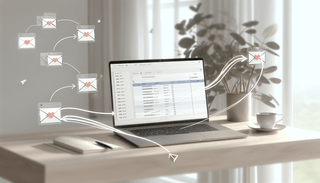
Tired of copying events from email to calendar? Discover 6 methods to forward emails to your calendar automatically. Works with Gmail, Outlook & more.
![How to Schedule Meetings Without the Back-and-Forth [2026]](/_vercel/image?url=_astro%2Fschedule-meetings-hero.DGFzr2-I.png&w=320&q=100)
Tired of endless email chains to schedule meetings? Learn 7 proven methods to eliminate back-and-forth and book meetings faster. AI solutions included.

Skip the complex Zaps. Carly is the simpler Zapier alternative for calendar scheduling. Forward emails, text commands, done. Try free today.
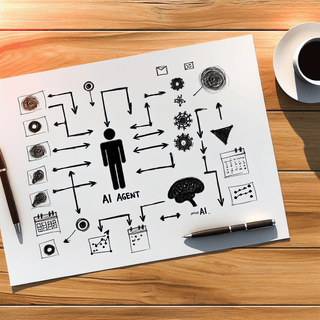
Learn what AI agents are and how they work. Discover how autonomous AI assistants save time on scheduling, emails, and more. Simple guide for beginners.

Google CC can't schedule meetings. Discover Carly - the AI assistant that actually manages your calendar via email and text. No app, no learning curve.

Reclaim, Motion, Clockwise, Carly, and 6 more — ranked by how much time they actually save. Covers auto-scheduling, focus time, and email-based coordination.

Learn how to share your Google Calendar step-by-step. This guide covers desktop, mobile, embedding, permissions, delegation, and troubleshooting.

Learn how to share your Outlook calendar across web, desktop, and mobile platforms, including links, ICS subscriptions, delegate access, and permission levels.